– 32 –
Original data of current program number are displayed.
Click on data you want to modify.
Insert new value.
Press “NEXT” to display angle and springback.
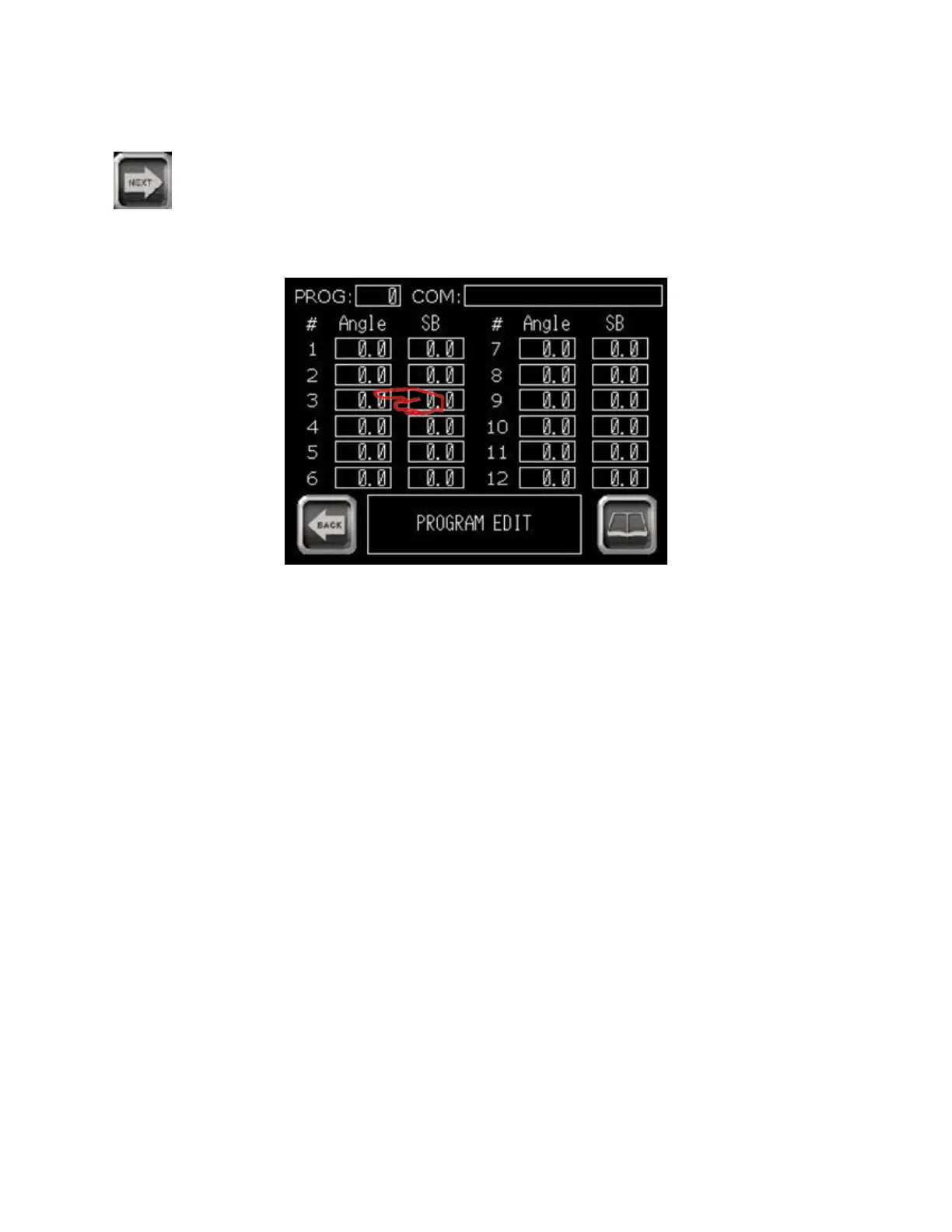
The following screen appears:
- Entering bend angle -
Click on data you want to modify.
Insert new value (0 to 180 degrees).
Springback may be entered now if known. Refer to page 42 (Automatic Mode without pressure die
control) or page 50 (Automatic Mode with pressure die control) for instructions on determining
springback).
When modications are complete, save data on USB.
03/2015TB100/TB130


 To Next Page