39
SECTION 4 OPERATION
Note:
Most fault signals will remain on for a minimum of 10 seconds.
Unit will reset automatically after faults are cleared except for over-current protection.
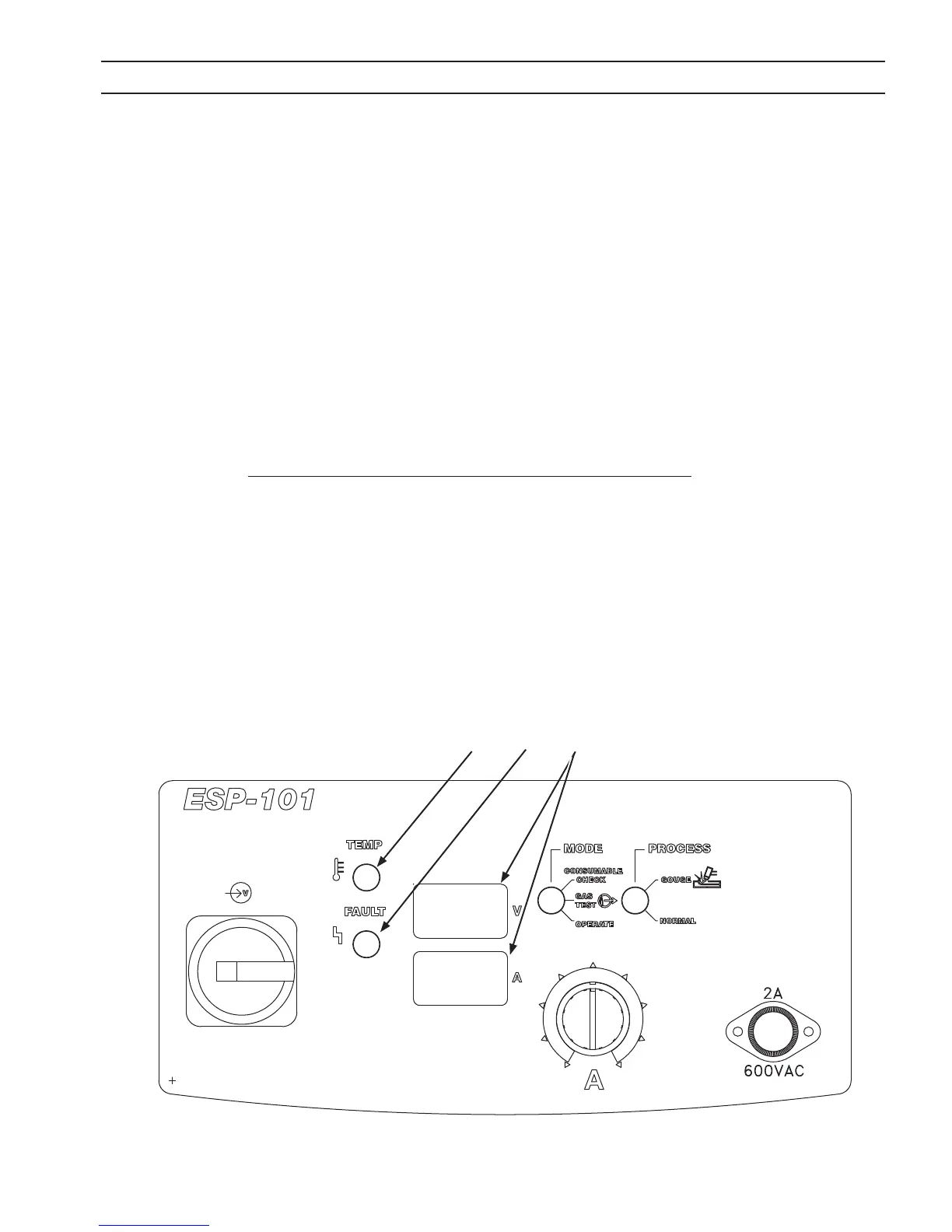
F. Display Screens.
Voltmeter UPPER Displays DC output voltage.
Ammeter LOWER Displays output current setting.
The voltmeter and ammeter screens alternately display Model, Test and the Software version along with help
code information (see Section 6.2 List of Help Codes).
When unit is initially switched on the Model, PIP (Parts in Place) and Software version will be briey displayed.
Lower display will then show Current Setting.
G. TEMP Indicator Lamp.
The amber lamp will illuminate to indicate an internal overheating condition has occurred, one of the thermal
switches has opened. User control of the power source will be interrupted and the unit will shut down to protect
critical components. Leave the power on to allow the fan time to cool o the unit. Once cooled to a safe tem-
perature, the thermal switch will automatically reset and output control will be restored.
H. FAULT Indicator Lamp.
The red lamp will illuminate to indicate an error has occurred, operator attention is required. See item F. Display
Screens and refer to Section 6.2 List of Help Codes.
Important Note:
If after the initial sequence the display does not show the Current Setting but reverts back to displaying
the model "ESP-101", the machine has detected a premature torch trigger condition. Disengage the torch
trigger and restart the machine. (As a safety precaution, the ESP-101 will not power up with the torch
trigger engaged.)
G F
H
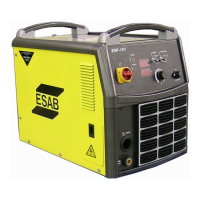
Figure 4-2b. ESP-101 Controls
Error Indication:
An error message will be displayed if improper operation is detected. Err (Error) is indicated on the upper display screen.
The Error code is indicated on the lower display screen. Refer to Section 6.2 List of Help Codes.



 To Next Page