Chapter 3: DS850 User Interface 41
EVS5200_DOC_SOP_DS850
Software Version 2.10
Published: February 26, 2014
Gate Flipper
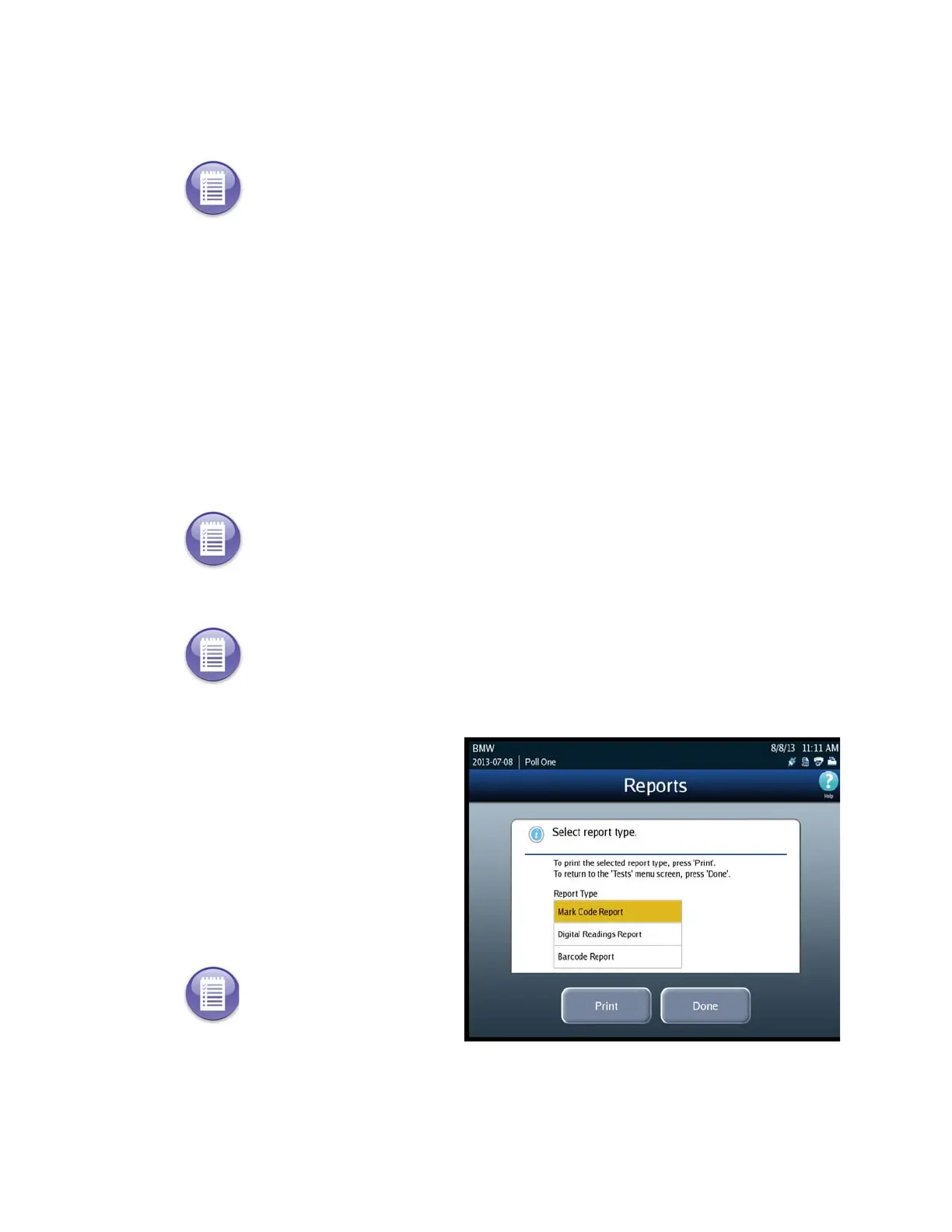
Reports
Use the reports option to print the following reports:
Mark Code - contains the mark code data from the scanner’s image processor for
the last ballot scanned and saved on the scanner.
Digital Readings - contains the reading data from the scanner’s image processor for
the last ballot scanned and saved on the scanner.
Barcode Report - contains data from the scanner’s image processor for the last card
scanned and saved on the scanner. It converts the barcodes on the card to a series
of digits.
Follow the steps below to print the reports:
1. Press Reports on the Tests
screen to display the Reports
screen.
2. On the Reports screen, highlight
the desired report by pressing
on the report title and then press
Print.
3. Press Done when you are finished printing reports.
Note: This section refers to future functionality that is not currently available on the DS850.
Note: ES&S Technicians use these reports to analyze scanner performance.
Note: If the last ballot scanned was out-stacked, then the Mark Code and Digital Readings
reports will not work because a ballot image was not saved for the last ballot scanned.
Note: The Zero, Results,
Batch/Bin, Precincts
Processed, and System
Readiness reports are not
available from this Reports
screen. They are printed
from the Reports menu. See
Chapter 8: Reports for more
information on accessing
and printing those reports.



 To Next Page