Chapter 3: DS850 User Interface 40
EVS5200_DOC_SOP_DS850
Software Version 2.10
Published: February 26, 2014
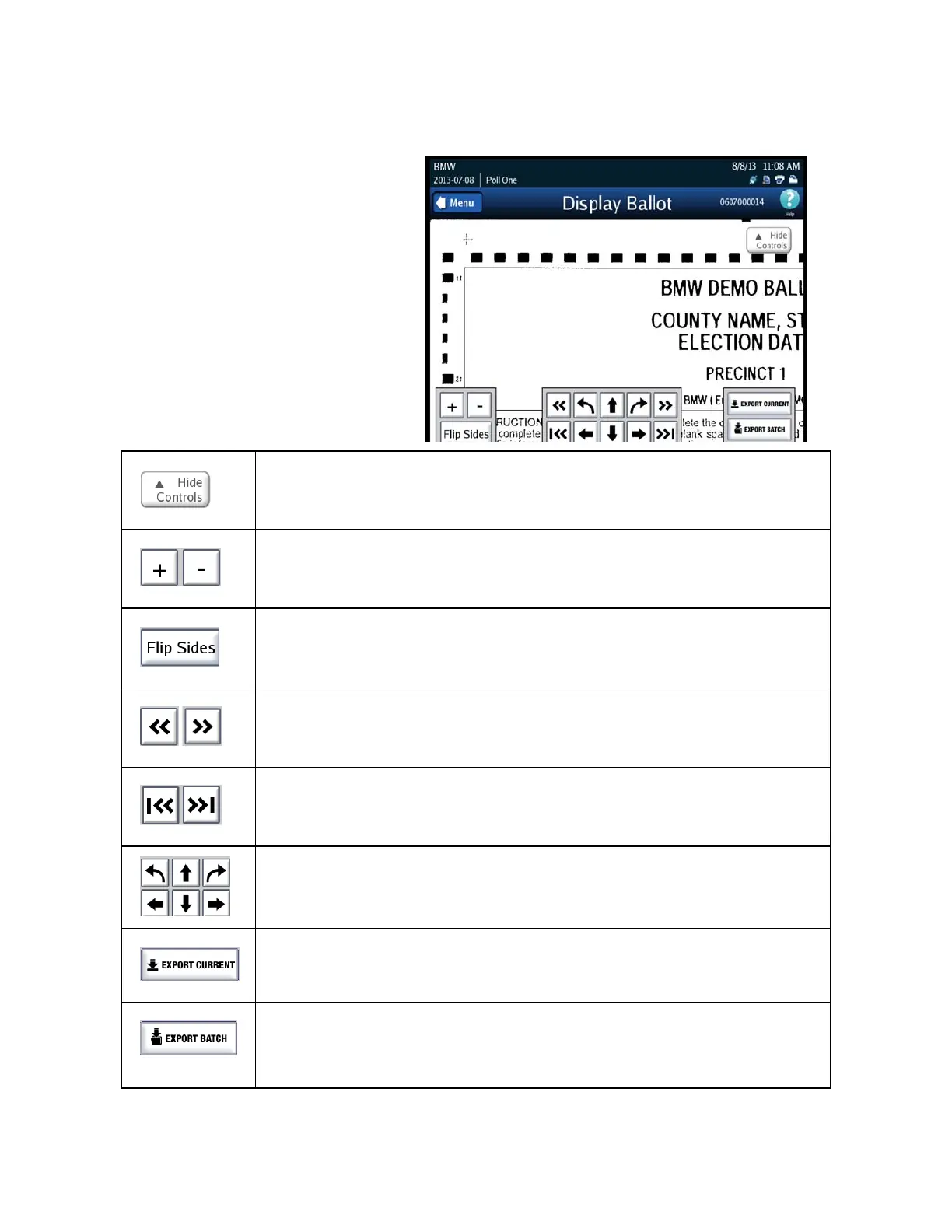
Display Ballot
Press Display Ballot on the
Tests screen to display the last
ballot scanned and saved on
the DS850.
The following is an example of
a displayed ballot.
Use the Hide Controls button to hide the Flip Sides, arrow, and zoom buttons. When
you press the Hide Controls button, it becomes the Show Controls button. Press the
Show Controls button to re-display the Flip Sides, arrow, and zoom buttons.
Use the button with a plus sign (+) to zoom in; use the button with
a minus sign (-) to zoom out.
Use the Flip Sides button to view the other side of the displayed
ballot.
Use the forward arrow to go to the next ballot and the back arrow to go to the previous
ballot.
Use the forward arrow to go to the last ballot in the batch and the back arrow go to the
first ballot in the batch.
Use the arrow buttons to position the ballot on the screen.
Use Export Current to send the .tif image (front and back) for the currently displayed
ballot, along with the associated Mark Code and Digital Reading reports, to USB media.
(If using ExpressVote cards the Bar Code Report will be exported).
Use Export Batch to send the .tif images (front and back), for all ballots in the run in
which the currently displayed ballot resides, along with the associated Mark Code and
Digital Reading reports, to USB media. (If using ExpressVote cards the Bar Code Report
will be exported).



 To Next Page