Chapter 3: DS850 User Interface 44
EVS5200_DOC_SOP_DS850
Software Version 2.10
Published: February 26, 2014
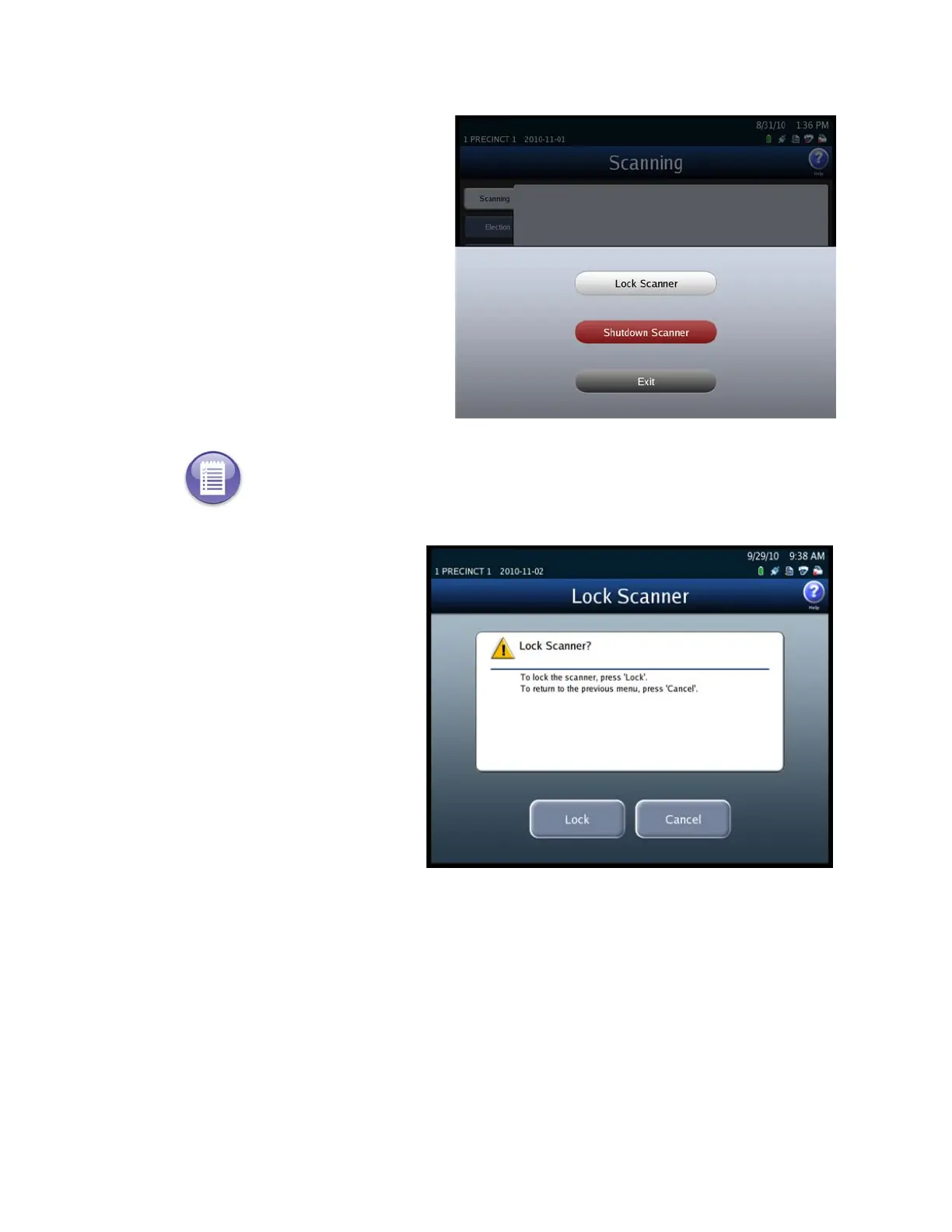
1. Press Exit in the lower
left-hand corner of the screen
to display the Exit screen.
2. From the Exit screen, press
Lock Scanner to access the
Lock Scanner screen
.
3. On the Lock Scanner screen,
press Lock to lock the
scanner, or press Cancel to
leave the scanner unlocked.
If you press Lock, the
Scanner Locked screen
appears. See the steps
below for an example of the
Scanner Locked screen.
Note: If an election definition is not loaded or if User Access is disabled, the Exit screen does
not include the Lock Scanner button. See the User Access section for information on enabling
and disabling User Access.



 To Next Page