Chapter 5: Pre-Election Day Tasks 60
EVS5200_DOC_SOP_DS850
Software Version 2.10
Published: February 26, 2014
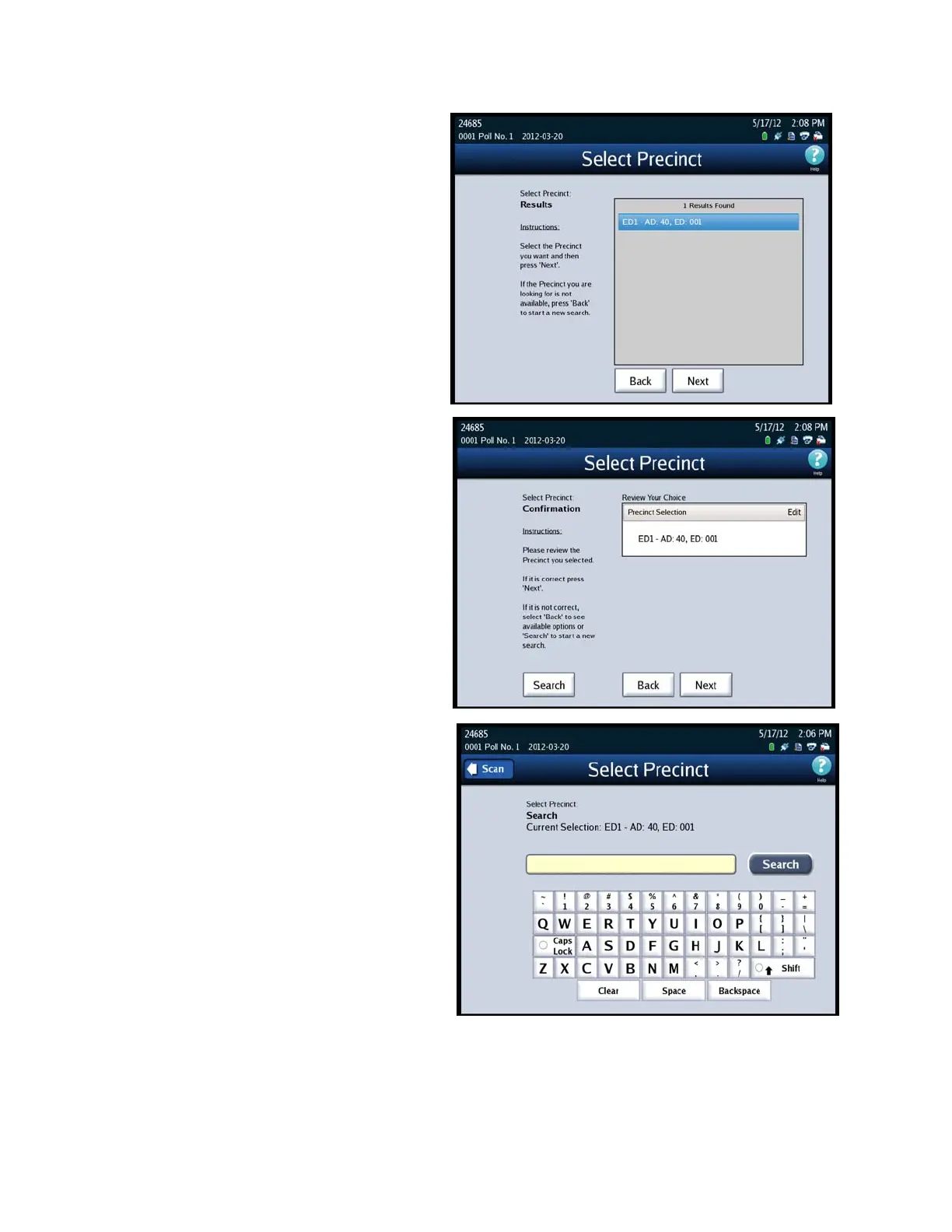
3. The Select Precinct results
screen appears. Select the
desired precinct by pressing on
it and then press Next. If the
precinct you want to select is
not listed, press Back to
perform another search.
4. The Select Precinct
confirmation screen appears,
press Next to confirm your
selection. If you are not
satisfied with your selection,
press Back to review the list of
search results, or press Search
to start a new search.
Once you have selected the
correct precinct and pressed Next.
You will be returned to the Select
Precinct screen. Under Current
Selection, it will show the precinct
you selected. i



 To Next Page