Chapter 5: Pre-Election Day Tasks 65
EVS5200_DOC_SOP_DS850
Software Version 2.10
Published: February 26, 2014
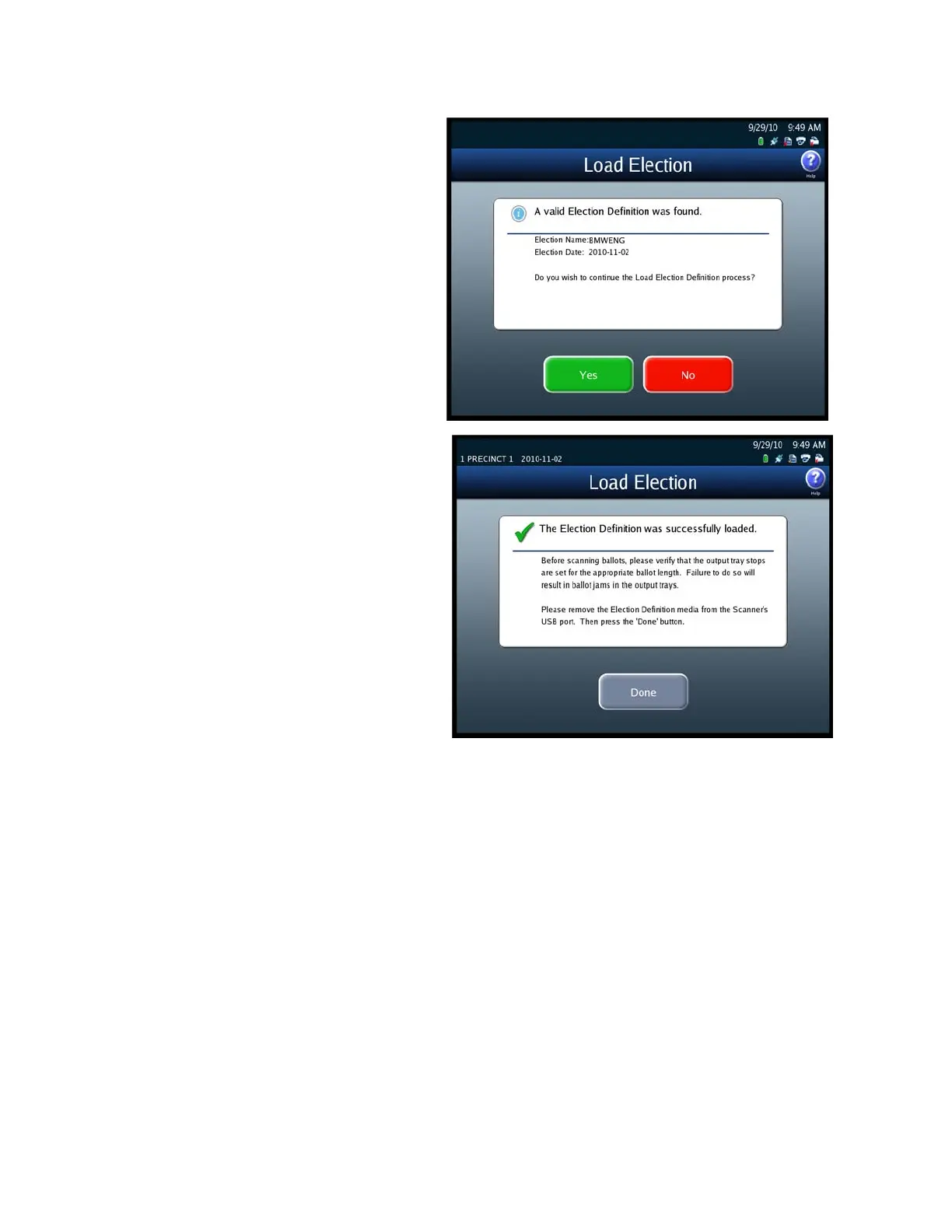
6. When the Load Election screen
appears notifying you that the
system has found valid
Election Definition media for
the election, press Yes to start
the election definition load
process, or press No to stop it.
If you press Yes, a pop-up
screen appears briefly to let
you know that the election
definition is being loaded.
7. The following screen appears
when the election definition
has been loaded successfully.
Remove the Election Definition
Media Device flash drive
containing the election
definition and store it in a safe
place. Then press Done.



 To Next Page