Chapter 5: Pre-Election Day Tasks 76
EVS5200_DOC_SOP_DS850
Software Version 2.10
Published: February 26, 2014
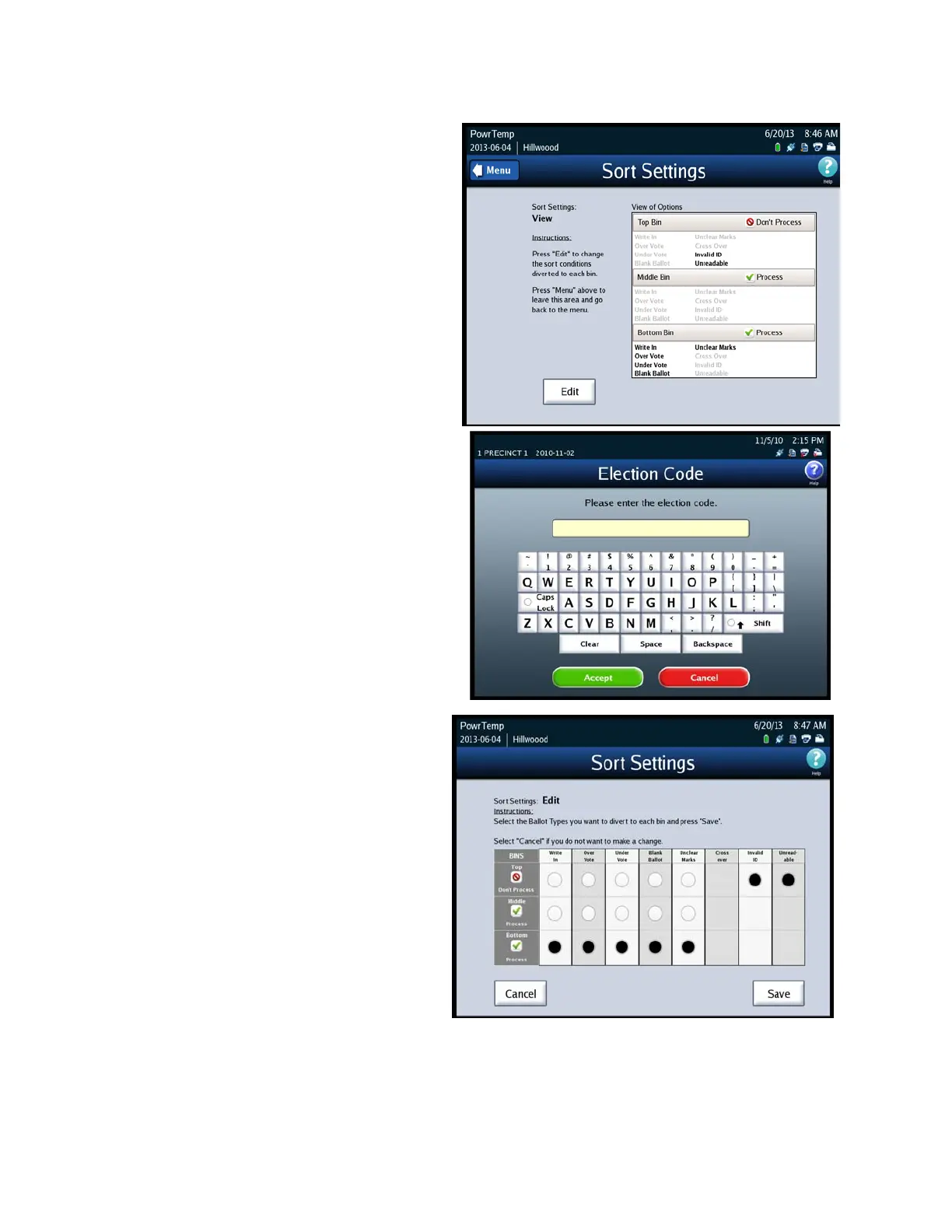
3. The Sort Settings screen will
show the current selections,
which were setup in
ElectionWare for each bin. Press
Edit to change the settings for
each bin.
4. When prompted, enter the
Election Code and then press
Accept.
5. To change the options for the
bin sorting, press the Option
Button under each ballot
exception to sort the ballots to
the bin of your choice. You can
only choose one bin per ballot
exception. Press Save to save
the settings and return to the
Sort Setting View screen.



 To Next Page