Chapter 5: Pre-Election Day Tasks 78
EVS5200_DOC_SOP_DS850
Software Version 2.10
Published: February 26, 2014
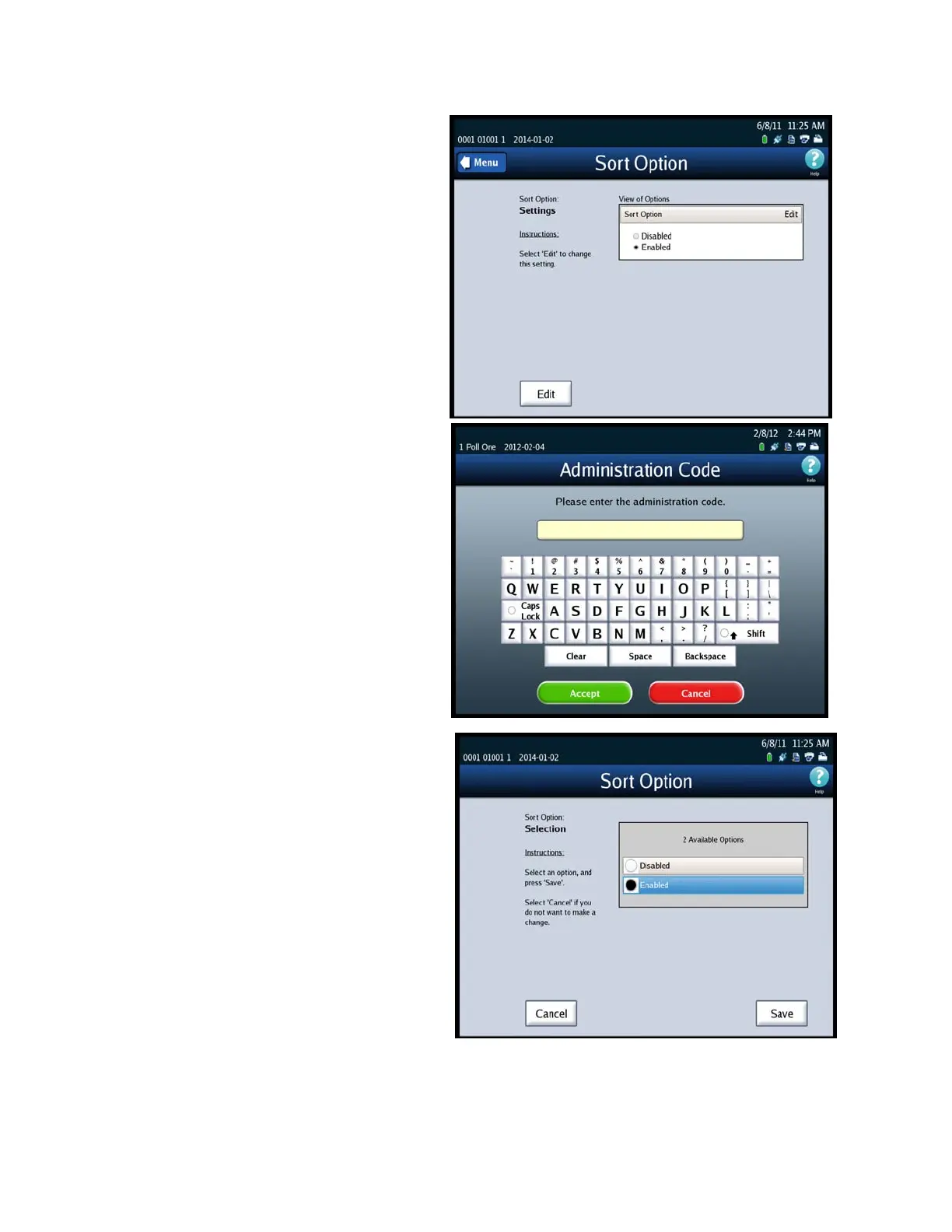
3. On the Sort Option settings
screen, press Edit.
4. When prompted, enter the
Administration code and then
press Accept. The Sort Option
selection screen is displayed.
5. On the Sort Option selection
screen, highlight the desired
option (Disabled On Scan
Screen or Enabled On Scan
Screen) by pressing on it. Then
press Save to save the new
setting, or press Cancel to
cancel the change.



 To Next Page