55
S12 Replacing the Thermal Cut Out
WARNING - Ensure power is turned o before removing any TCO.
There are two thermal cutouts: one in the LH room fan assembly (60°C) and the other attached to
the exhaust manifold (120°C).
Exhaust TCO (120°C)
Access to this TCO can be made by following steps 1 to 2 from section S11.
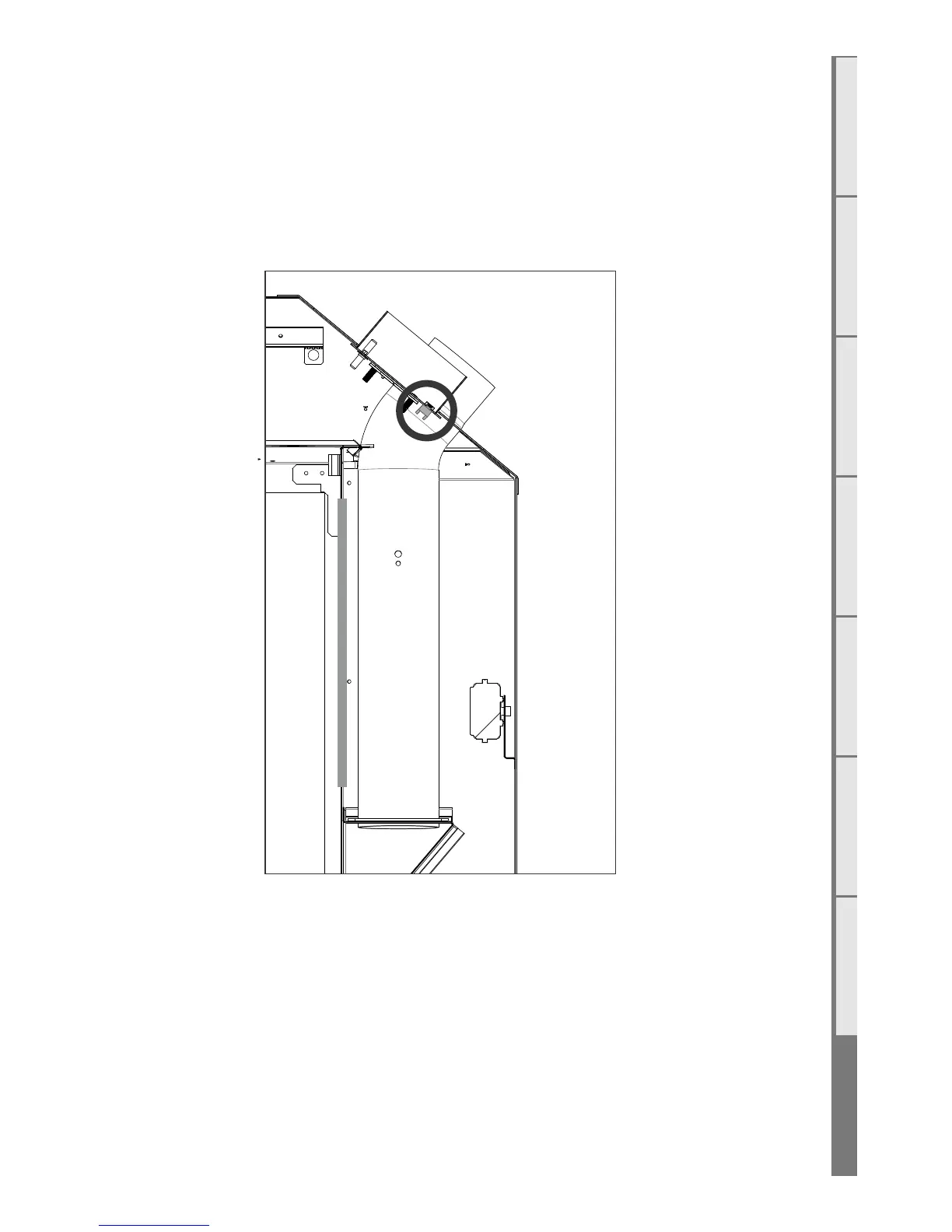
Reach in to the hatch and locate the TCO (circled in the diagram below). The TCO has two wires
connected to the main body; remove these. Unscrew the TCO using your hand and remove from the
firebox.



 To Next Page