Quick Start Guide 13
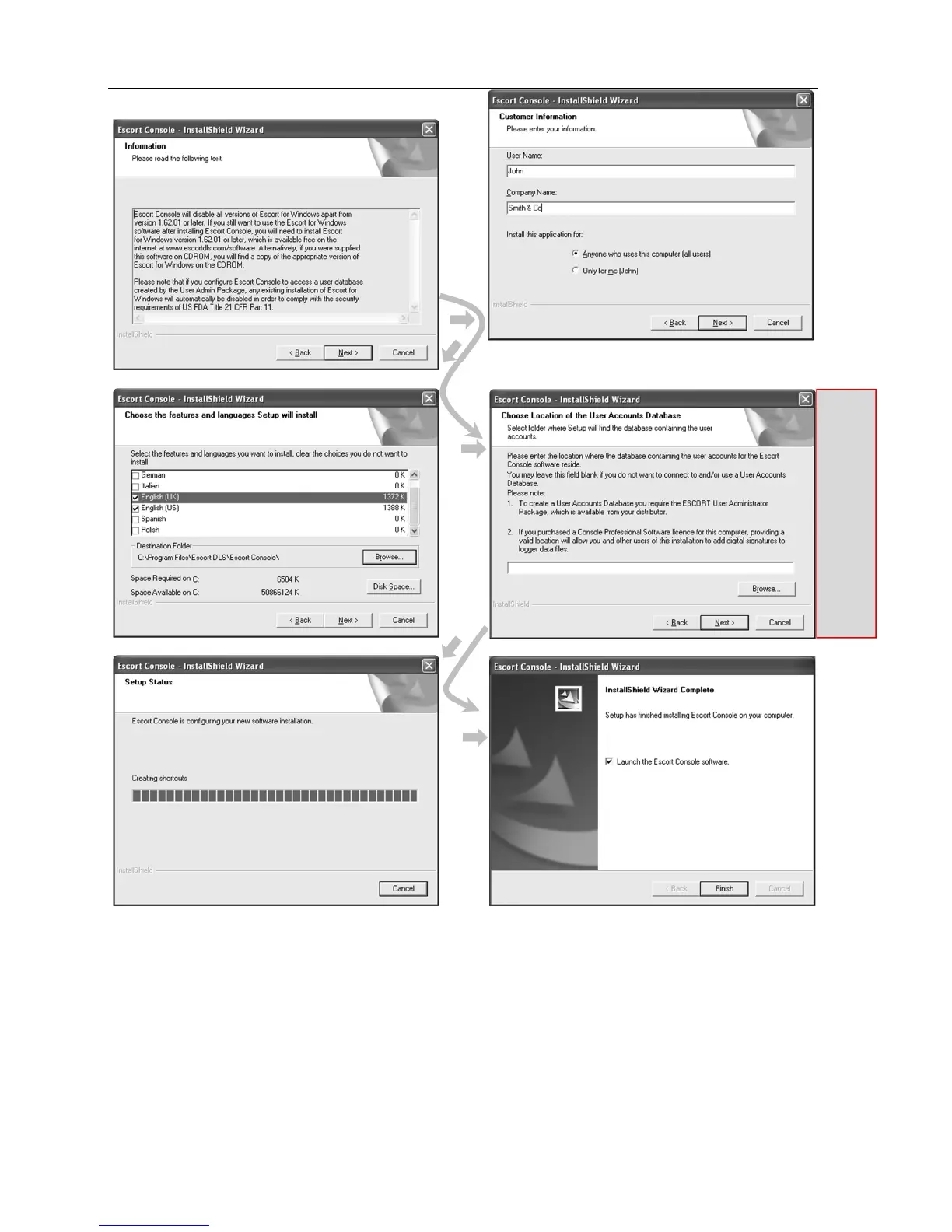
At the conclusion of the installation process, the final screen will provide you with an option to immediately start the
ConsolePro software. The installation of the ConsolePro software will also provide you with two simple methods to start the
ConsolePro at a later time, which are a "Shortcut" on the desktop, which you can double click to start the software and a
"Shortcut" in the "Start" menu system. If you are using Windows XP for example, you may need to click on the "All
Programs" item to locate the "Console" shortcut.
4. Quick Start Guide
Now you have the software and drivers installed on your computer, you can start to use the iMiniPlus. This chapter will
briefly cover the steps involved to get your iMiniPlus ready to use, how to get it started and then retrieve the recorded
information. The subsequent chapters will explain in more depth these steps and the various options available to you.
This
section
relates to
additional
software
called “User
Admin”
which is
designed to
comply with
CFR 21 Part
11
specification.
If you are not
using this
software
ignore this
step and
select Next.



 To Next Page