Customizing the software 51
Time
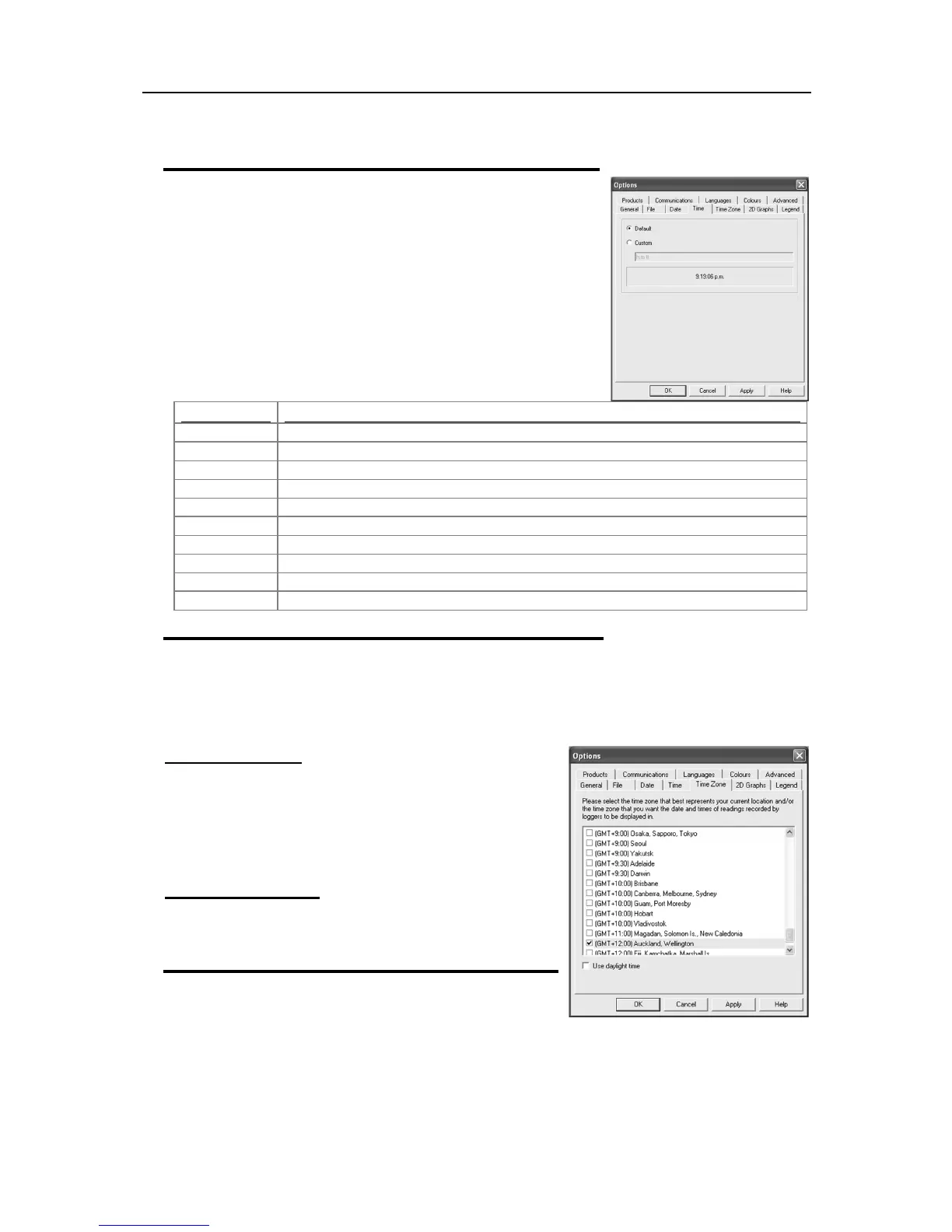
To customize how the time information is displayed, the following
elements may be used. If spaces are used to separate the elements,
these spaces will appear in the same location in the time displayed. The
letters must be in uppercase or lowercase as shown in the following
table (for example, "ss", not "SS"). Characters that are enclosed in
single quotation marks will appear in the same location and unchanged
in the time displayed.
Hours with no leading zero for single-digit hours; 12-hour clock.
Hours with leading zero for single-digit hours; 12-hour clock.
Hours with no leading zero for single-digit hours; 24-hour clock.
Hours with leading zero for single-digit hours; 24-hour clock.
Minutes with no leading zero for single-digit minutes.
Minutes with leading zero for single-digit minutes.
Seconds with no leading zero for single-digit seconds.
Seconds with leading zero for single-digit seconds.
One character time-marker string, such as A or P.
Multi character time-marker string, such as AM or PM.
Time zones
In some cases, the configuration time zone will be different from the time zone at the download location.
This allows you to select which time zone will be used to display dates and times within the graph and data
displays. This option will not have any effect on the original recorded data.
GMT Time Zone
All times are displayed in Greenwich Mean Time representation
Use daylight time
By selecting the box, the iMiniPlus data will shift +1 hour to
accommodate Daylight Saving Time.
2D Graphs



 To Next Page