36
2. Links - Manages which data you would like to analyze or compare.
3. Analysis - Manages which type of analysis you would like to add in the displayed readings or graphs.
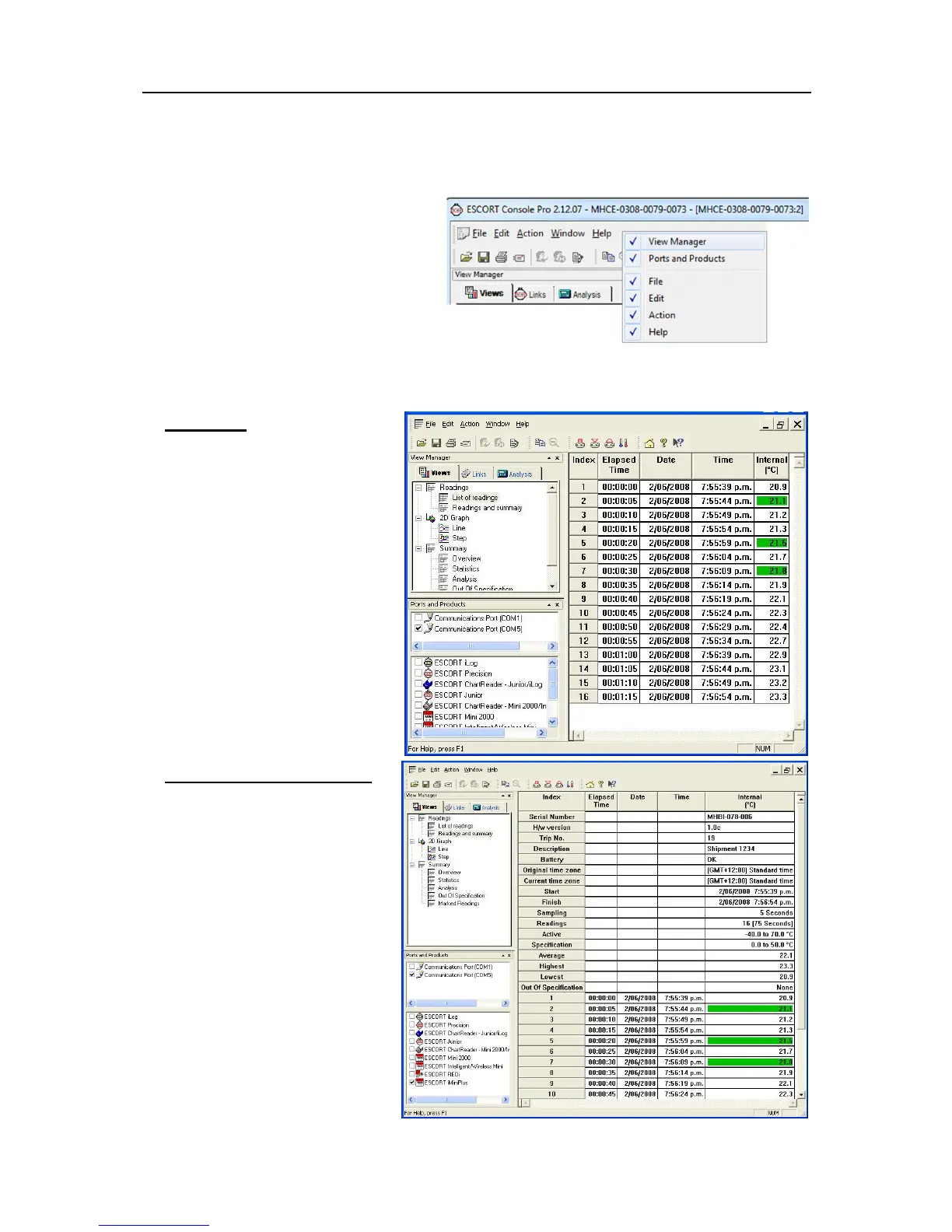
To hide or display the View Manager,
choose
Options
from the
Edit
menu. Select
or deselect
Display the View Manager
option from the
General
tab. Alternatively
you can right click on the menu or toolbar
area to select the View Manager. As shown:
Views
The Views window has 3 top-level headings. To expand or collapse the content of any headings just left
click on it. Each heading contains a drop down list of further items. To display the item double-click on the
item you would like to see.
Readings
List of readings - displays a table
with separate line for each reading
taken. Each line shows the date and
time the reading was made and the
measurement made by each sensor.
Readings and summary
Displays reading summary report
followed by detailed list of actual
readings. Summary report includes
such facts as the serial number of
the iMiniPlus and a description of the
environment recorded, trip number,
start and finish dates, time zone,
number of readings, etc.



 To Next Page