64
Default File Format PDF & LRF
Security
Password protected (programmable using Console Pro Software)
encrypted binary file is generated along with PDF
13. Appendix
Troubleshooting
My iMiniPlus appears to be “dead”. There
are no readings on the LCD.
Change the battery using a CR2450
(3V Lithium coin cell.)
The Stop button is not working
Reprogram the iMiniPlus and tick the Enable Stop button
box in the Startup tab of Program and Configure. See
section Setting the Start and logging duration or Quick
Start Guide section. Note this defaults back to unselected
The iMiniPlus appears to be working but I
cannot program it. Software displays error
“ The software was unable to find any
products that it supports….”
Make sure you have tried all the solutions the Wizard has
suggested.
Check you have the current version of ConsolePro
software
If it still does not communicate you will need to return it
to your distributor for service.
My iMiniPlus is reading -40
°
°
°C
°
The sensor has become damaged. Send the iMiniPlus to
your distributor for service.
The year, date and time on the
downloaded data is incorrect.
The battery has been removed from the iMiniPlus for
more than 30 seconds. Re-program the iMiniPlus and
select the PC clock in the Date/Time tab of Program and
Configure. See section Checking the time clock.
When I press the Start button to start my
iMiniPlus it displays some readings then
You have to re-program the iMiniPlus to enable the Start
button to initiate another logging cycle. See Program and
Changing the Battery
The iMiniPlus displays battery low symbol on LCD display once battery
voltage falls below 2.8V. The iMiniPlus checks the battery status every
10minutes or when it is interrogated by software i.e. downloading or program
and configure.
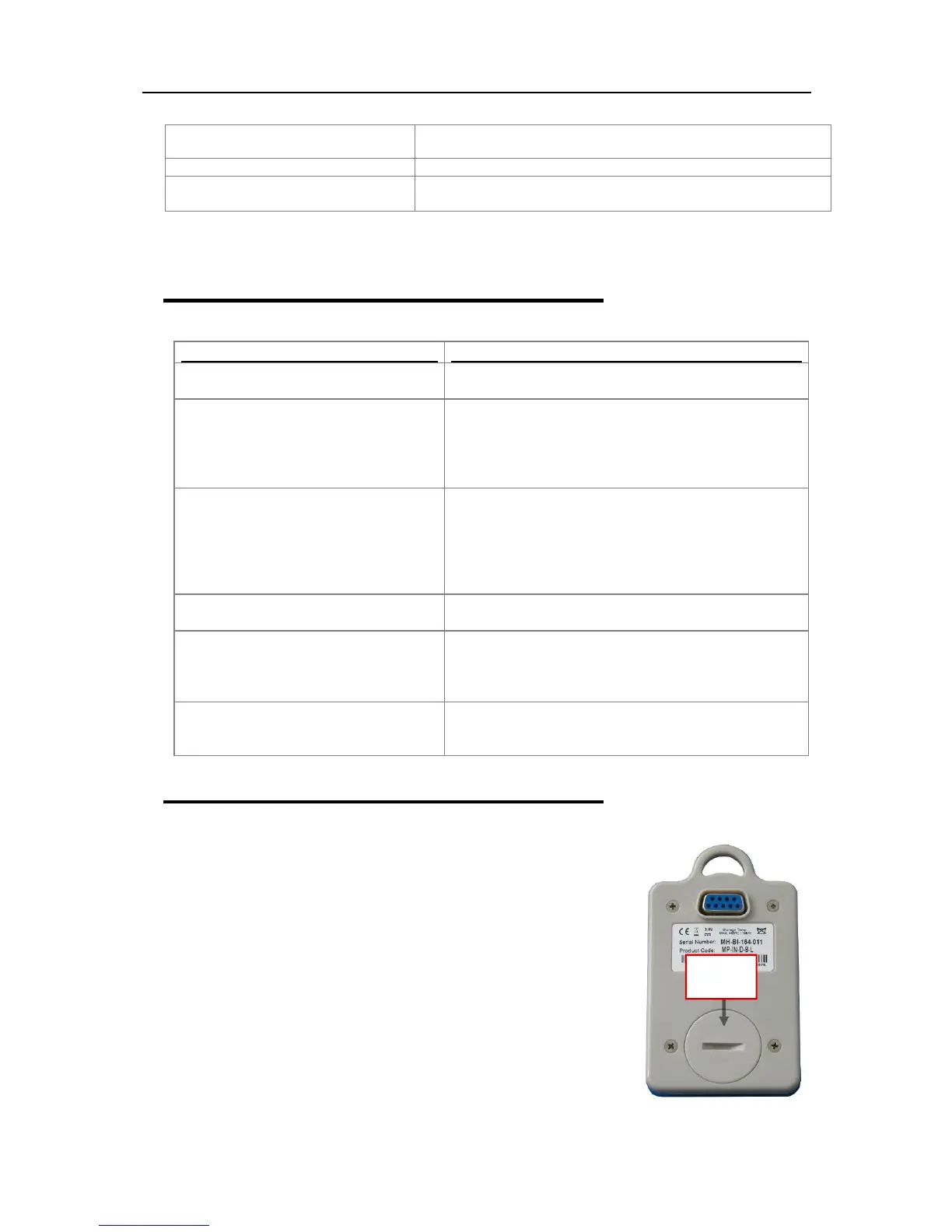
To change the battery, turn the iMiniPlus over and unscrew the battery cover
on the back with a coin. Remove the old battery and exchange for a fresh
one. Be careful not to damage the plastic thread on the inside of the battery
compartment when removing the old battery, otherwise the battery cover may
not fit securely back and in turn may allow moisture to enter the logger.
Note, if the battery is removed for a period of longer than 30 secs, the
internal clock will need adjustment back to the present data and time. This
is done through the Program and Configure Wizard. See section Checking
the time clock.
Battery
compartment



 To Next Page