23
5. Preparing iMiniPlus for use
Before you can start using an iMiniPlus to log the environment you must first prepare it for use. The
process of preparing an iMiniPlus for use allows you to define a number of parameters, including:
How long it should log the environmental condition for, so that you can be assured that it will record for
the duration of time required? For example, if you want it to record the temperatures of a shipment that
will take 25 days to deliver, you will be able to make sure it will record the temperatures throughout
the entire 25-day period.
How often it should log the environmental conditions?
Under what conditions it should display an alarm? An alarm indicates when the environment being
logged is not within programmed limits.
This section explains how to prepare an iMiniPlus for use and what the options mean.
Getting an iMiniPlus ready for logging
Make sure the USB or serial cable is connected to your PC and to the iMiniPlus.
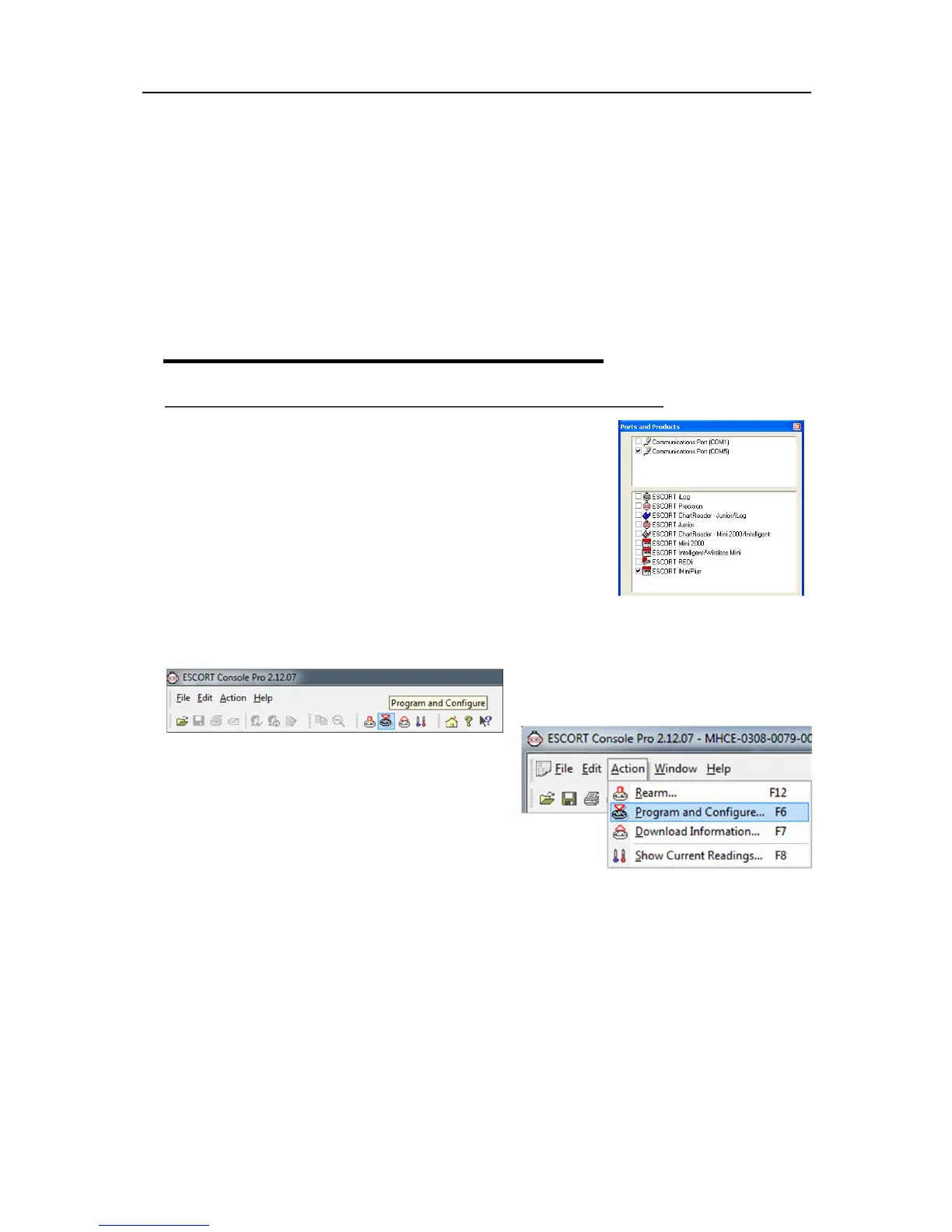
After you have opened the ConsolePro Software (
see section Opening
Software
) it is necessary to select the correct COM port and the
iMiniPlus from the list of products. If these are not selected the iMiniPlus
will fail to communicate with the software.
You can only select one COM port at a time and if the iMiniPlus fails to
communicate with the software, select another.
Please note that you must connect the USB cable before you open
ConsolePro software. If you open the software first, then connect the
cable, the software will fail to recognize it and the COM port will be
omitted from the list.
There are two ways to prepare an iMiniPlus for use, both of which will
achieve the same result.
Click the Program and Configure icon on the toolbar
Click the "Program and Configure..." item located under
the Action menu.
Once an iMiniPlus has been through the Program and
Configuration process to get it ready for next use, any
readings previously recorded will no longer be available
for retrieval



 To Next Page