Menus and Toolbars 55
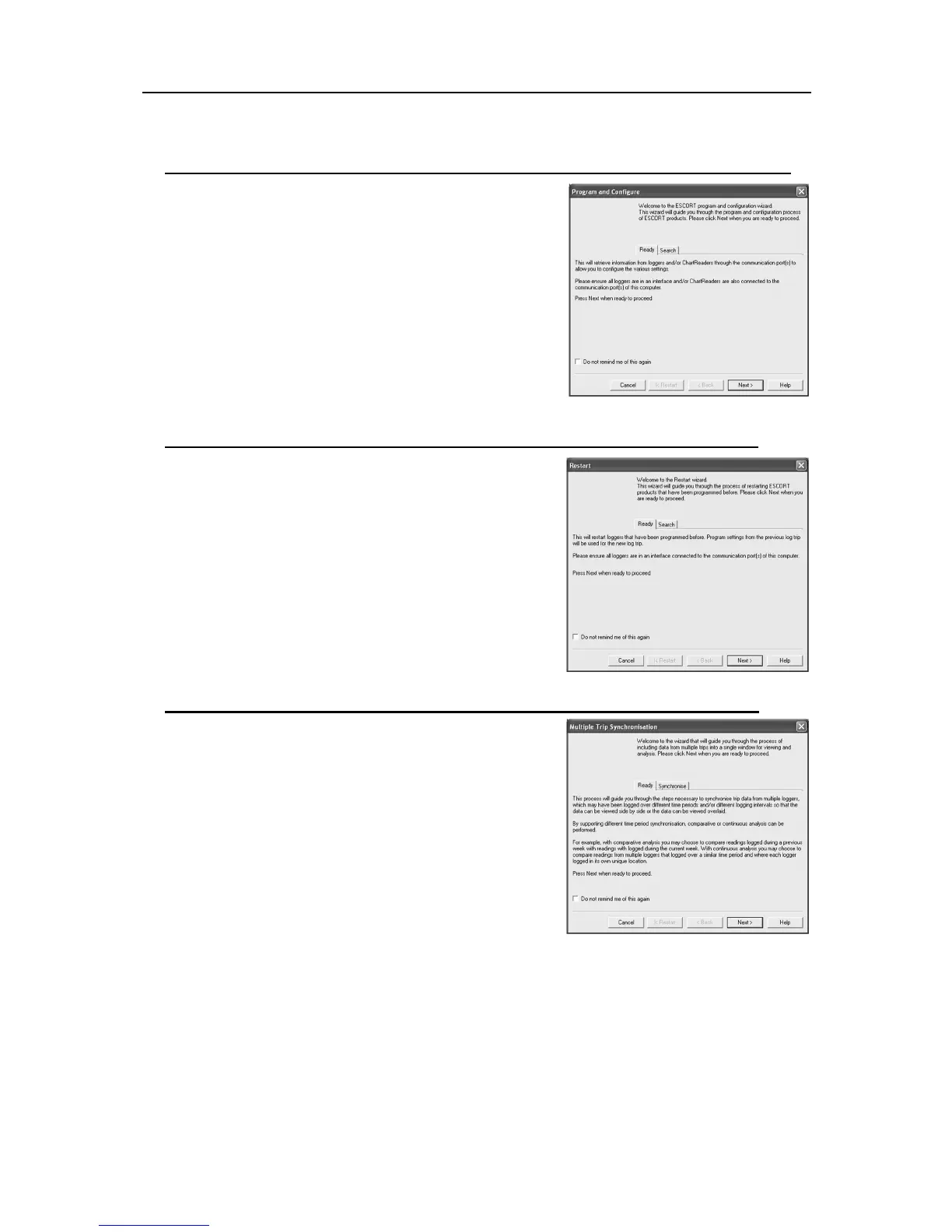
Show connection reminder for programming loggers and ChartReaders
This description box appears at the start of the program and
configuration wizard and can either be selected or disabled through
the Advanced tab or disabled by ticking the “Do not remind me of
this again” box at the bottom.
Show connection reminder for restarting loggers and ChartReaders
This description box appears at the start of the Restart wizard and
can either be selected or disabled through the Advanced tab or
disabled by ticking the “Do not remind me of this again” box at the
bottom.
Show introduction when synchronizing data from multi logger trips
This description box appears at the start of the Multi Trip
Synchronization wizard and can either be selected or disabled
through the Advanced tab or disabled by ticking the “Do not remind
me of this again” box at the bottom.
8. Menus and Toolbars
At the top of the screen for the ConsolePro software, just below the title bar, which contains the name of the
software, is the menu system and toolbar for the software. The toolbar provides quick access to some of the
more commonly used functions within the menu system. The menu system contains lists of all the operations
and commands that are available to you while using the software.



 To Next Page