Results from iMiniPlus 39
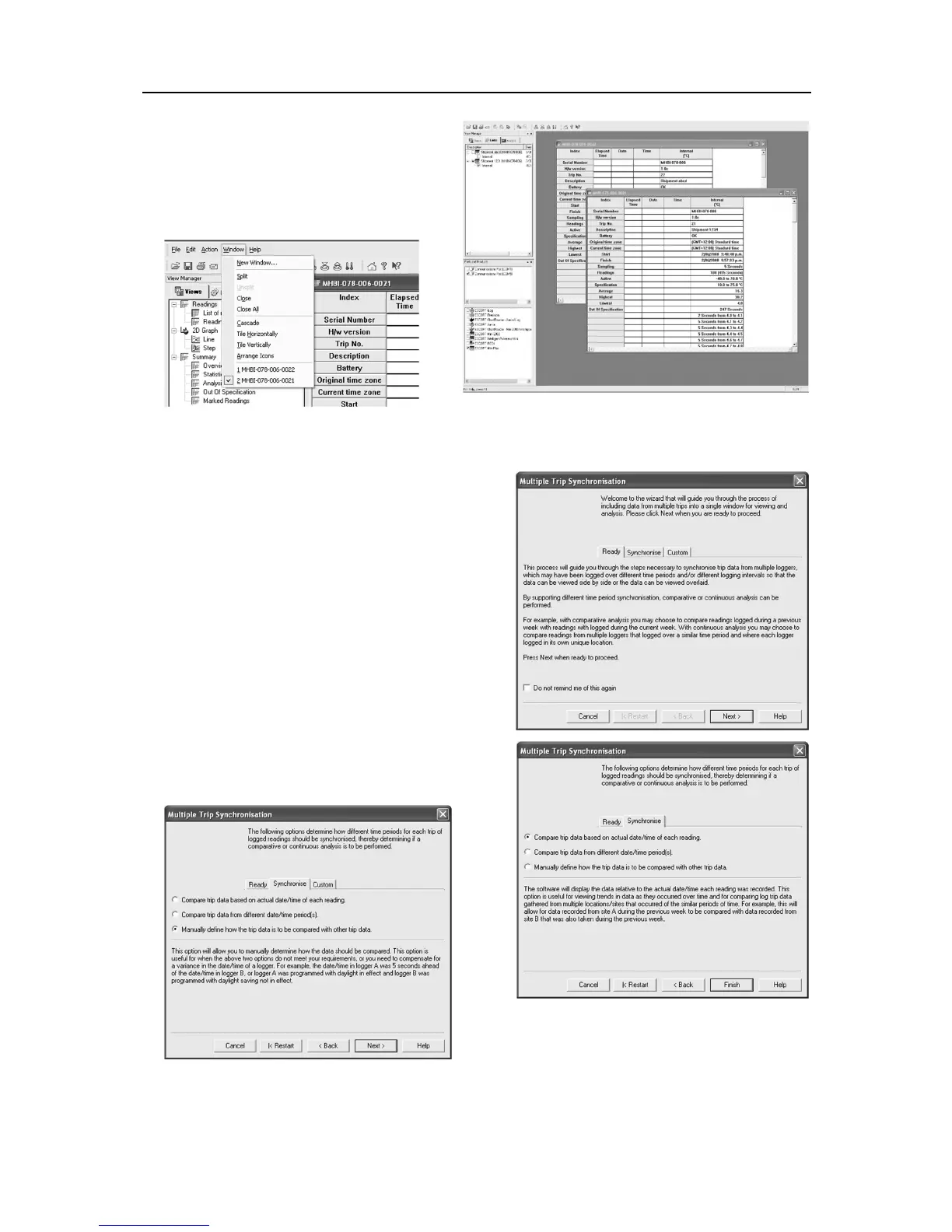
Each iMiniPlus dataset can be maximized into
the ConsolePro window and then be selected
through the
Window menu
as below:
Multiple Trip Synchronization Wizard
When more than one set of data appears in the Links
window and is selected with a tick, the
Multiple Trip
Synchronization Wizard
will start and guide you
through the process of including the data from the other
iMiniPlus into the current display.
To compare log trip data gathered from multiple
locations at similar periods of time, it is recommended
that you select the option
“Compare trip data based on
actual date/time of each reading”
. For example, this
will allow data recorded from one site to be compared
with data from another during the same interval of time.
To compare log trip data gathered from multiple and/or
the same location during different periods of time, it is
recommended that you select the
option “Compare trip
data from different date/time period(s)
”. This is useful
for comparing current log data with that of a previous
week.
To customize how the log trip data from an iMiniPlus is included, select the option
“Manually define how
the trip data is to be compared with other trip data”
.



 To Next Page