40
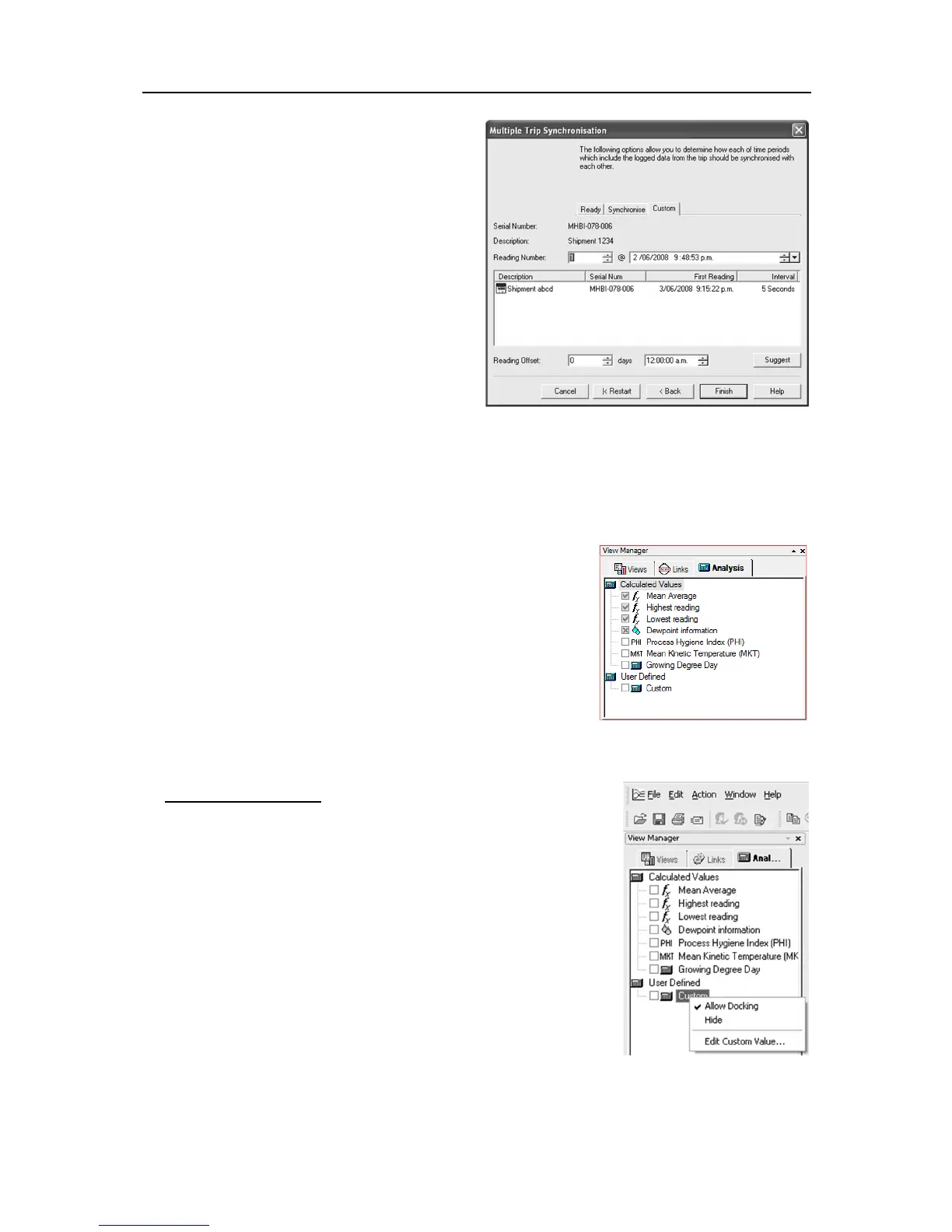
This step provides you with a screen that will allow
you to manually adjust the alignment offset through
the Reading Offset controls.
Serial Number displays the serial number of
the iMiniPlus to be added to the current view.
Description displays the description of the
iMiniPlus to be added to the current view.
Reading Number shows the reading number,
the iMiniPlus has/would have taken at the
date/time specified in @ field.
Reading Offset allows you to adjust first
reading time of the currently displayed
iMiniPlus to synchronize it with first reading
time of the iMiniPlus that is going to be added
to the current view.
You can use Reading number or @ fields to set
time and date to be used for the first reading of the iMiniPlus to be added or you can use Suggest button
to allow software set first reading date and time.
Also you can see details of the currently displayed iMiniPlus: description, serial number, date and time of
the first reading, interval between readings.
Analysis
When a file is displayed either from downloading or from calling up a
stored data file, the software will automatically calculate and display
some statistics of the recorded data. These statistics can be displayed
in the Readings, 2D Graph and Summary features of the View tab.
When choosing a 2D Graph view, these statistics can be optionally
displayed in the graph window.
The Analysis window has 2 top-level headings. To expand or
collapse the content of any headings just click on it. Additionally if you
right click on the Values or User Defined statistics, you will be able to
edit and/or view reference material. See right image below:
Calculated Values
Mean Average
Select this option to display the average value of readings in the 2D graph
legend.
The Mean Average reading is the arithmetic mean of the sequence of
data points. It is calculated by adding all the data point values together
and then dividing the total by the number of data points. Mathematically
this formula can be expressed as illustrated in the following picture:
Where:
the calculated arithmetic mean
the number of data points to include in the calculation
a data point to include in the calculation
For example, if there were 5 data points to calculate the arithmetic mean of and they were, 12.3, 15.9,
16.2, 14.7, 14.9, then the arithmetic mean would be 14.8.



 To Next Page