Quick Start Guide 19
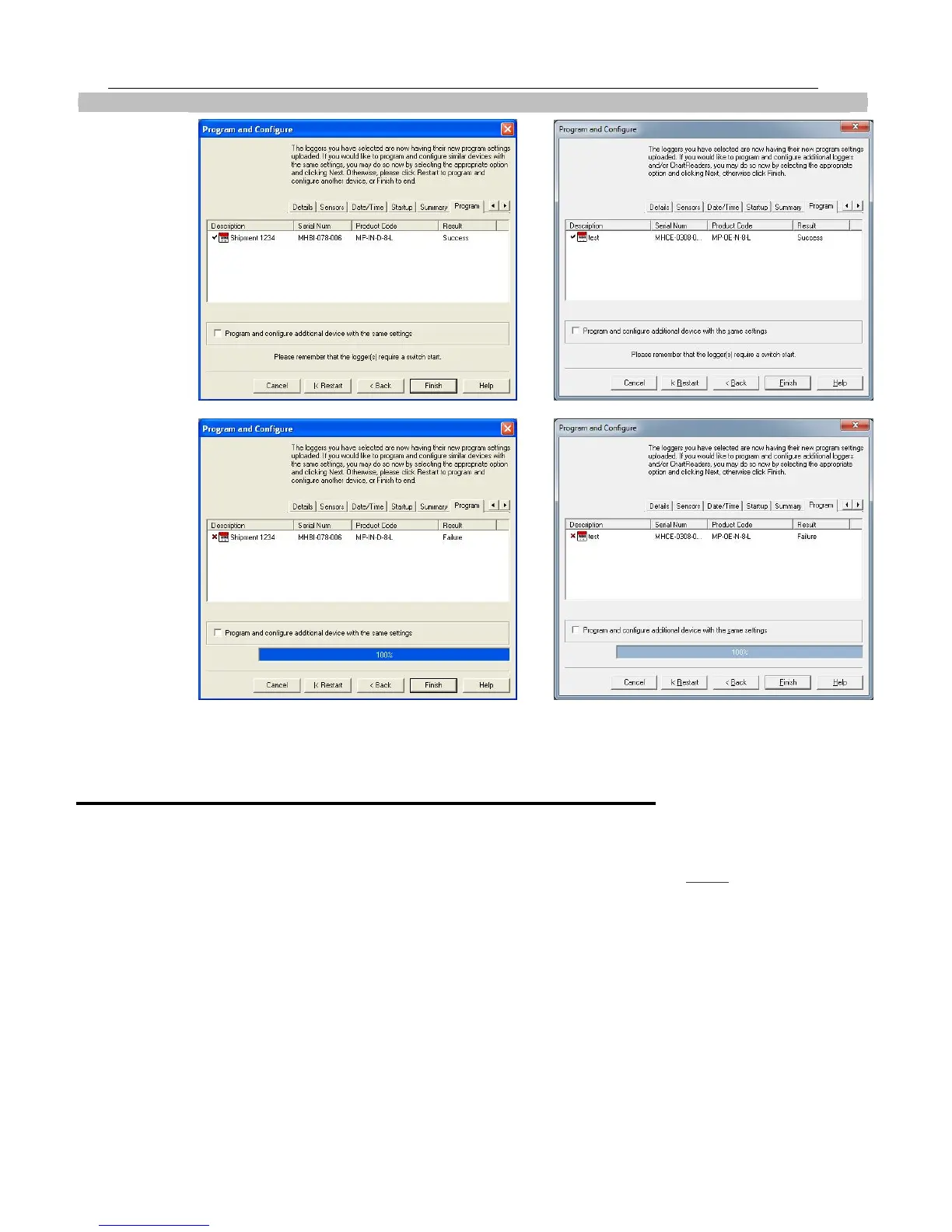
If the upload has failed either select the Cancel button to close the software and start again or select the Restart button to
start the sequence again. If the iMiniPlus still fails to upload, contact your local distributor or Cryopak Verification
Technologies, Inc.
Starting and using the iMiniPlus
Once an iMiniPlus has been successfully programmed for use it is ready to be started. It will have the word “READY”
displayed in the top left of the screen. If it has any different information displayed, the iMiniPlus cannot be started.
To activate the iMiniPlus press and hold the START button until the display changes to a series if dashed lines and then the
temperature reading.
If a delayed start has been programmed, the word “IN DELAY” will be displayed in the top middle of the screen, until such
time as the iMiniPlus starts logging. At that time the temperature will be displayed.
During operation the last logged temperature will be displayed on the screen with the word “LATEST” flashing in the bottom
left of the screen.
By pressing the Start button during logging, the “HIGHEST”, “LOWEST” and “AVERAGE” temperature to date will be
displayed in succession and the bottom of the screen.
By pressing the Start button again, the words “HIGH ALARM” and LOW ALARM” will flash in succession and the time
outside the alarm threshold will also be display.
iMiniPlus has
been
correctly
programmed
!
Program
not been
successfully
uploaded into



 To Next Page