16
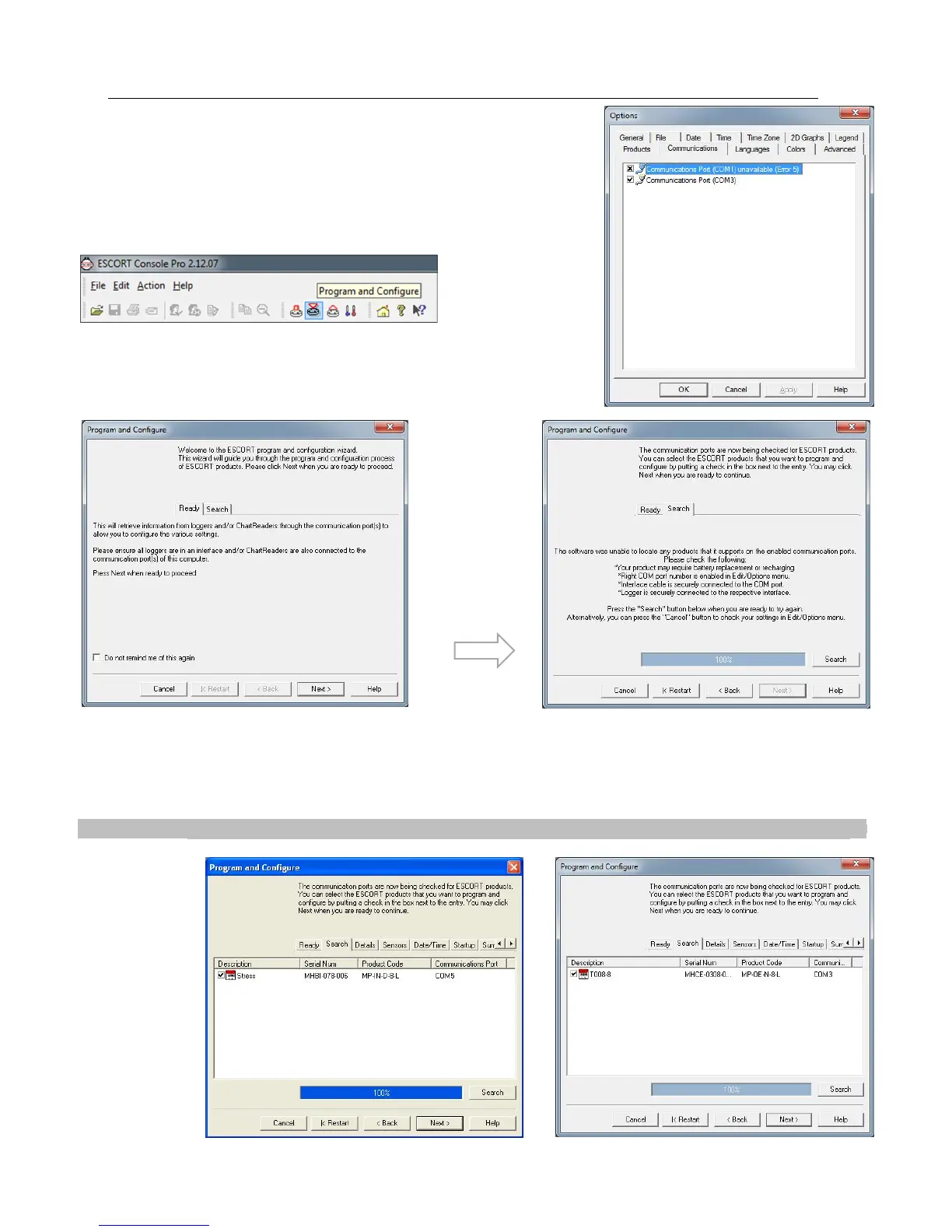
Both the Products and Communications Ports can be selected through the Ports
and Products just below the View Manager on the left hand side of the initial
software page.
Next click on the Program and Configure icon that is located on the toolbar.
The Program and Configuration Wizard finds the communication port that the
iMiniPlus is connected to enable it to be setup for use.
Check that all four bullet points displayed in this message are attended to. Once rectified either close the ConsolePro
software and reopen or select the Restart button if the software was left open. If this problem continues, please consult your
nearest distributor or contact Data Logging Systems.
Once your software has located a logger the window will display the loggers’ description, serial number, product code and
communications Port. To proceed select the Next button.
is unable to
due to
problems the
following
message will
be displayed.
the
description
box is ticked



 To Next Page