Fire Alarm Computer 8000C
Page 129
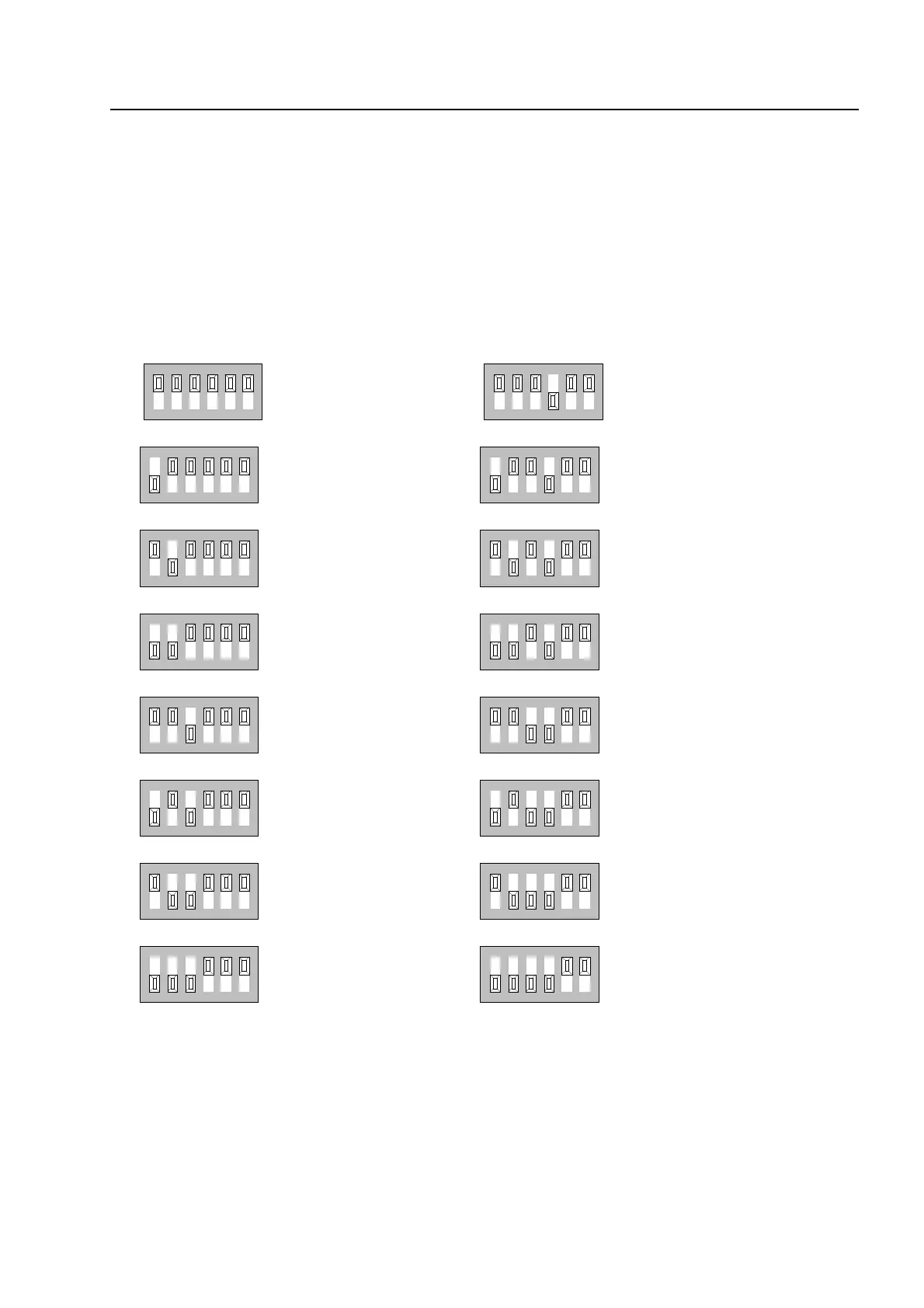
Example showing how to set the control panel address
The relevant address (control panel number) for each fire alarm control panel in the essernet
®
system is set on the essernet
®
module. The addresses must be set consecutively from address 1
to address 31 for all users in the essernet
®
system.
The address (control panel number) set here on the essernet
®
module must also be programmed
with the service PC (menu item: System/control panels) in the customer data for the fire alarm
control panel.
Do not change factory-set position (ON) of DIP-switch no. 6 !
This switch is intended for in-factory testing purposes.
essernet
module
123456
124816
123456
124816
123456
124816
123456
124816
123456
124816
123456
124816
123456
124816
123456
124816
Control panel adress 1
Control panel adress 2
Control panel adress 3
Control panel adress 4
Control panel adress 5
Control panel adress 6
Control panel adress 7
Control panel adress 8
ON
ON
ON
ON
ON
ON
ON
ON
123456
124816
123456
124816
123456
124816
123456
124816
123456
124816
123456
124816
123456
124816
123456
124816
Control panel adress 9
Control panel adress 10
Control panel adress 11
Control panel adress 12
Control panel adress 13
Control panel adress 14
Control panel adress 15
Control panel adress 16
ON
ON
ON
ON
ON
ON
ON
ON



 To Next Page