Page 86
Fire Alarm Computer 8000C
10.6.6 Connection of the cover
contacts
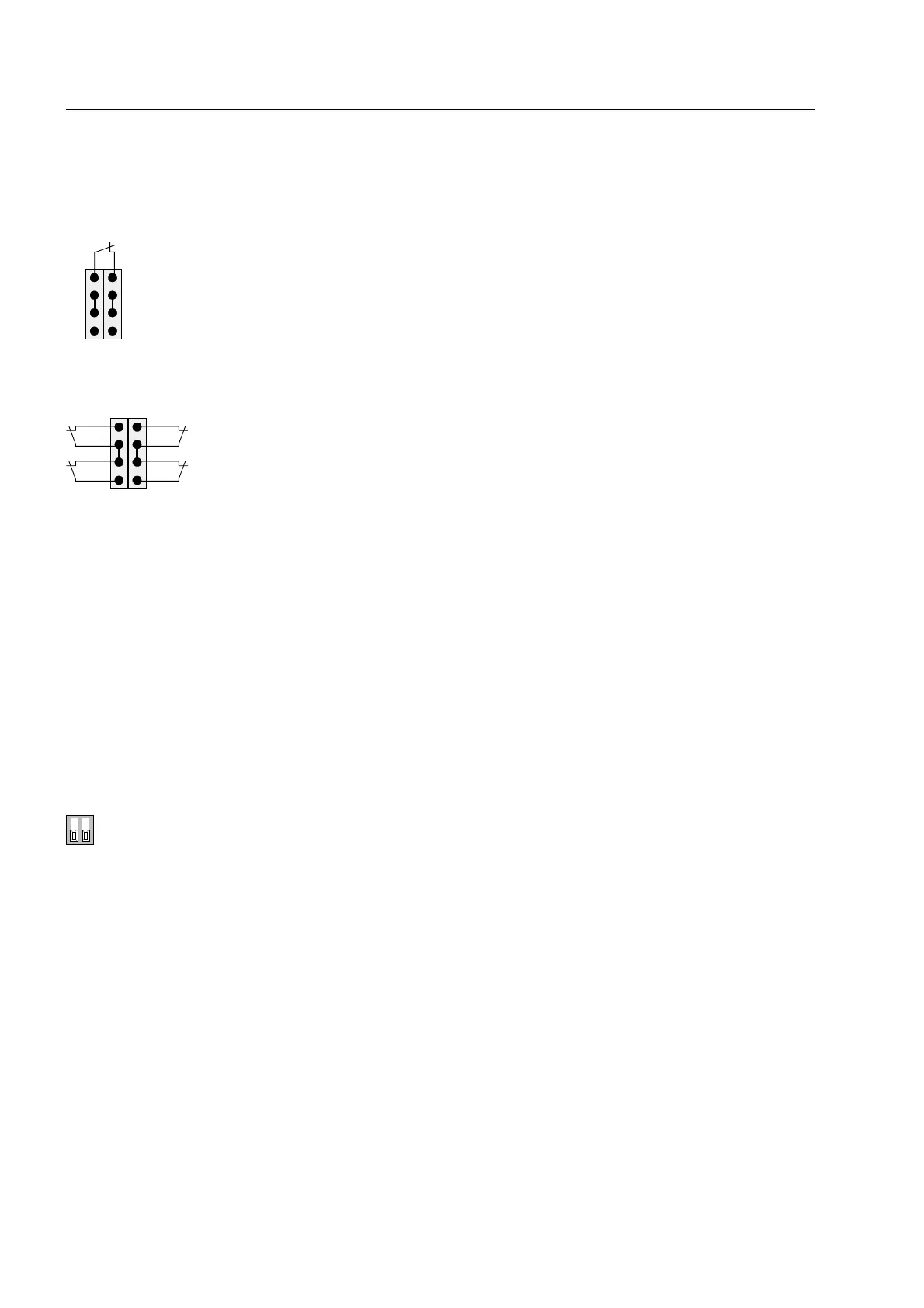
Depending on the central unit housing used, up to four cover contacts can be connected to the
connection terminals X22/23 of the basic module. However, only one housing contact is present
on the FACP 8000C. The opened housing contact is indicated by the illuminated LED V43.
1 2 3 4
5 6 7 8
Fig. 41: Connection of one cover contact
1 2 3 4
5 6 7 8
Fig. 42: Connection of four cover contacts
The cover contact must be opened when the service PC is connected, otherwise
connection of the PC is not recognized by the central unit.
10.6.7
DIL switch S5
On the FACP 8000C, this DIL switch has no function. For fault-free operation, the DIL switch S5
must always be set to "OFF". The LED V42 must not light up.
S5
OFF
erforderliche Schalterstellung "OFF" bei der FACP 8000C
Basic module



 To Next Page