User’s Manual
102 ECM-3610/3610L User’s Manual
5.2 Driver Installation for Display Adapter
5.2.1 Windows 9x
The following steps will install the display driver for the S3-TwisterT display controller.
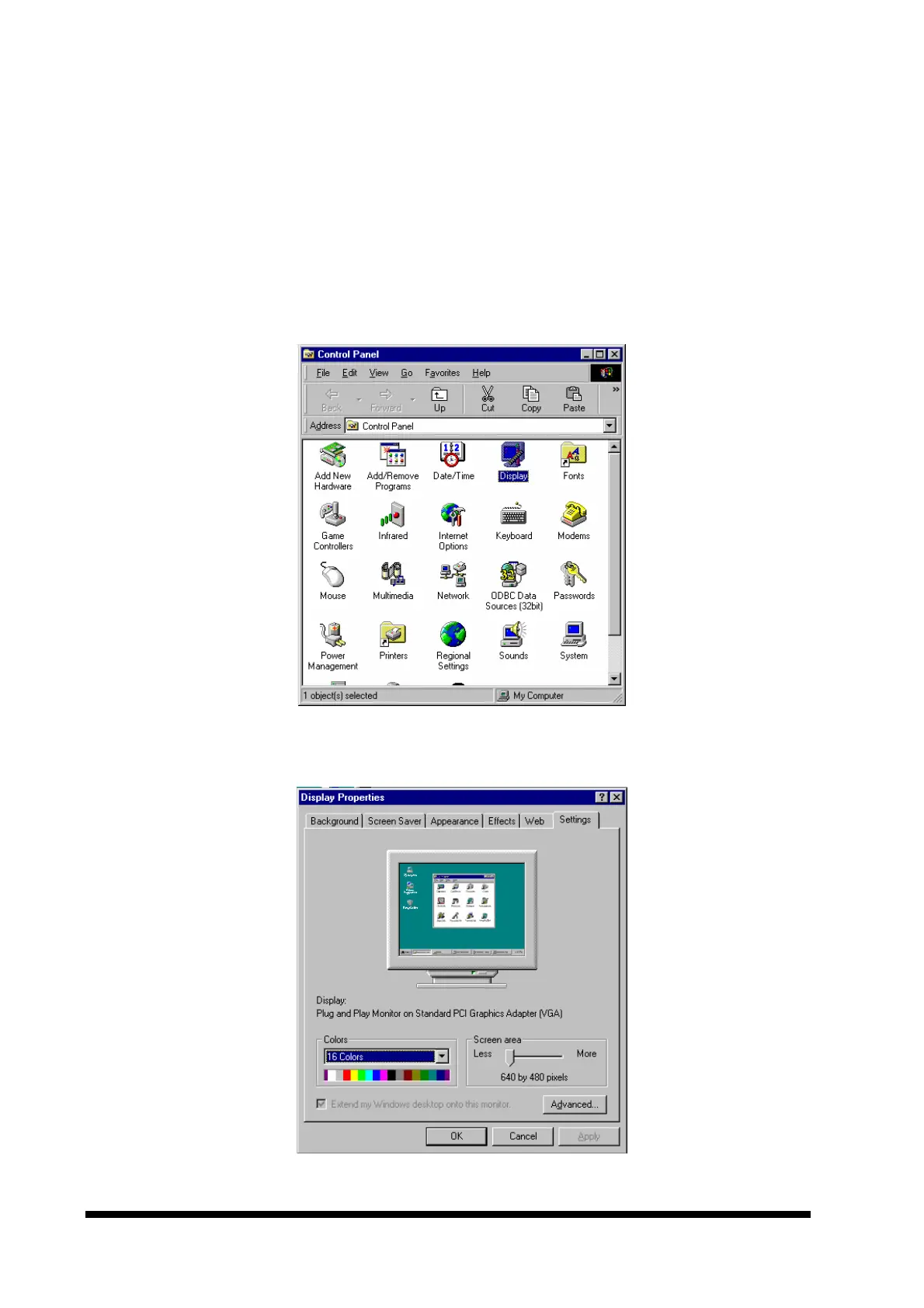
1. Click the ‘Start’ button on the task bar, select ‘Settings’ and ‘Control Panel’ from the
sub-menu. This should start the Control Panel as shown below:
2. Double click the ‘Display’ icon and select the ‘Settings’ tab as shown below.



 To Next Page