ECM-3610/3610L
ECM-3610/3610L User’s Manual 21
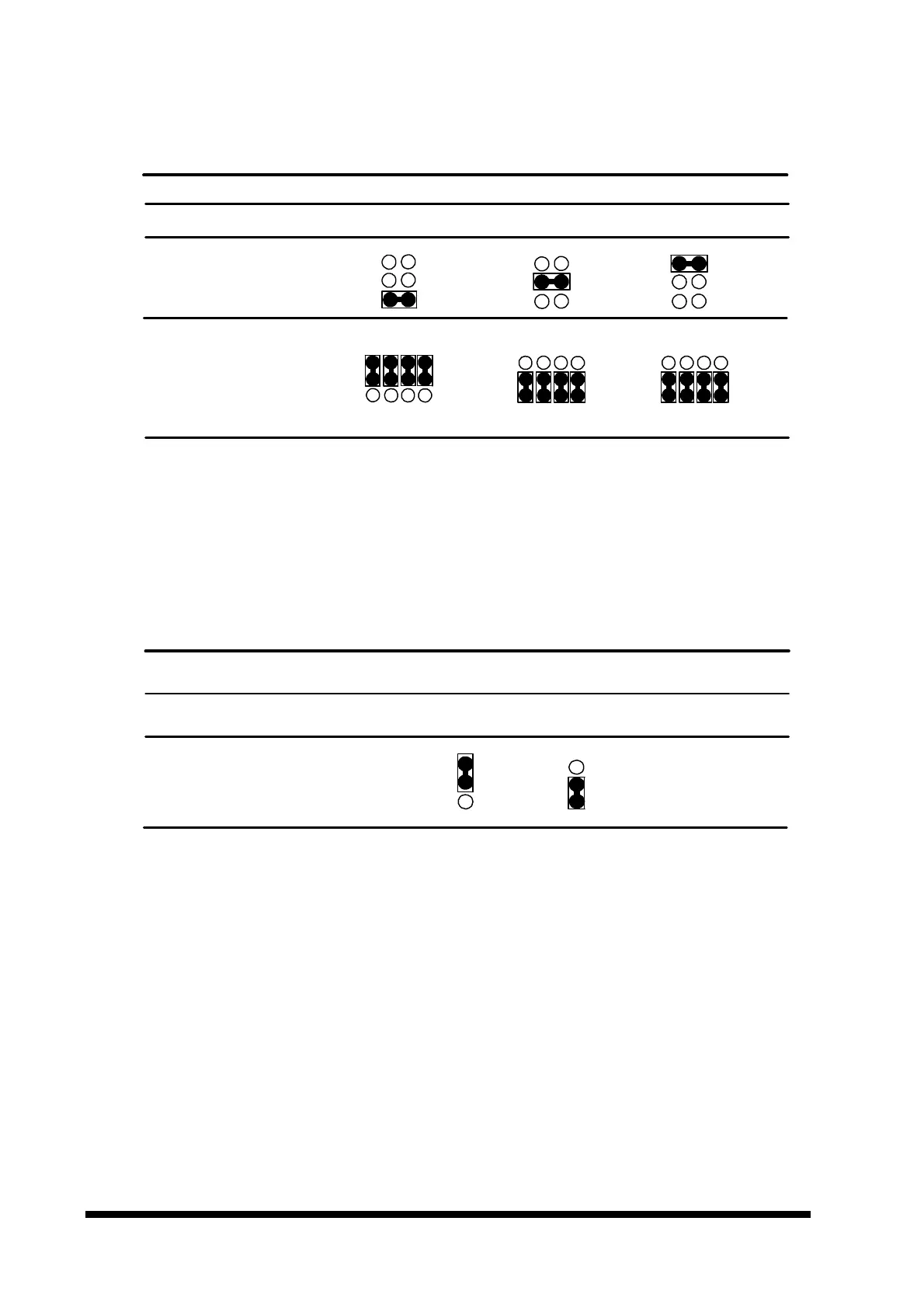
3.6.2 COM2 RS-232/422/485 Select (J5, J6)
COM2 RS-232/422/485 Select (J5, J6)
RS-232* RS-422 RS-485
* default
3.6.3 AT/ATX Power Select (ATATX1)
You can use ATATX1 to select the power supply type. To use the AT power supply,
set ATATX1 to 1-2 closed. Set ATATX1 to 1-2 closed (and J1 to 2-3 closed), if ATX
power supply is to be used.
AT/ATX Power Select (ATATX1)
AT P/S* ATX P/S
* default
Note:
Set J1 to 2-3 closed, if AT power supply is to be used.
1
2
3
ATATX1
1
2
3
6
4
2
5
3
1
J5
6
4
2
5
3
1
6
4
2
5
3
1
J6
1 4 7 10
3 6 9 12
1 4 7 10
3 6 9 12
1 4 7 10
3 6 9 12



 To Next Page