ECM-3610/3610L
ECM-3610/3610L User’s Manual 69
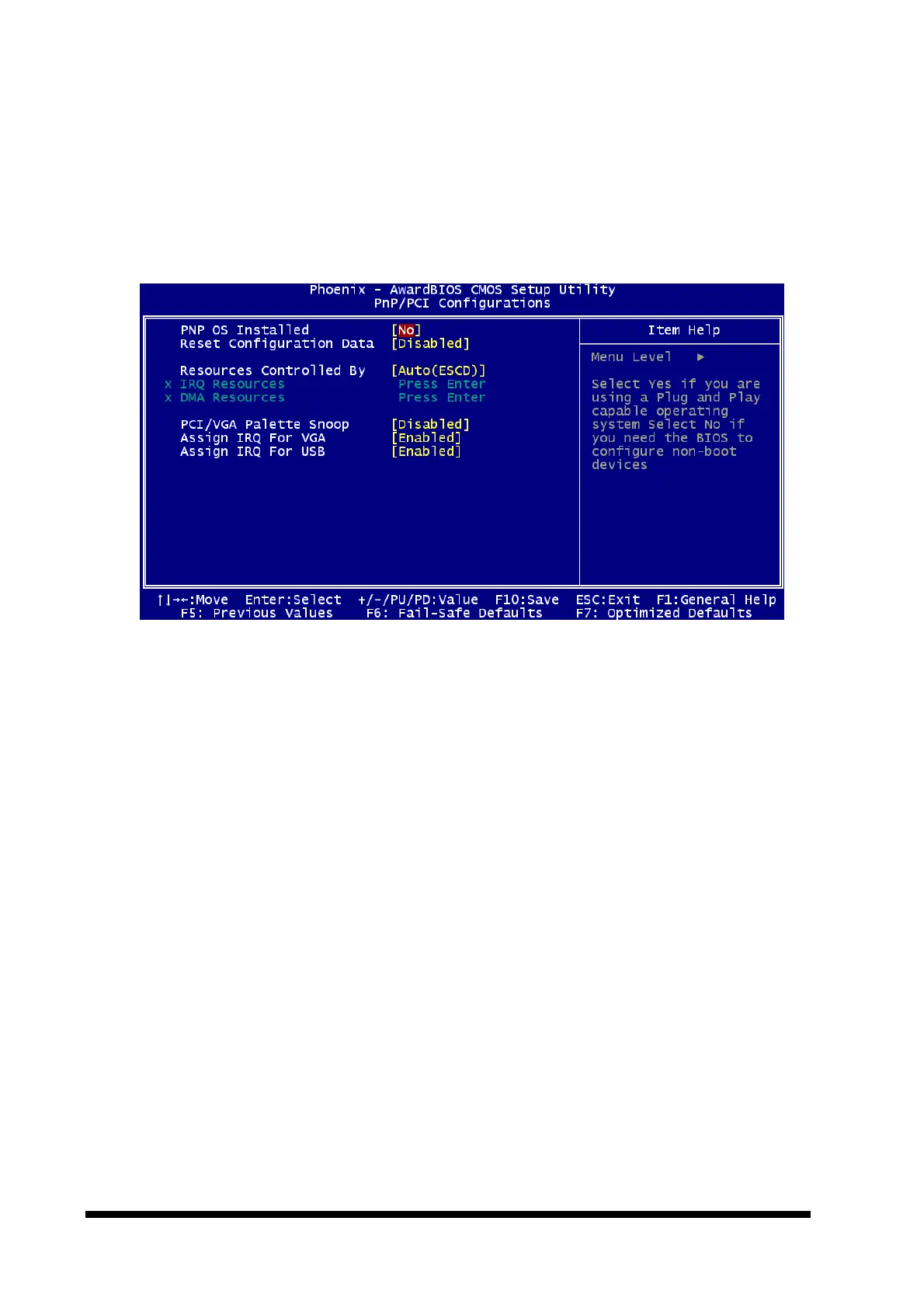
4.5.7 PnP/PCI Configuration Setup
This section describes configuring the PCI bus system. PCI, or Personal Computer
Interconnect, is a system which allows I/O devices to operate at speeds nearing the speed
the CPU itself uses when communicating with its own special components. This section
covers some very technical items and it is strongly recommended that only experienced
users should make any changes to the default settings.
4.5.7.1 PnP OS Installed
This item allows you to determine install PnP OS or not.
The choice: Yes, No.
4.5.7.2 Reset Configuration Data
Normally, you leave this field Disabled. Select Enabled to reset Extended System
Configuration Data (ESCD) when you exit Setup if you have installed a new add-on and
the system reconfiguration has caused such a serious conflict that the operating system
cannot boot.
The choice: Enabled, Disabled.
4.5.7.3 Resource Controlled by
The Award Plug and Play BIOS has the capacity to automatically configure all of the boot
and Plug and Play compatible devices. However, this capability means absolutely nothing
unless you are using a Plug and Play operating system such as Windows95. If you set
this field to “manual” choose specific resources by going into each of the sub menu that
follows this field (a sub menu is preceded by a “Ø”).
The choice: Auto, Manual.



 To Next Page