User’s Manual
110 ECM-3610/3610L User’s Manual
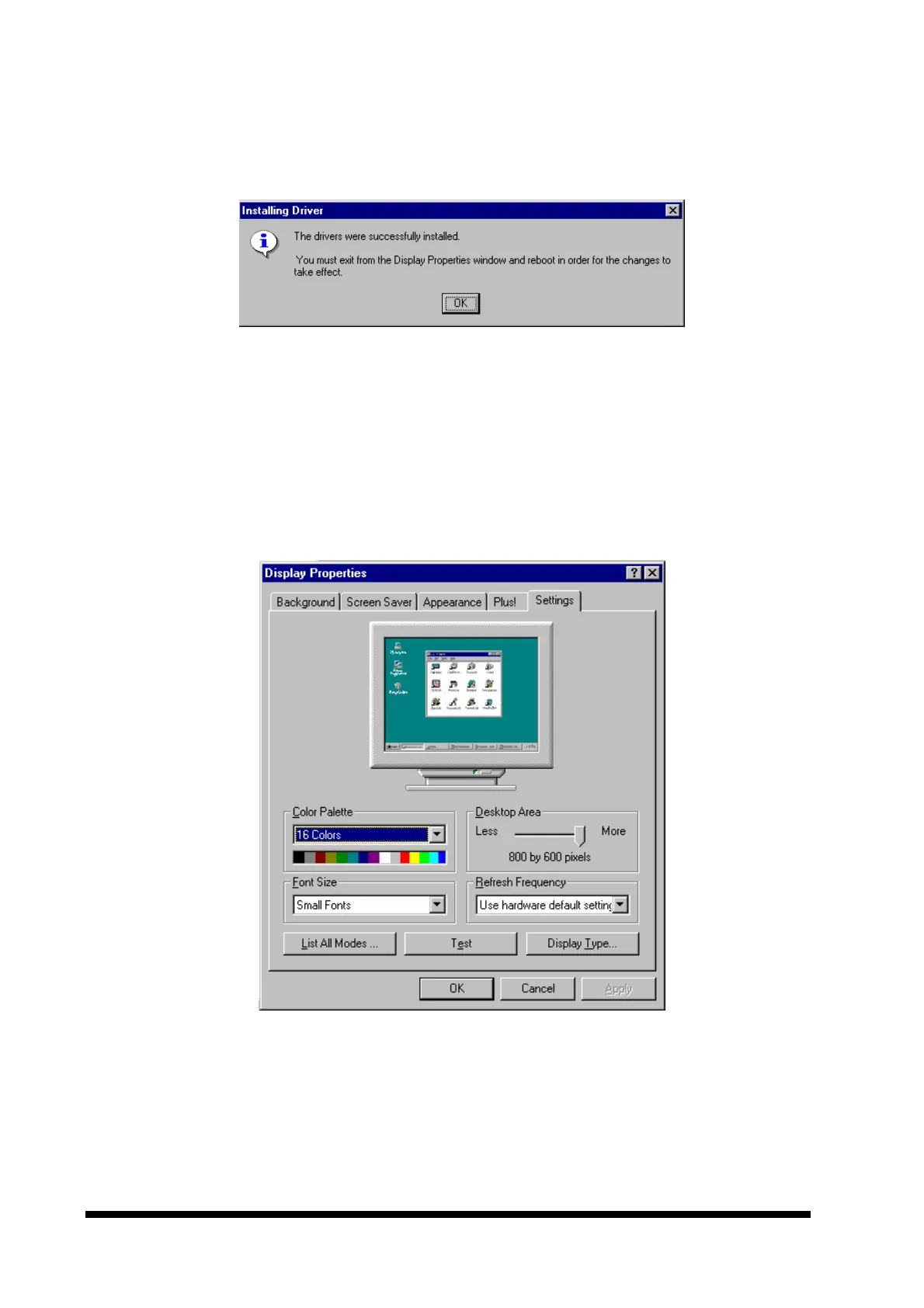
8. To proceed the driver installation, click the ‘Yes’ button. The driver will now be installed,
and the following message should be shown shortly.
9. Click ‘OK’ and close the ‘Display Type’ and ‘Display Properties’ windows by clicking the
‘Close’ button in each window.
10.After closing the ‘Display Properties’ window, the computer must be restarted for the
changes to take effect.
11.After the reboot, display resolution etc. may be configured in the ‘Display Properties’
window (opened by following steps 1 and 2 shown above). An example is shown below.
12.Before accepting the new settings by pressing ‘OK’, a test should be performed by
clicking the ‘Test’ button.
.



 To Next Page