28
Eversense E3 CGM User Guide
3
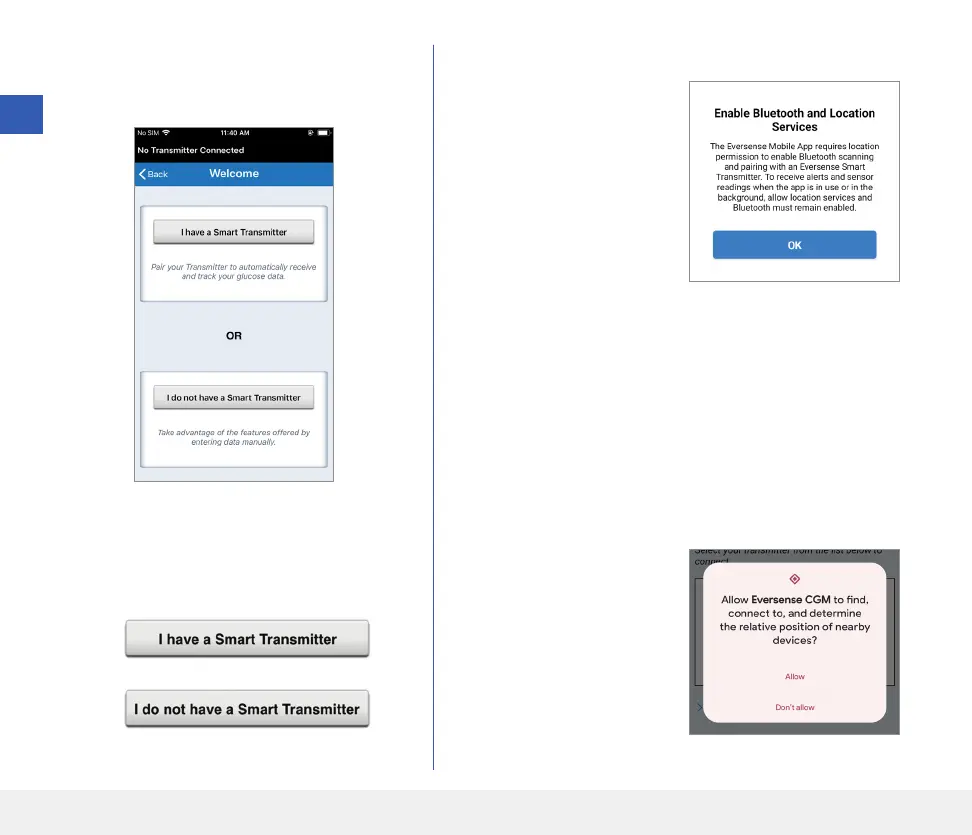
5. When you complete registration and log in,
a WELCOME screen appears.
3
6. Choose one of the two options depending
on whether you already have your smart
transmitter or not:
(skip to step 12).
or
Android users must enable location services.
• Tap OK to confirm
location services
permission for the
Bluetooth connection
is required.
• Then tap Allow to
ensure you receive alerts
when the app is in use
or in the background.
Note: Android OS 12 and above may see a dierent
permission request pop up.



 To Next Page