Inspecting Fiber Ends
92 FIP-400B
Creating and Viewing Reports
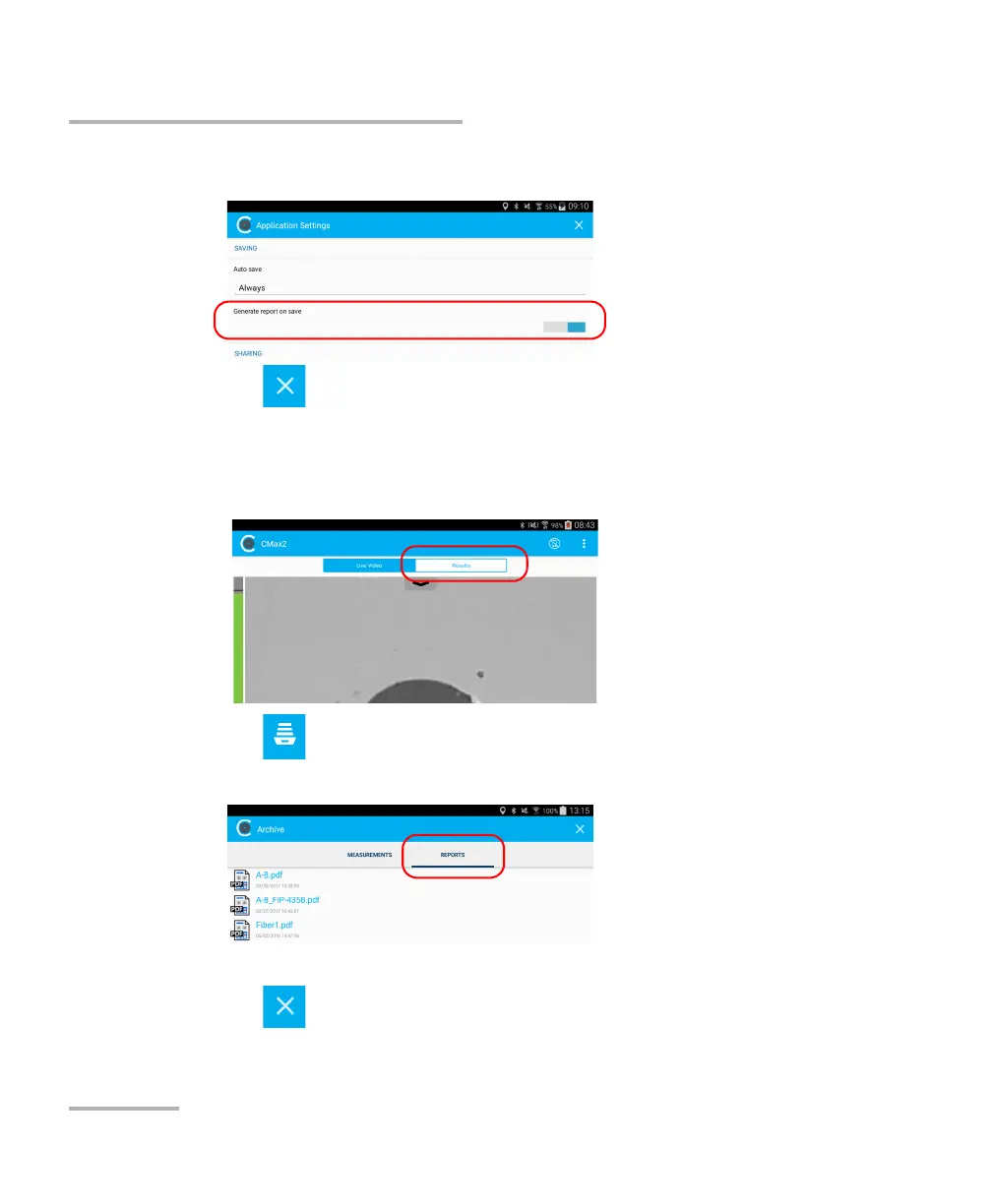
3. Activate the button next to the Generate report on save option.
4. Tap to exit the Application Settings window.
To view an existing report:
1. If you do not want to view the report as soon as it is generated, in live
video mode, tap the Results tab.
2. Tap .
3. In Archive mode, tap Reports.
4. Tap the selected file to open it.
5. Tap to return to the Results tab.



 To Next Page