Getting Started with Your MAX-700
MAX-700 19
Installing a Keyboard, Mouse or Other USB Devices
Installing a Keyboard, Mouse or Other USB
Devices
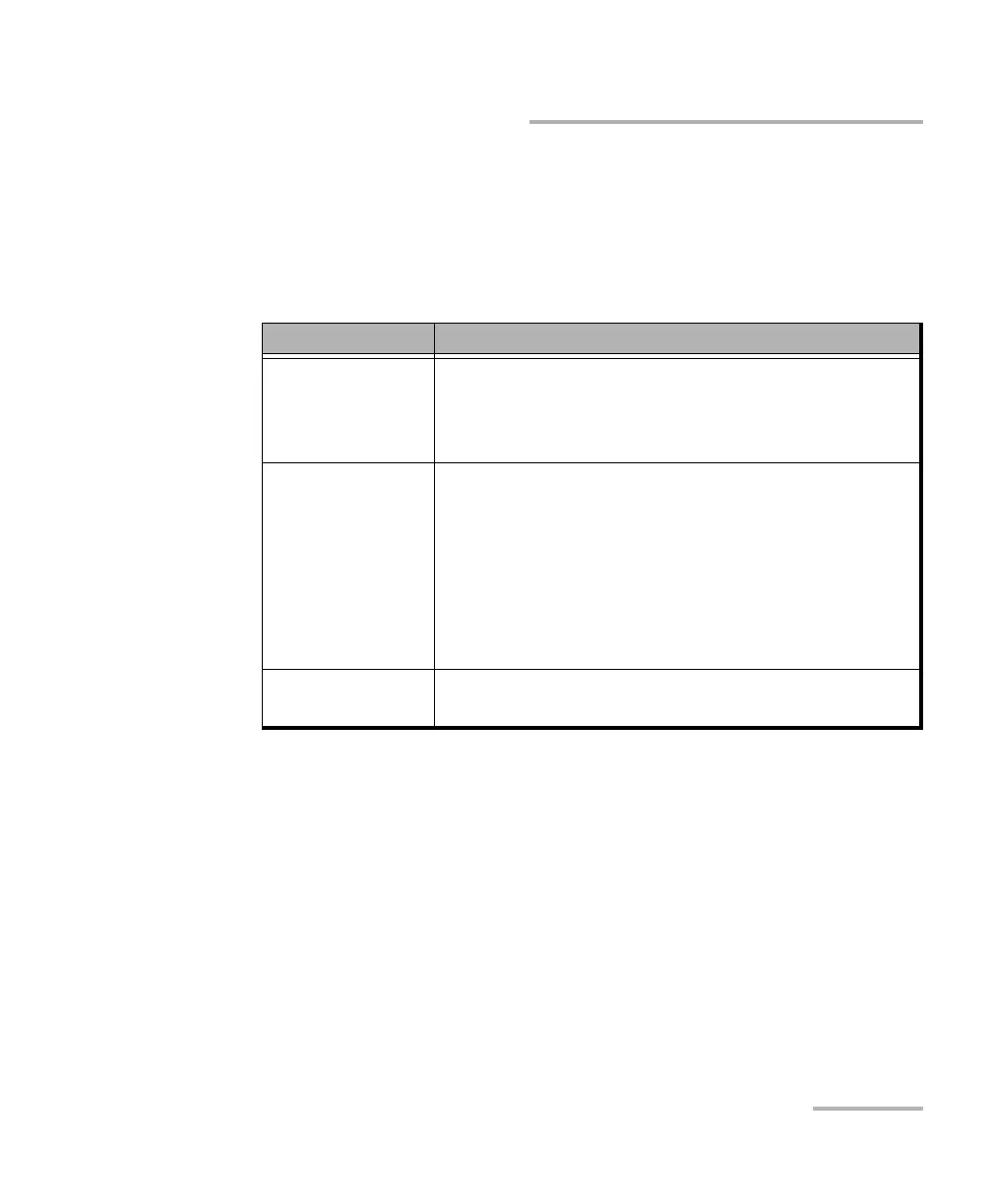
Your unit supports many USB devices. The table below lists the supported
USB devices.
Device Details
Memory key For data transfer between your unit and a computer
when you do not have access to a network. If you
need information on how to transfer data using a
memory key, see Managing Data on page 255.
Keyboard When you are required to enter alphanumeric data,
an on-screen (virtual) keyboard is displayed. However,
if you prefer, you can use a hardware keyboard.
Note: Even if a keyboard is connected, the
on-screen keyboard will still be
displayed when you work in the
MAX-700 software.
Mouse If your prefer to use a mouse instead of the
touchscreen, you can install one.



 To Next Page