RESTRICTED USE ONLY Fargo Electronics, Inc.
HDP5000 High Definition Card Printer/Encoder User Guide (Rev. 1.4)
6-38
Using the System Information page (continued)
Step Procedure
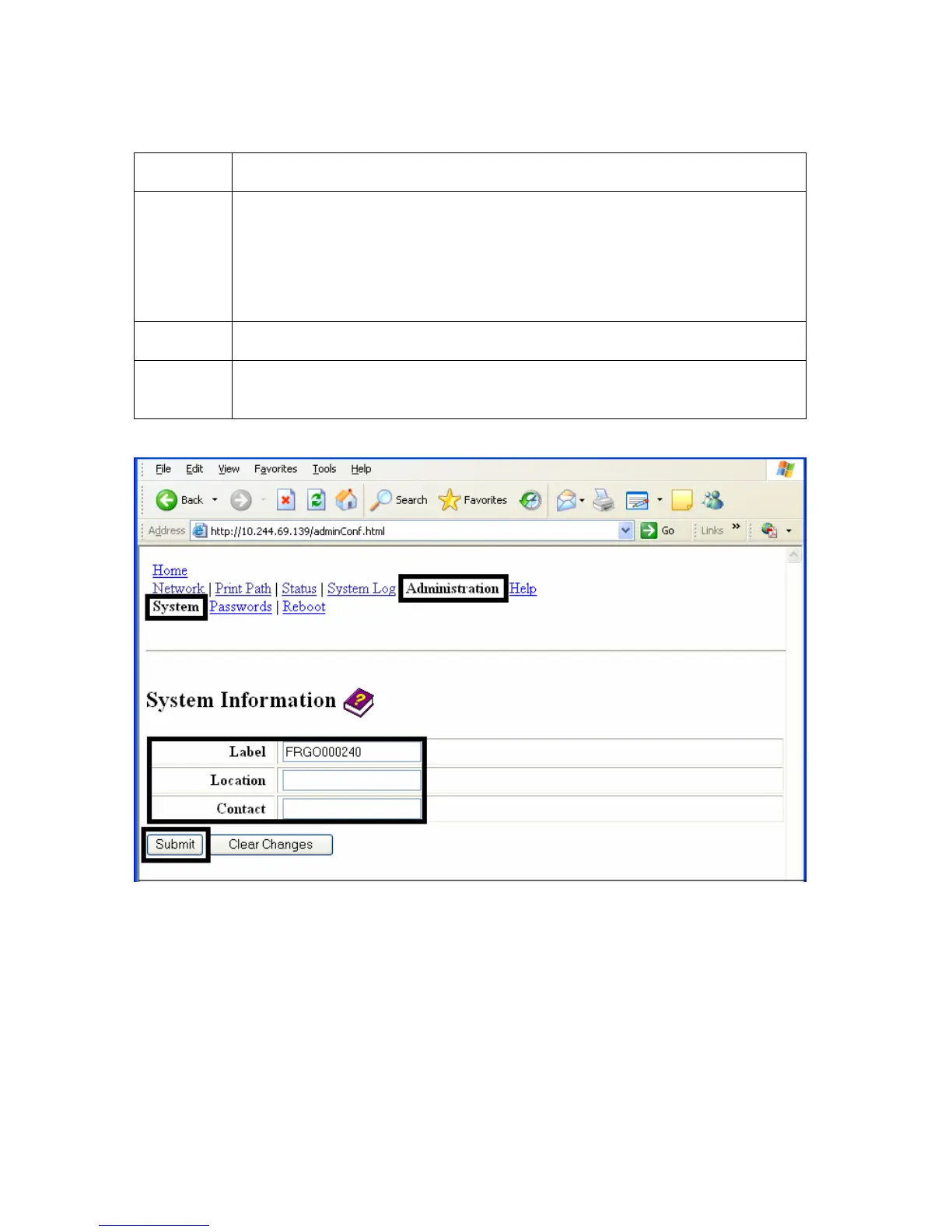
3 To change an attribute, type the new entry in one of these boxes:
• Label textbox
• Location textbox
• Contact textbox
4 Select the Submit button.
5 Login as a root User if you are so prompted. Any change of setting will
only be accepted after you have successfully logged in.












 To Next Page