Press and hold “Up” and “Down” buttons together for 2 seconds to
save the shallow alarm setting.
Shallow
Warning
Use the “Up” or “Down” button to select another “Depth Sounder
Warnings” edit function.
Or,
Press the “Mode” button to return to the “Edit” mode.
Depth
Sounder
Warnings
Depth Sounder Warnings - “Keel Offset”
From the “Edit” mode, using the “Up” or “Down” buttons, select the
“Depth Sounder Warnings” edit function.
Press and hold the
“Up” and “Down”
buttons for 2 seconds to select
the “Depth Sounder Warnings”. Follow the instructions below.
Otherwise,
Press the “Up” or “Down” button to select another function or
“Mode” to return to “Normal” mode.
Depth
Sounder
Warnings
From the “Depth Sounder Warnings” function, using the “Up” or
“Down” buttons display the “Keel Offset” screen.
Press and hold the “Up” and “Down” buttons for 2 seconds to select
“Keel Offset.”
Keel
Offset
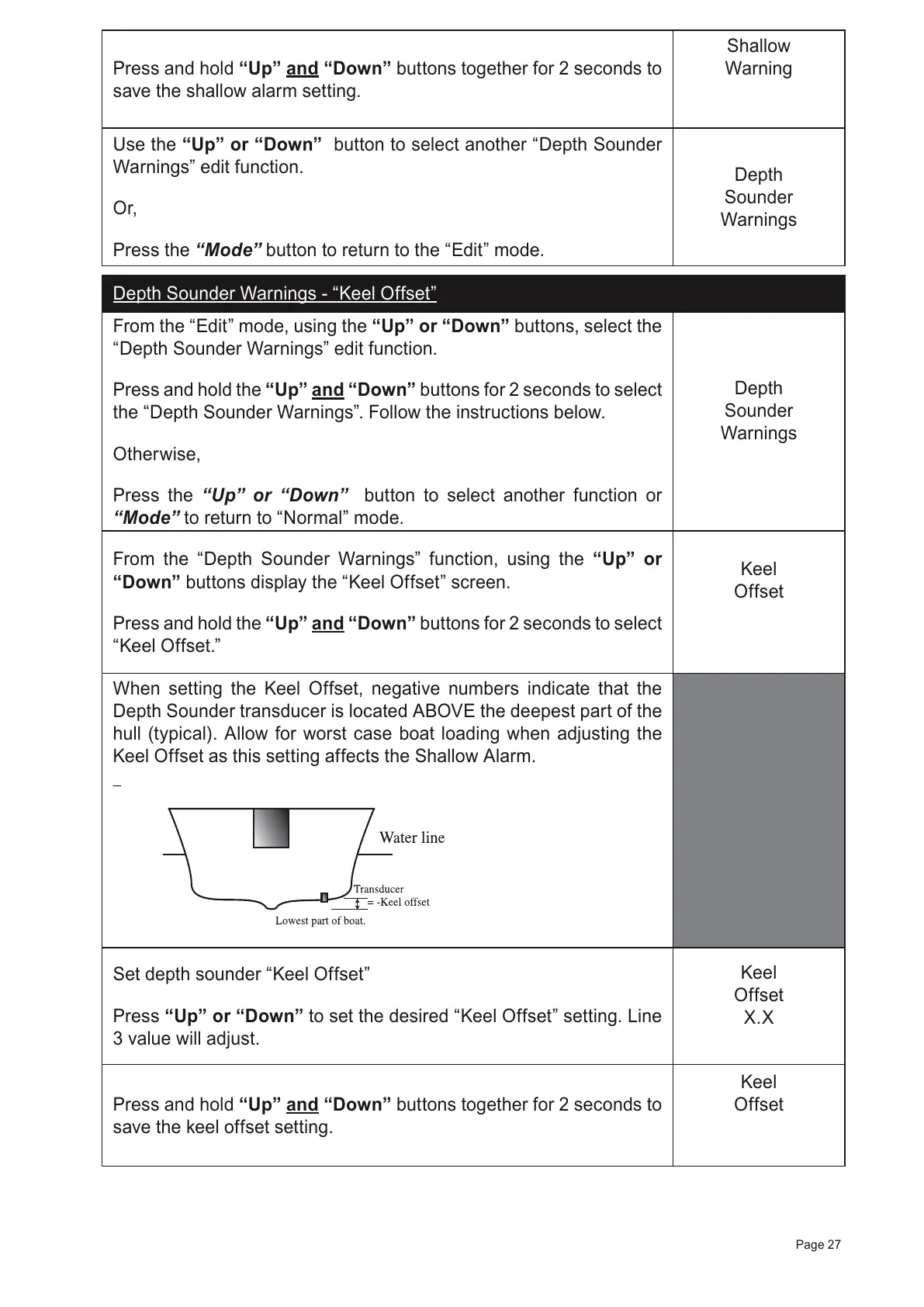
When setting the Keel Offset, negative numbers indicate that the
Depth Sounder transducer is located ABOVE the deepest part of the
hull (typical). Allow for worst case boat loading when adjusting the
Keel Offset as this setting affects the Shallow Alarm.
Set depth sounder “Keel Offset”
Press “Up” or “Down” to set the desired “Keel Offset” setting. Line
3 value will adjust.
Keel
Offset
X.X
Press and hold “Up” and “Down” buttons together for 2 seconds to
save the keel offset setting.
Keel
Offset
Page 27



 To Next Page