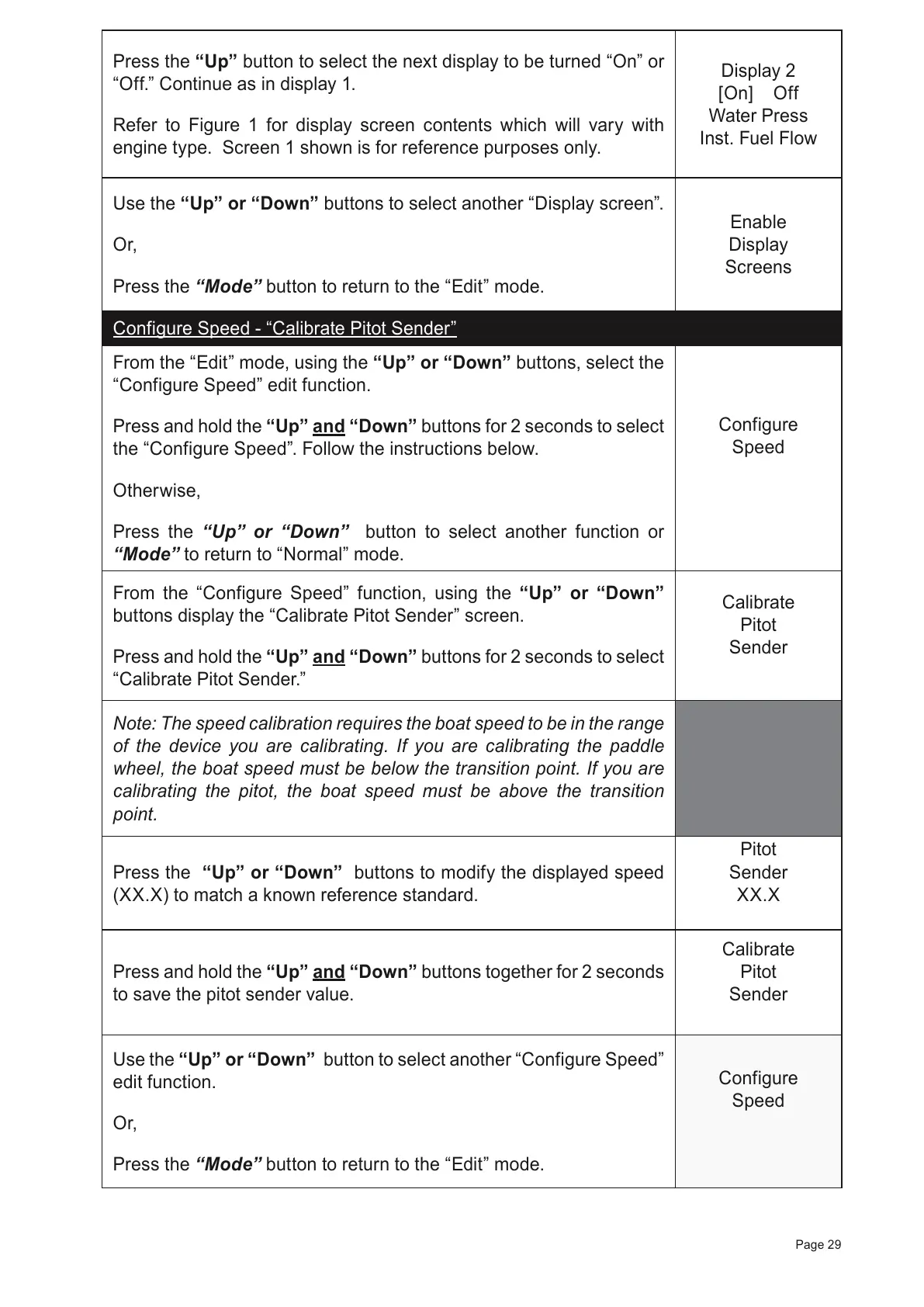
Press the “Up” button to select the next display to be turned “On” or
“Off.” Continue as in display 1.
Refer to Figure 1 for display screen contents which will vary with
engine type. Screen 1 shown is for reference purposes only.
Display 2
[On] Off
Water Press
Inst. Fuel Flow
Use the “Up” or “Down” buttons to select another “Display screen”.
Or,
Press the “Mode” button to return to the “Edit” mode.
Enable
Display
Screens
Configure Speed - “Calibrate Pitot Sender”
From the “Edit” mode, using the “Up” or “Down” buttons, select the
“Configure Speed” edit function.
Press and hold the
“Up” and “Down”
buttons for 2 seconds to select
the “Configure Speed”. Follow the instructions below.
Otherwise,
Press the “Up” or “Down” button to select another function or
“Mode” to return to “Normal” mode.
Configure
Speed
From the “Configure Speed” function, using the “Up” or “Down”
buttons display the “Calibrate Pitot Sender” screen.
Press and hold the “Up” and “Down” buttons for 2 seconds to select
“Calibrate Pitot Sender.”
Calibrate
Pitot
Sender
Note: The speed calibration requires the boat speed to be in the range
of the device you are calibrating. If you are calibrating the paddle
wheel, the boat speed must be below the transition point. If you are
calibrating the pitot, the boat speed must be above the transition
point.
Press the “Up” or “Down” buttons to modify the displayed speed
(XX.X) to match a known reference standard.
Pitot
Sender
XX.X
Press and hold the “Up” and “Down” buttons together for 2 seconds
to save the pitot sender value.
Calibrate
Pitot
Sender
Use the “Up” or “Down” button to select another “Configure Speed”
edit function.
Or,
Press the “Mode” button to return to the “Edit” mode.
Configure
Speed
Page 29



 To Next Page