Use the “Up” or “Down” button to select another “Depth Sounder
Warnings” edit function.
Or,
Press the “Mode” button to return to the “Edit” mode.
Depth
Sounder
Warnings
Select “Self Test”
From the “Edit” mode, using the “Up” or “Down” buttons, select the
“Select Self Test” edit function.
Press the “Up” or “Down” button to select another function or
“Mode” to return to “Normal” mode.
Select
Self
Test
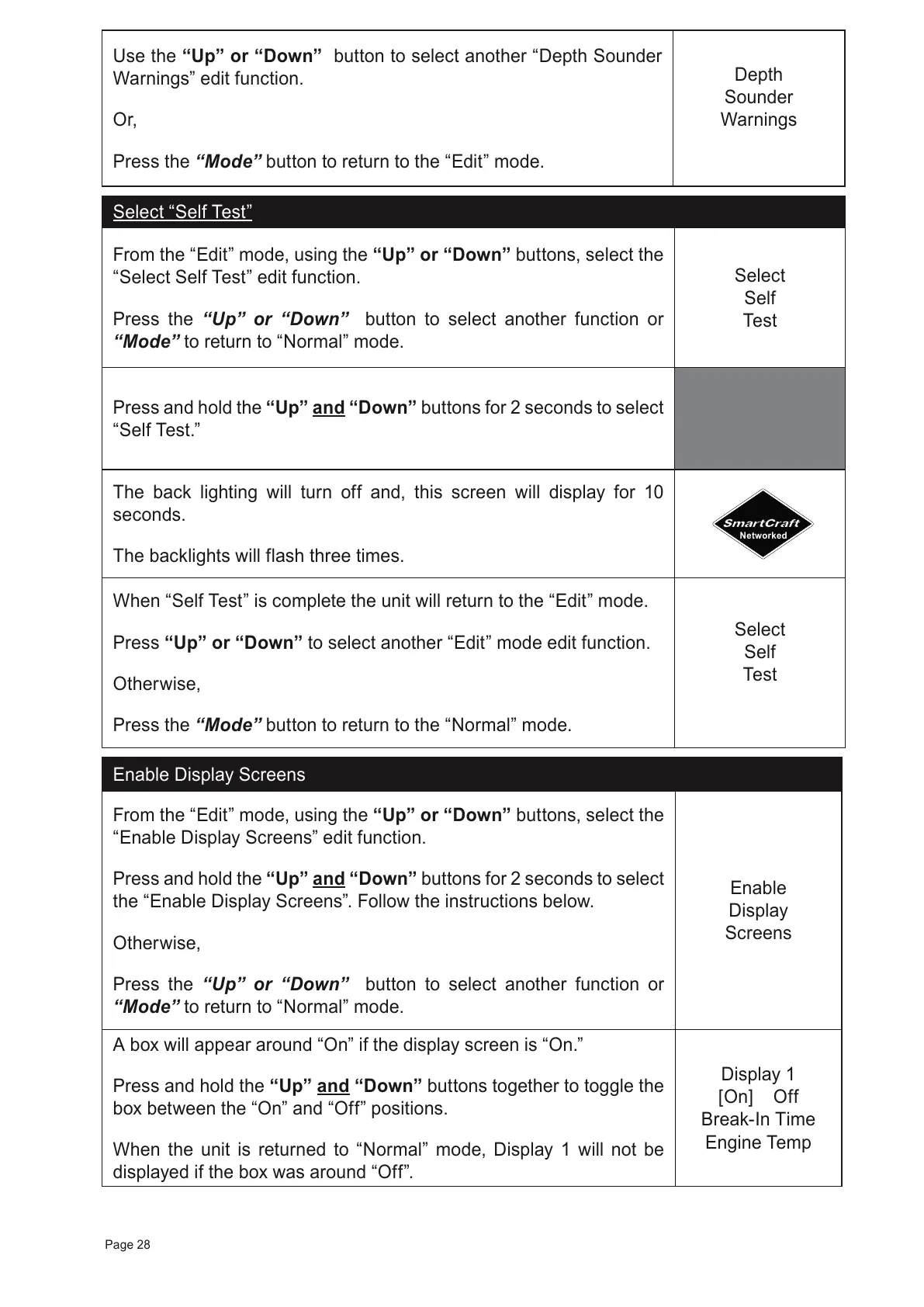
Press and hold the “Up” and “Down” buttons for 2 seconds to select
“Self Test.”
The back lighting will turn off and, this screen will display for 10
seconds.
The backlights will flash three times.
When “Self Test” is complete the unit will return to the “Edit” mode.
Press “Up” or “Down” to select another
“Edit” mode edit function.
Otherwise,
Press the
“Mode” button to return to the “Normal” mode.
Select
Self
Test
Enable Display Screens
From the “Edit” mode, using the “Up” or “Down” buttons, select the
“Enable Display Screens” edit function.
Press and hold the
“Up” and “Down”
buttons for 2 seconds to select
the “Enable Display Screens”. Follow the instructions below.
Otherwise,
Press the “Up” or “Down” button to select another function or
“Mode” to return to “Normal” mode.
Enable
Display
Screens
A box will appear around “On” if the display screen is “On.”
Press and hold the “Up” and “Down” buttons together to toggle the
box between the “On” and “Off” positions.
When the unit is returned to “Normal” mode, Display 1 will not be
displayed if the box was around “Off”.
Display 1
[On] Off
Break-In Time
Engine Temp
Page 28



 To Next Page