FARO Gage
May 2011
17
Chapter 3: Operation
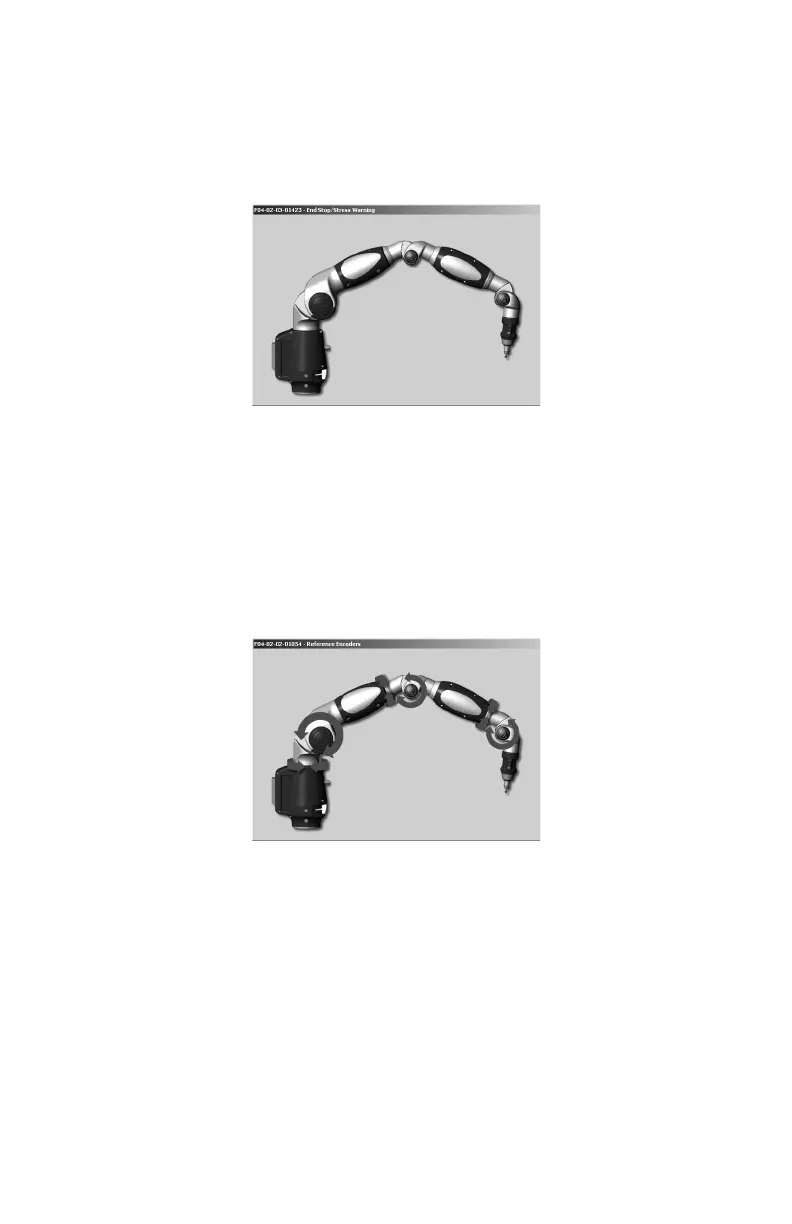
• The tube Stress Stop warnings - when there is stress on one of the tubes or
encoder joints. The Stress Stop warnings may be disabled. See “Hardware
Configuration” on page 53.
• Other errors are displayed in a message box.
N
OTE: The Gage does not output data until the error has been cleared.
Referencing the Encoders
You must first reference each of the six encoders in the Gage. The REFERENCE
E
NCODERS dialog box shows all six encoders in error until each is referenced. In
a systematic manner, rotate joints 1 through 6 until each warning clears.
NOTE: The Gage must be properly connected to the host computer running the
measuring software to see the R
EFERENCE ENCODERS dialog box on the host
computer.
Host Computer
The Gage output is accepted through any PC-compatible computer using the
following communication protocols:
• USB 2.0 (Device)
• Bluetooth
Figure 3-2 Gage stress stop warning
Figure 3-3 Referencing the encoders
08M47E00_FAROGage.book Page 17 Wednesday, June 8, 2011 4:12 PM



 To Next Page