FARO Gage
May 2011
19
Chapter 3: Operation
Using - Windows XP
Gage to the Computer Connection
Create the wireless connection between the host computer and the Gage created
using:
• In Windows XP, software supplied with a Bluetooth equipped computer, or an
aftermarket USB Bluetooth dongle and software.
• FARO Bluetooth Connection Setup utility software.
N
OTE: Implementation will differ among software suppliers, but generally
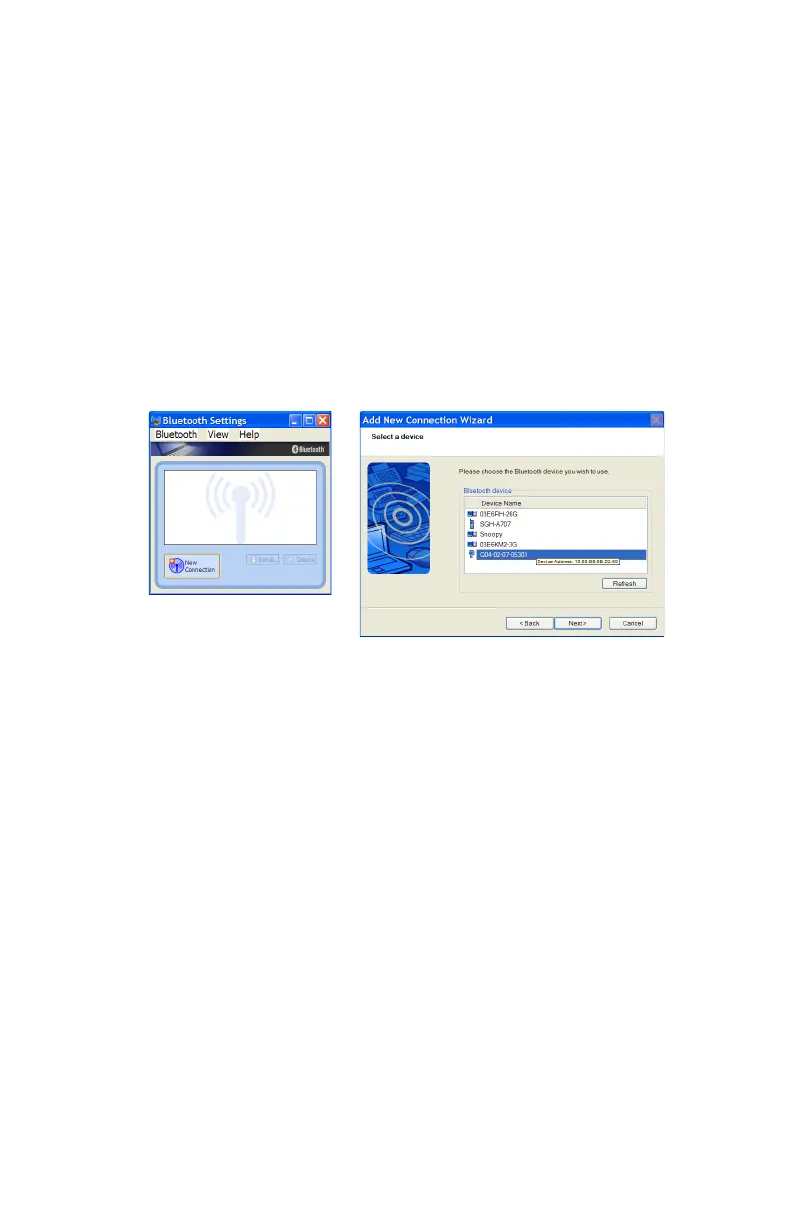
there is a platform specific Bluetooth Wizard that will search for all Bluetooth
devices in range and display them graphically, or in a simple list.
All Gages are identified by their serial number. Once a Gage is identified in the
list, a persistent SPP connection must be created. Once the connection exists, the
software will display the connection’s COM port number, for example COM10.
Write down your SPP connection COM port
______________________
This number is important and will be used later.
N
OTE: If the platform specific Bluetooth Wizard finds two COM ports, usually
labeled “Incoming” and “Outgoing,” for the Gage, use the Outgoing COM
port.
Computer to the Gage Driver Connection
Figure 3-5 Connecting the Gage to the Computer
08M47E00_FAROGage.book Page 19 Wednesday, June 8, 2011 4:12 PM



 To Next Page