FAULTS AND REMEDY
CARD G / FIT 80 V 6.15 E / April 2010
Defective flapper gate signal of vacuum loader. Check the wiring between the flap sensor
and the terminal xP4. Re-connect if loose.
Move the flap gate manually and watch the
input on the FIT-controller (parameter Signal
Loading in chapter 17.2.2 on page 46). Re-
connect or replace the sensor if necessary.
Put a bridge between the pins 2 und 3 on the
terminal xP4 (see wiring diagram) and check
the function of the FIT controller. Check
jumper settings on FIT-board or replace the
FIT if necessary.
The vacuum loader does not run. Check the signal between the terminal xP6
and the vacuum loader. Re-connect if
needed.
Check 24V DC is available when the loading
process is activated (parameter Motor
Loading – see chapter 17.2.3 on page 47 –
must show 1) and hopper loader setting is
correctly set in the Conveying Parameters
(see chapter 17.5 on page 53). Check wiring
and signal between the pins 2 and 4 on the
terminal xP6 and replace the FIT if
necessary.
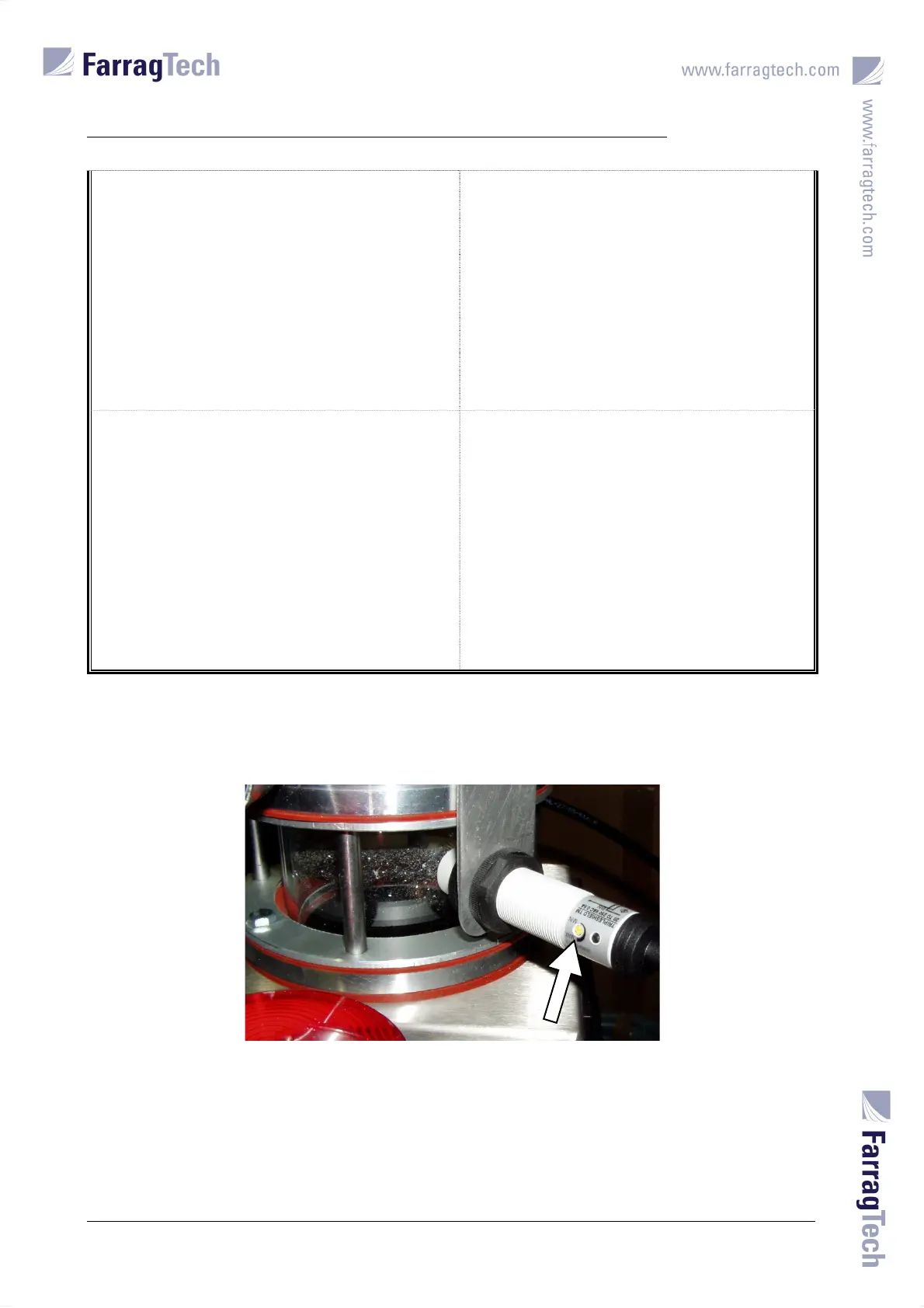
On venturi type loaders (VacuJet), the loading process is monitored via the proximity switch
mounted on the material separator. In case of faulty switching operations, the loading sensor’s
sensitivity can be adjusted by turning the yellow screw on the proximity sensor.


 To Next Page