2. Process the mask "Bus parameter" in the menu
"Configure"
– bus profile
– baud rate
3. There are bitmap files with icons of the valve termi-
nals on the CD ROM to simplify the configuration.
Copy the file PBFB13CN.BMP into the directory
\COMPB3x\BITMAPS\ on your PC/programmer.
Symbols
Further information (directories etc.) can be found in the
file "readme" in the main directory of the CD ROM.
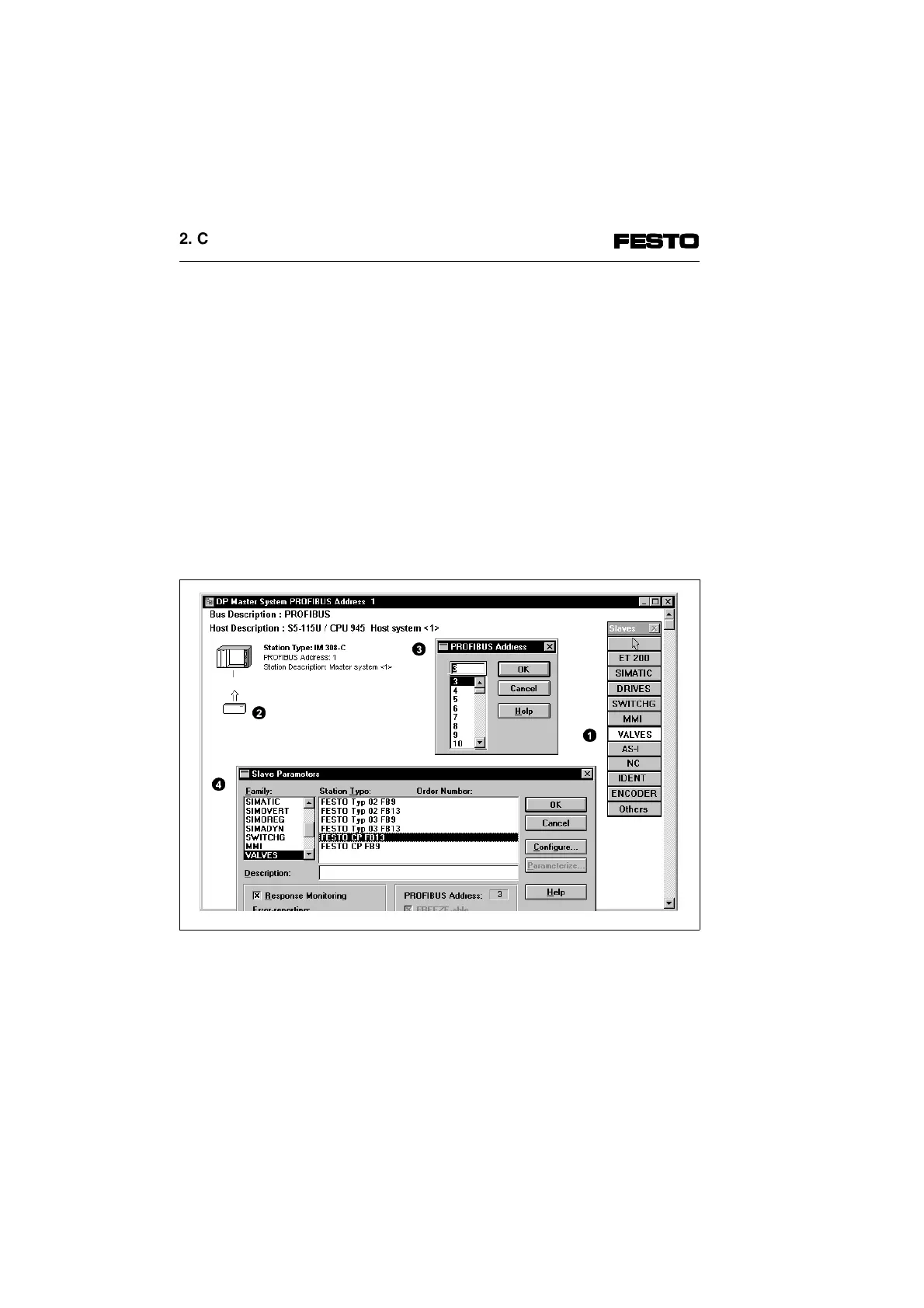
Station selection
Fig. 2/6: Station selection with COM PROFIBUS
2
4
1
3
2. Commissioning
2-14 CP FB13-E 9904b



 To Next Page