Festo Controller CECC
44
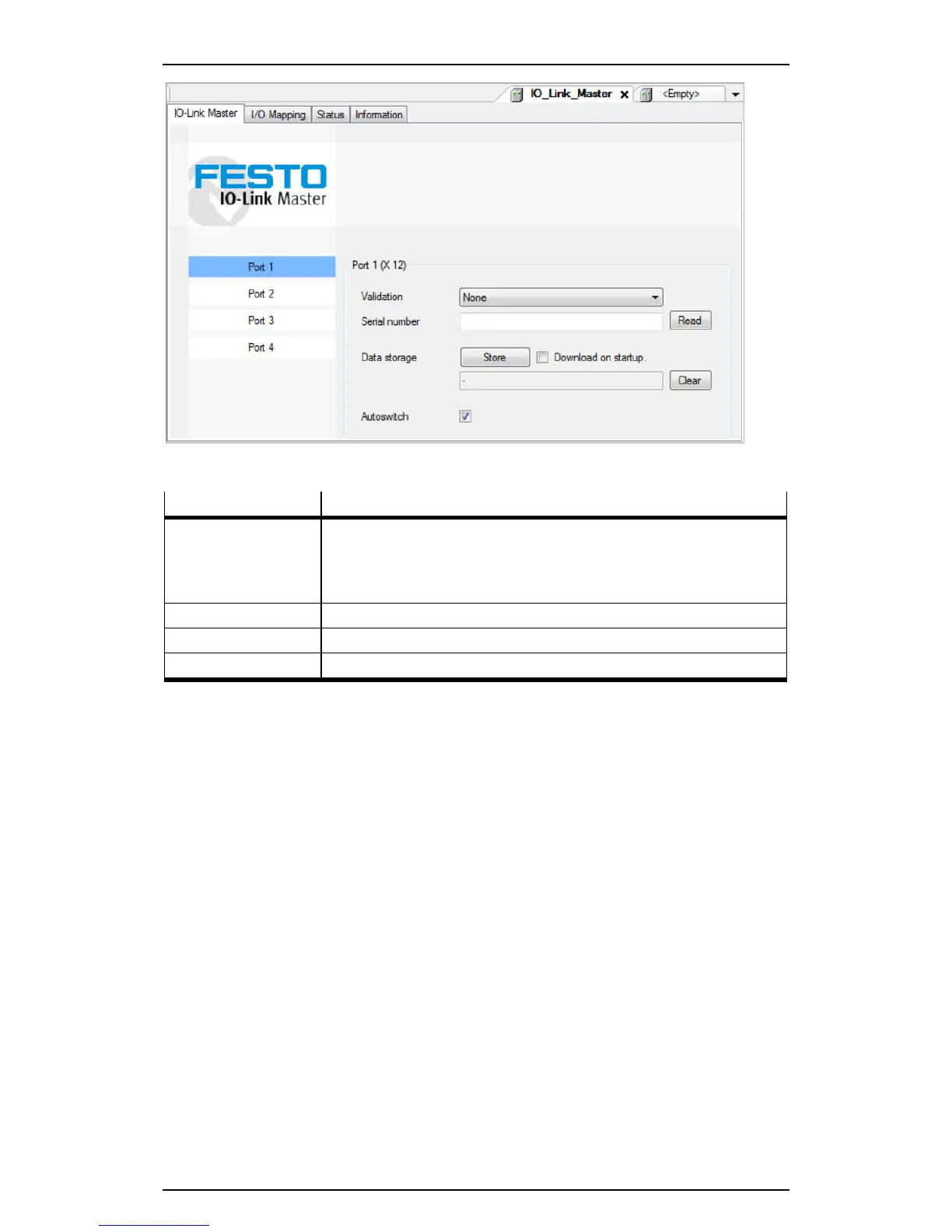
Figure: IO-Link master editing window (using the example of the CECC-LK)
The sub-tabs contain the following information and setting options:
Sub-tab Comment
IO-Link Master Validation setting: Read in the serial number
Options
– Data storage: Save the parameters
– Autoswitch: Automatically switch to Operate mode (default)
I/O Mapping Reserved (see IO-Link Devices for I/O Mapping)
Status Status of communication
Information Version information
• Click a port in the editing window to configure a master port.
The selected port is highlighted in blue.





 To Next Page