Festo Controller CECC
30
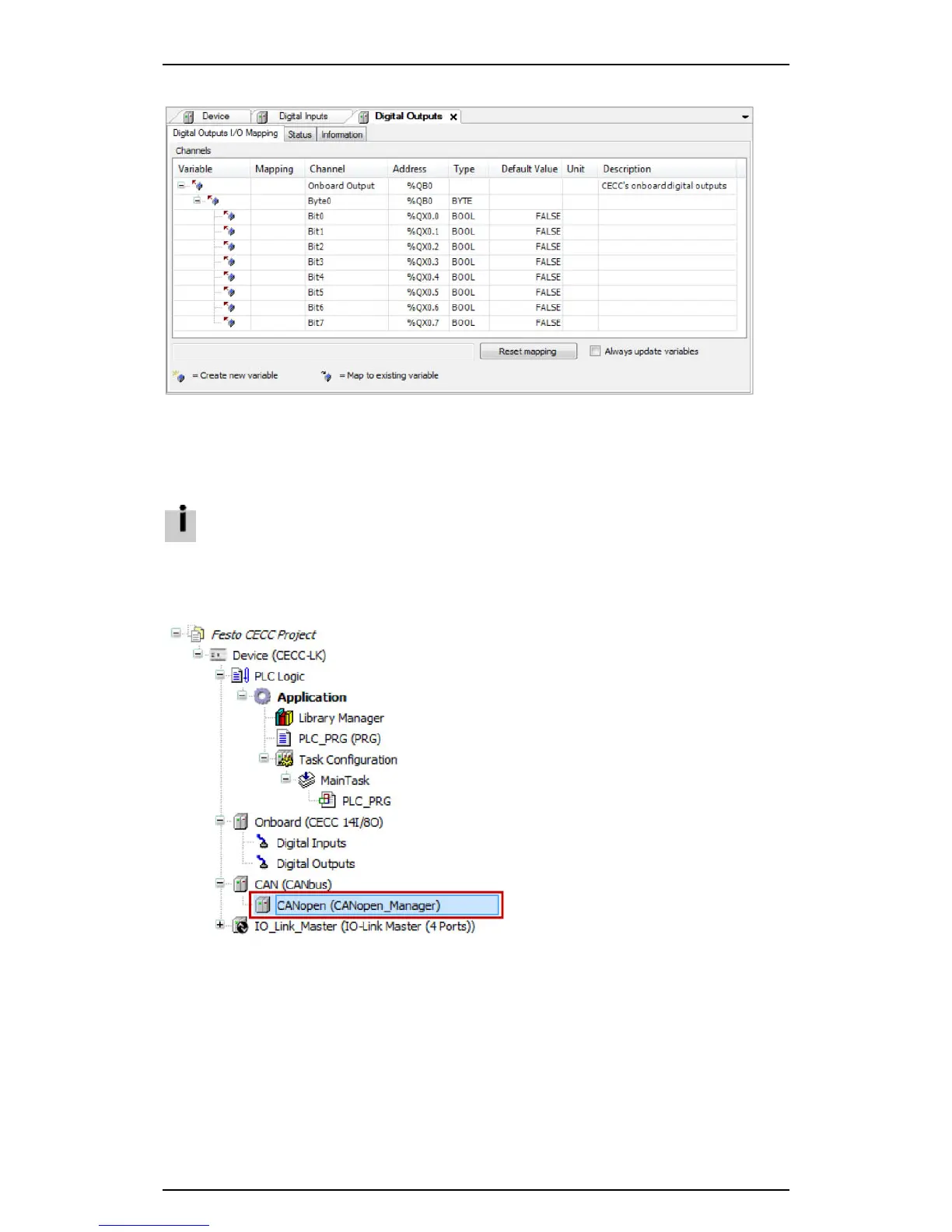
5. Click the "Digital Outputs I/O Mapping" sub-tab to show the current values for the inputs.
Figure: Digital outputs I/O mapping
6. Check the "Always update variables" box in offline mode to show the output states in real time.
4.5 Configuring a CANopen slave
Connecting via CANopen requires an appropriate baud rate.
The CAN tab for setting the baud rate is opened by double-clicking the CANbus branch in the
CODESYS V3 pbF device window.
4.5.1 Adding a CANopen slave
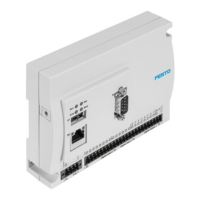
1. Highlight the CANopen_Manager branch in the CODESYS V3 pbF device window.
Figure: Device window - selecting "CANbus - CANopen_Manager"





 To Next Page