40 Finometer® Model-2 User’s Guide
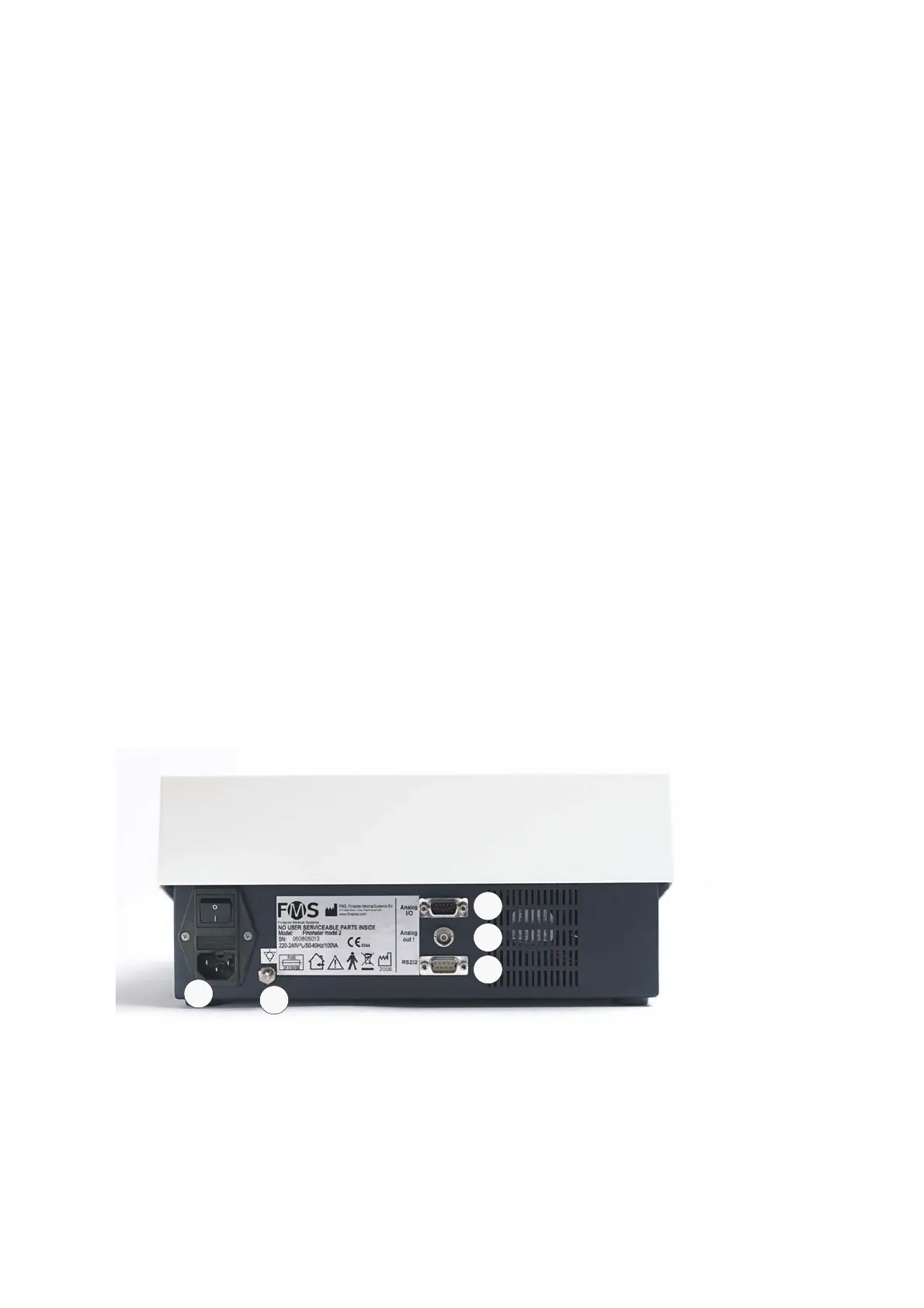
3.11 Connecting to a PC
To perform online monitoring and remote control of Finometer®
Model-2 the main unit has to be connected to a PC. Connect the PC
serial port to the 9-pin D-type Finometer® Model-2 serial connector,
marked RS232, using the serial interface cable that is part of the
standard package.
To maintain designed operator and subject safety, the user should
verify that peripheral equipment that is connected to Finometer®
Model-2 or one of its components complies with the relevant
standards. After connecting peripheral equipment the total
configuration should comply with IEC 60601-1-1 for electro medical
equipment.
A
C
D
B
E
Figure 3.9 Finometer® Model-2 back side
A: AC power connector
B: Potential equalisation connector
C: Analog I/O
D: BNC output
E: RS232



 To Next Page