62 Finometer® Model-2 User’s Guide
To obtain a good transmission of pressure from the airbladder to the
nd ould just make contact
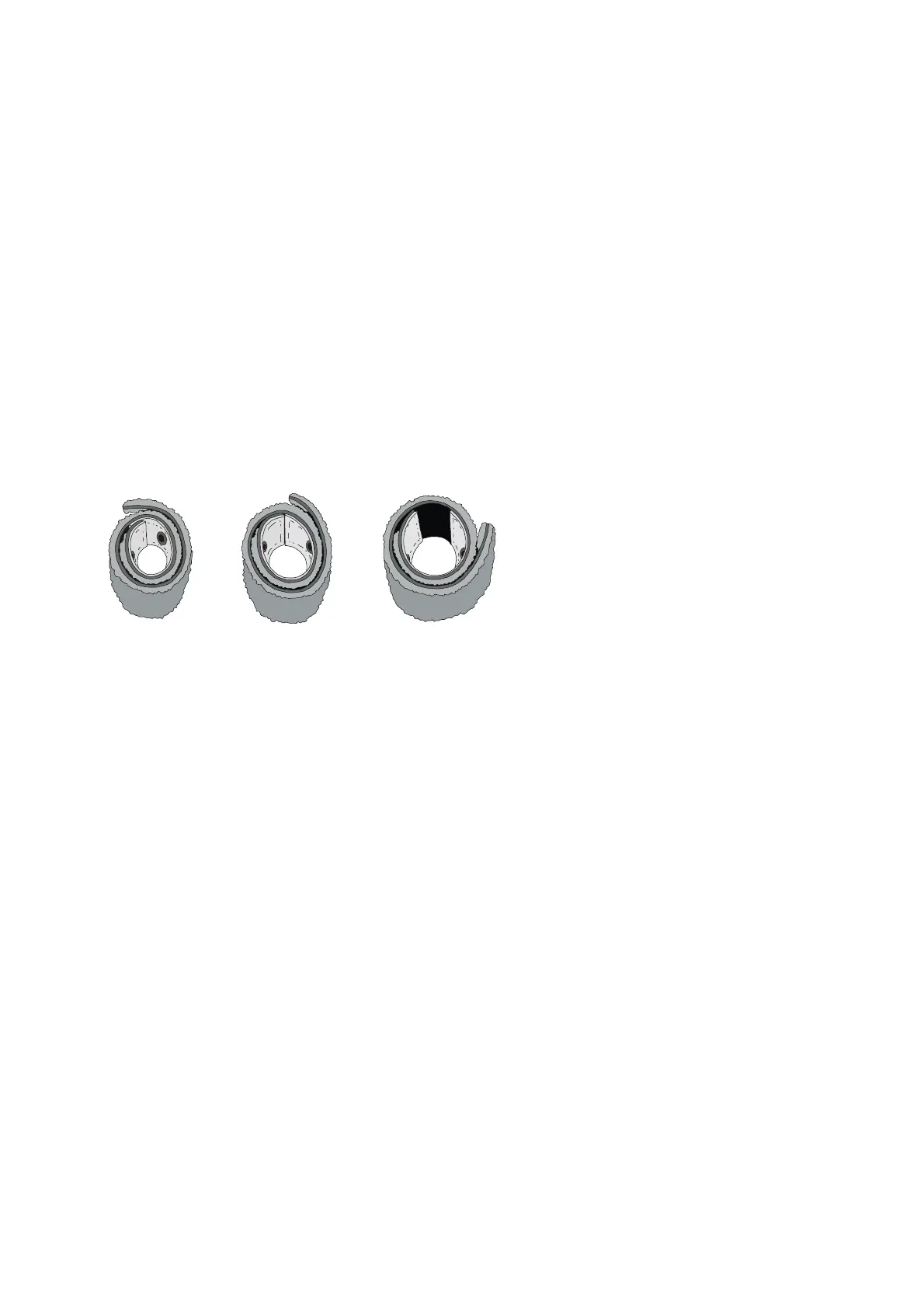
Cuff too small
.1.2 Warnings on cuff handling
e Frontend
around a finger or any other solid object! This may damage the
flat shape since this may
damage the bonding and the electrical shielding. Finger cuffs are
ng manufacturi
• defecti th e.g. adhesi
bstantially affe rement accur
6.1.3 Cuff application
To wrap the finger cuff around the finger:
D and photocell.
uch that the LED and photocell are
symmetrically placed on each side of the finger’s soft parts in the
center of the middle phalanx (Figure 6-2). The cuff cable and
u erlying tissues both sides of the airbladder sh
(see Figure 6.1).
Cuff too large Cuff ok!
Figure 6.1 Cuff size selection
6
Take into account the following notes to prevent finger cuff damage:
Don’t remove the finger cuff from a finger before stopping the
measurement or before disconnecting the air hose from th
Unit. The finger cuff may be damaged even though Finometer® Model-
2 automatically takes pressure away when the finger cuff unwraps.
• Don’t apply air pressure to a finger cuff, when it is not wrapped
finger cuff.
• Don't bend finger cuffs outwards to a
preformed around a coni
Do not try to repair
cal mandrel duri
ve finger cuffs wi
ng.
ve tape,
this will su ct measu acy.
1. Bend the finger cuff open just enough to see the LE
2. Place the finger in the cuff s



 To Next Page