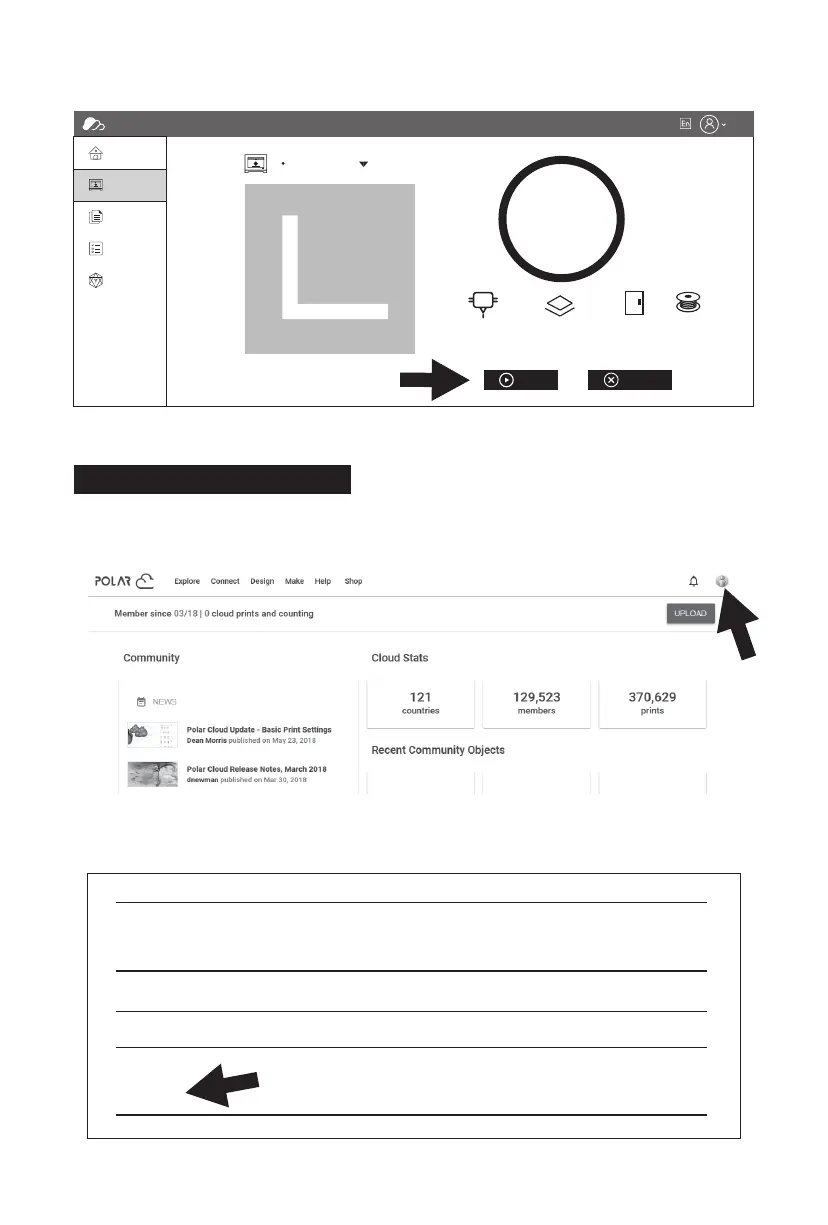
5. Finally, click [Start], and the selected printer will automatically start the print job.
1. Open the Polar Cloud website and register an account.
Polar Cloud: https://polar3d.com
2. After logging in, click the icon at the top right corner, click [Settings], and find
the PIN Code in the page.
Printing via Polar Cloud
Location
Biography
Website URL
Email
+ADD Email
PIN Code
xxxx
http://www.example.com/profile
FlashCloud
Home
My Printer
My Model
My Job
Model Library
Time Remaining
21℃/0℃ 21℃/0℃ Closed Nomal
0%
0 0
Flashforge
h min
Start Cancel
27















 To Next Page