26
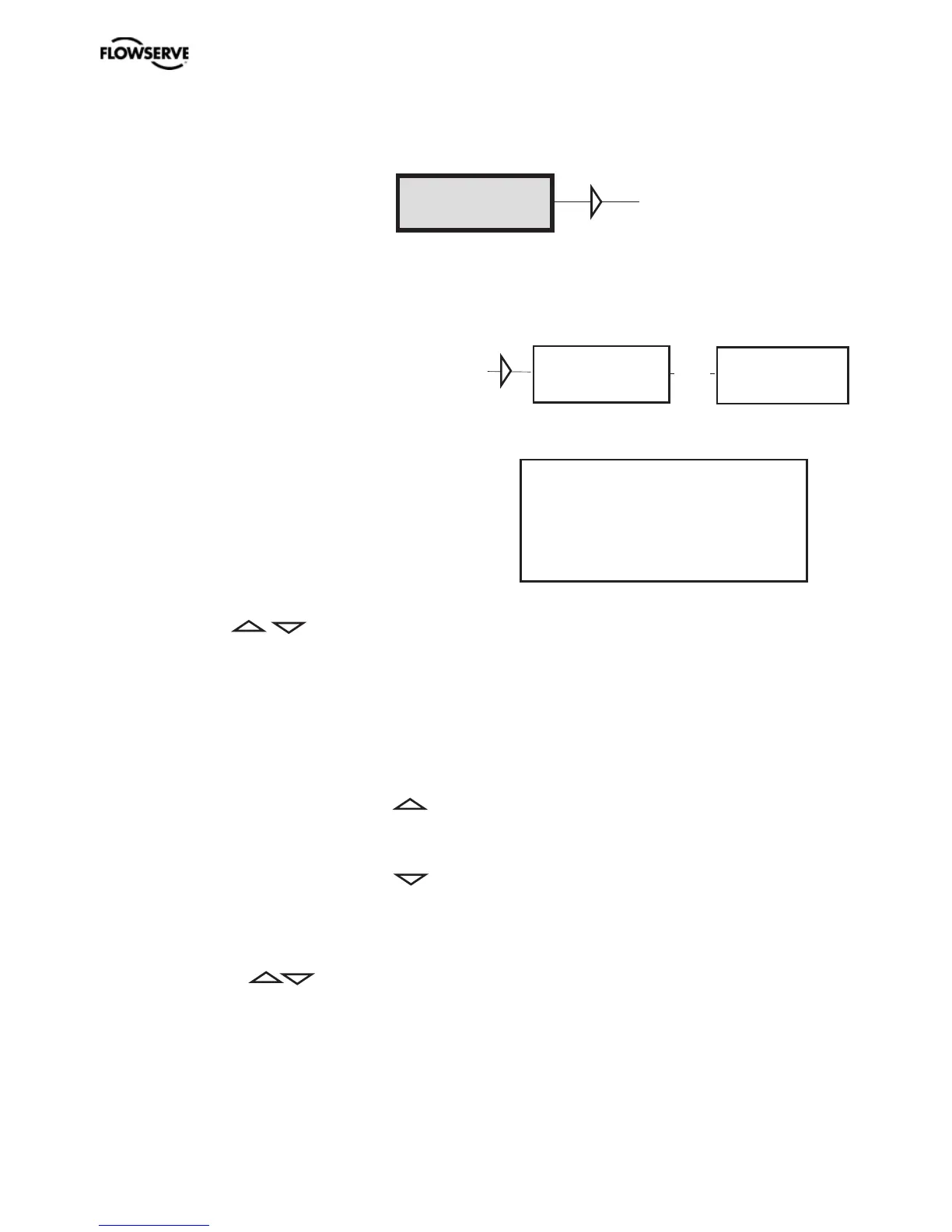
BASIC MENU
MAN/AUTO
AUT, OK=MAN
POS= 12,3%
OK
MAN, OK=AUT
POS= 12,3%
The menu contents are shown in the figures
on the right and the various texts are described
below:
AUT, OK = MAN
Positioner in automatic mode
MAN, OK = AUT
Positioner in manual mode
In the MAN mode, the value of POS can be
changed using . The push-buttons
increase/decrease the value in steps. The
value can also be changed in the same way as
for the other parameter values, as described
on page 18
Other functions
C+ can be fully opened by pressing
and then immediately OK simultaneously.
C- can be fully opened by pressing
and OK simultaneously.
C+ and C- can be fully opened for blowing
clean by pressing and OK
simultaneously.
When changing between MAN
and AUT mode, the OK button
must be pressed for 3 seconds.
The Man/Auto menu is used to change between manual and automatic modes.







 To Next Page