Fluke 192/196/199
Users Manual
62
Connecting to a Printer
To print a screen directly to a printer, use one of the
following adapters:
l
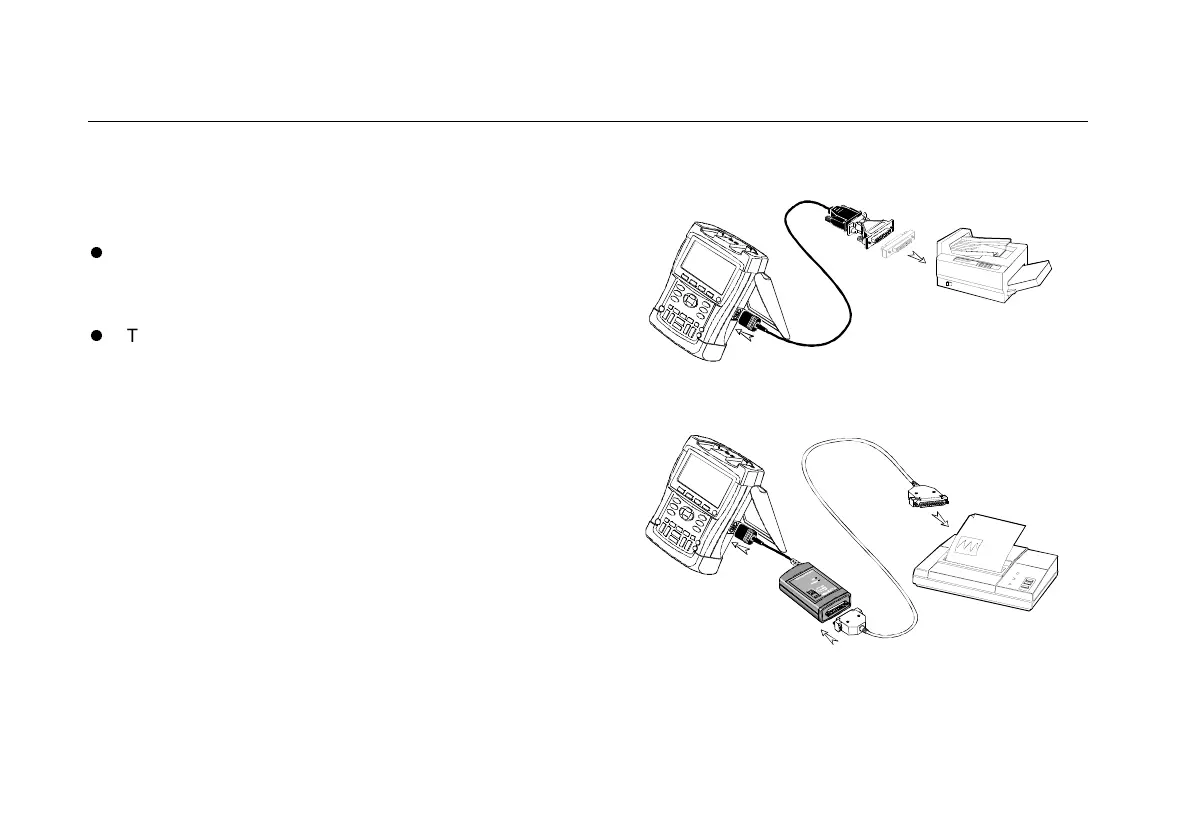
The Optically Isolated RS-232 Adapter/Cable
(PM9080) to connect a serial printer to the OPTICAL
PORT of the test tool. (See Figure 34.)
l
The Print Adapter Cable (PAC91, optional) to
connect a parallel printer to the OPTICAL PORT of
the test tool. (See Figure 35.)
Before printing, you must setup the test tool for a specific
printer.
Figure 34. Connecting a Serial Printer
Figure 35. Connecting a Parallel Printer










 To Next Page