sensALIGN 3 sensor firmware update
Updating sensor firmware to a newer version
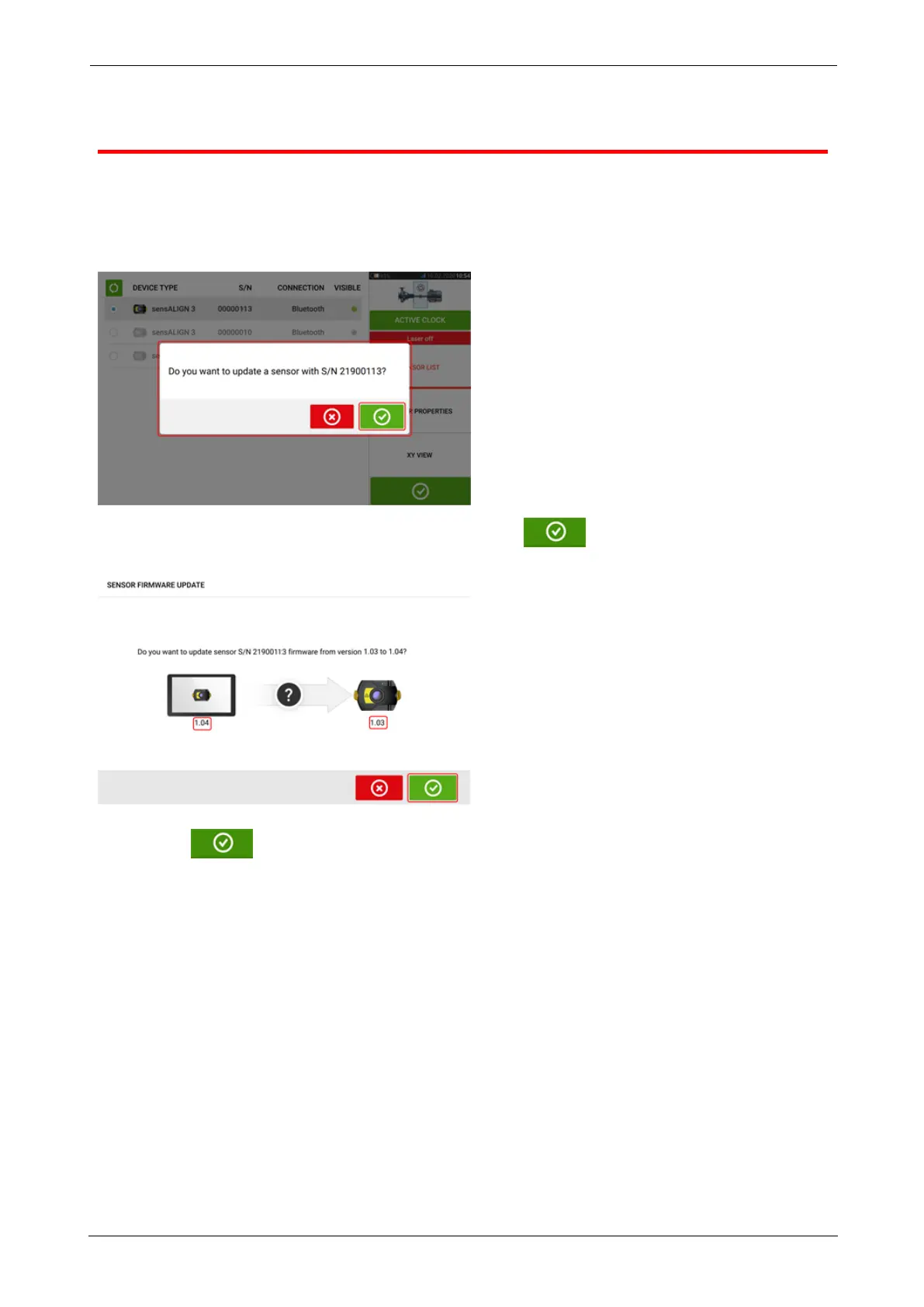
It is possible to carry out a sensor firmware update directly via the rugged touch device. If a
sensor with an older firmware version is connected via Bluetooth to the rugged device, a
sensor firmware update notification appears on the display.
It is recommended to update the sensor firmware. Tap to proceed to update the
sensor. The following sensor firmware update screen appears.
The screen shows that a newer sensor firmware version is available within the rugged touch
device. Tap to update the sensor connected via Bluetooth.
SHAFTALIGNtouch 111
On-board help



 To Next Page