Start Up Sequence
The program automatically enters the Run/Measure mode after power up. The screen will show the
software version of the FT3 during power up.
USB Interface
The USB interface is a standard feature which allows communication with a PC to monitor readings
and congure settings. FT3 View™, is a free application program from Fox Thermal that connects to
the USB interface and allows data monitoring, conguration setting, data logging to Excel, and an
option to save and recall FT3 conguration data.
FT3 Optional Display and Conguration Panel
The meter can be programmed by using the optional display and conguration panel.
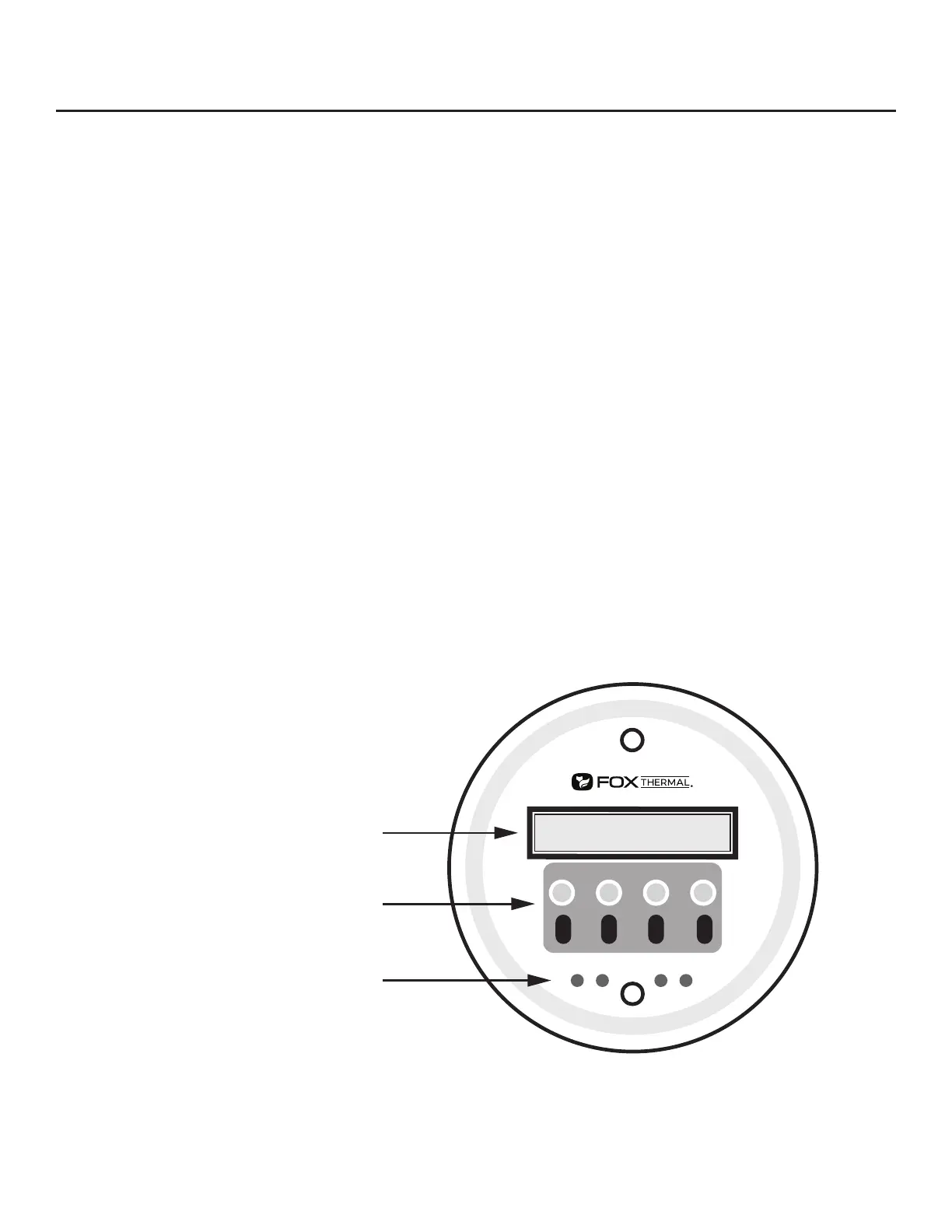
The FT3 display is a 2 line x 16 character display with 4 mechanical buttons and 4 IR (infrared) keys.
The mechanical buttons of the conguration panel can be accessed by removing the FT3 cap. Be sure
to replace the cap after you are done conguring the FT3.
The IR keys and mechanical buttons perform the same function, but the IR keys can be used without
opening the cover. The IR keys can be calibrated for better operation in the eld or disabled (p. 89)
when the meter is used in snow or ice in order to avoid false key detection.
Fig. 4.1: FT3 Optional Display and Conguration Panel
F1 F2
F3 F4
IR (infrared) Buttons
Display Window
Push Buttons
Operation | 50
Model FT3
Operation



 To Next Page