PostBase Mini
12
• Unpack the packages.
• Check that the contents of the packages
are complete and free from any damage.
Keep the packing. Use it again whenever you
need to transport your PostBase Mini, or
when sending it to the customer support.
Step 2: Assembling PostBase Mini
Caution! When you move PostBase Mini from a cold environment (i.e. below
10 °C / 50 °F): Unpack the PostBase Mini and wait at least 2 hours before
connecting PostBase Mini. PostBase Mini requires this period to adapt to the
ambient conditions.
• Choose an installation site with the follow-
ing ambient conditions:
– room temperature: 15 °C to 35 °C (59 °F
to 95 °F)
– no direct sunlight
– power socket in the immediate vicinity
– network connection with internet access.
• Place PostBase Mini on a firm, level, low
vibration and horizontal base.
• Remove the protective foil from the display.
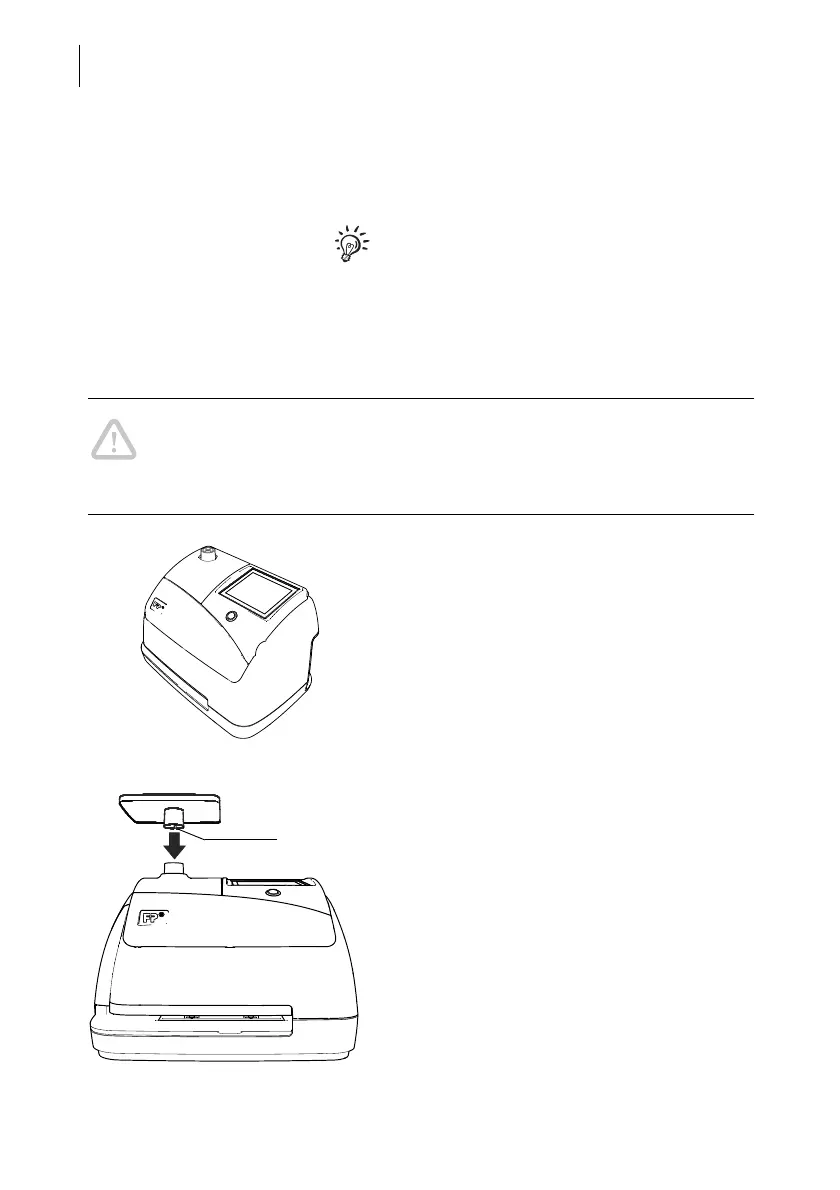
Mounting the weighing platform
• Hold the weighing platform such that the
slot in the weighing platform foot points to
the back.
• Place the weighing platform onto the scale
receptacle from above. The slot of the
weighing platform must slide in the coun-
terpart on the scale receptacle.
• Press down slightly on the weighing plat-
form with your flat hand.



 To Next Page