PostBase Mini
30
4.3.6 Adjustment menus
A separate menu each opens for editing and selecting settings. There are different
types of adjustment menus, for example lists where you select a setting or menus
with a keypad for entering figures or letters.
Lists
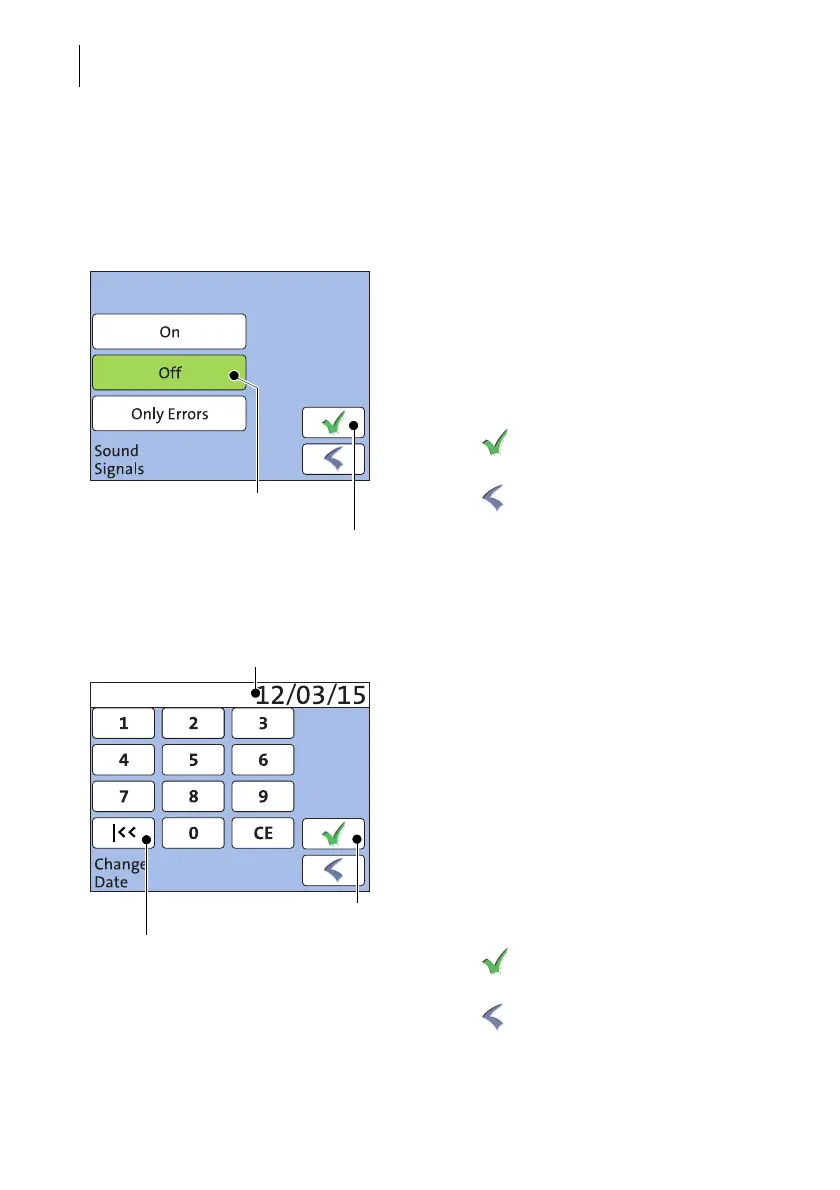
The left area of the display shows the availa-
ble settings. The current setting is shown with
a green background.
You can scroll the list with a scroll bar if more
than four options are available.
Press the button to save the current set-
ting and to quit the adjustment menu.
Press the button to leave the adjustment
menu without saving any changes.
Input via keypad
Use the keypad to input values. The display
field indicates your input.
The keypad is always matched to the respec-
tive situation: The button labels change
accordingly, depending on whether you must
type figures or figures and letters.
The bottom left button is assigned a special
function matched to the current operation. In
the adjustment menu for setting the franking
date, for example, this is ‘reset to current
date’.
Press CE to clear input.
Press the button to save the current set-
ting and to quit the adjustment menu.
Press the button to leave the adjustment
menu without saving any changes.
Current setting
Save
current setting
Button assigned according to function
(here: reset to current date)
Save
Display field



 To Next Page