PostBase Mini
76
12.6 Move the motor of the print system to reference position
In case the ink cartridge does not move to the expected exchange position, you can
move the motor of the print system to the reference position with this menu function.
• Open the M
ENU.
•Select P
RINT SYSTEM.
•Select R
ESET.
The motor moves to the reference position.
12.7 Calibrating the touch screen
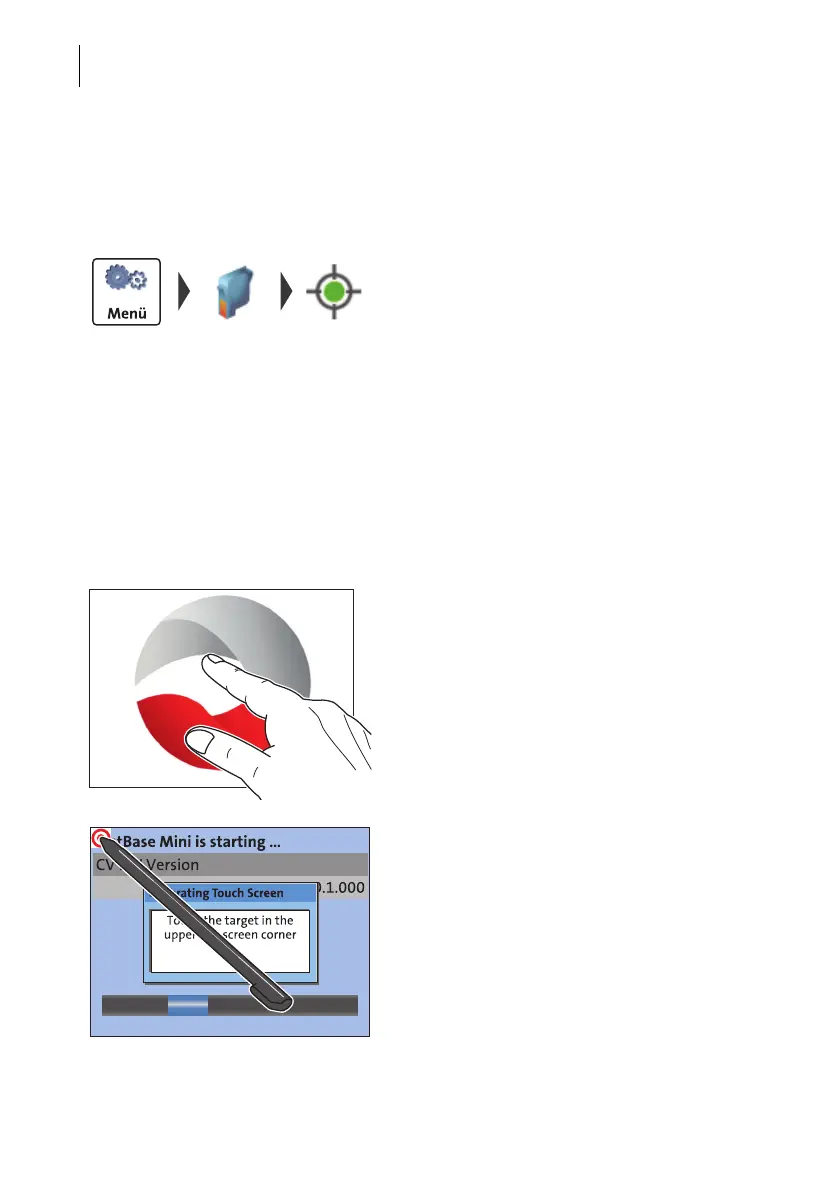
You have to calibrate the touch screen when operating the screen with your finger or
with the stylus does not work correctly.
• Turn on the PostBase Mini.
As soon as the screen displays the PostBase
logo:
• Touch and hold your finger in the mid-
dle of the display until the calibration pro-
cedure starts.
A red circle (the first calibration circle)
appears in the upper left corner.
• Touch the red circle with the stylus.
• Follow the further instructions on the
display: Touch each of the displayed cali-
bration circles with the stylus.
The PostBase Mini will continue its start rou-
tine. The touch screen is now calibrated.



 To Next Page