PostBase Mini
38
5.2 Advertising imprint
With the franking imprint, PostBase Mini can print an advertising imprint of your
choice on your mail piece. Advertising imprints may be:
– Graphical advertisements
– Text messages / SMS texts (optional, not in all countries).
Setting the advertising imprint
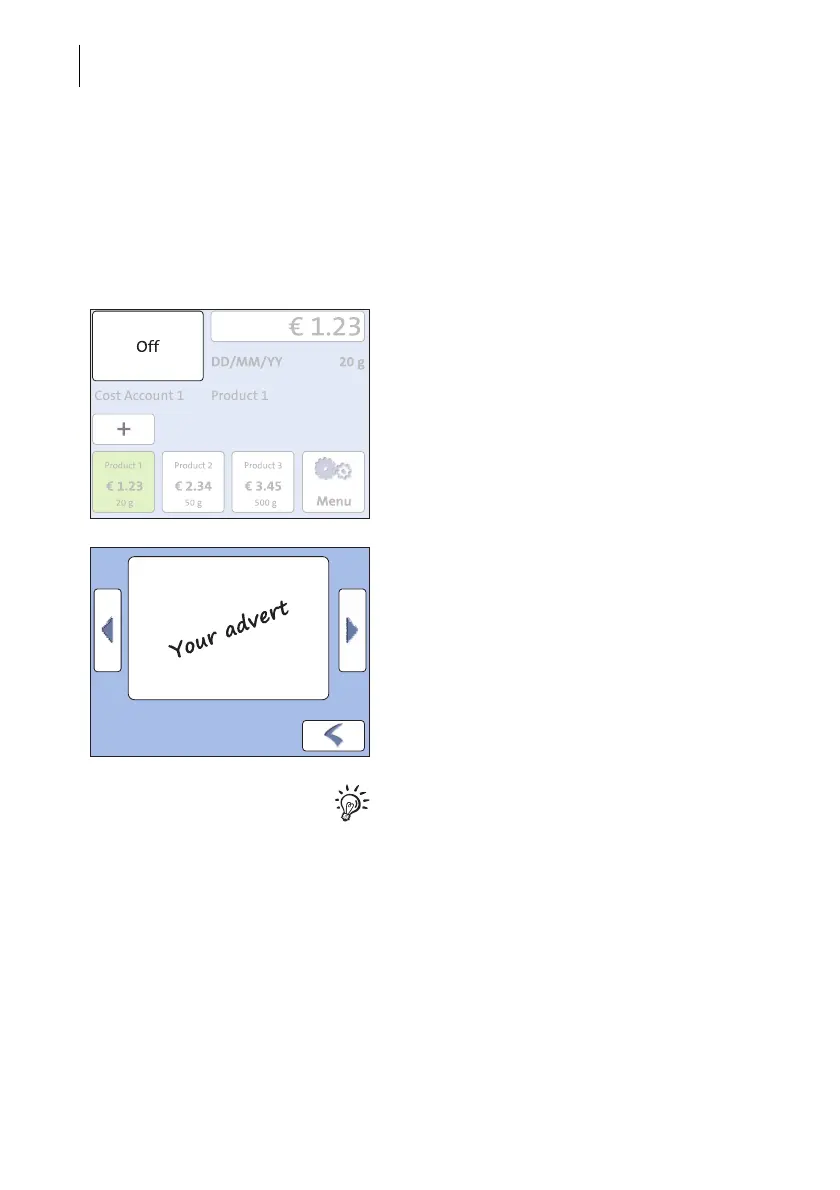
In the Home screen:
• Press the advertising imprint button.
You see a list with all available advertising
imprints.
• Touch the desired advertising imprint.
The PostBase Mini returns to the Home
screen. The advertising imprint is set for
franking.
You can only create and save SMS texts as
advertising imprints in the PostBase Mini
with the optional PC control software from
Francotyp-Postalia (e.g. NavigatorBasic,
RemoteOne). For details on how to enter text
and manage adverts on the PC, please read
the manual provided with the software.



 To Next Page